Section 3 - Installation
3-15
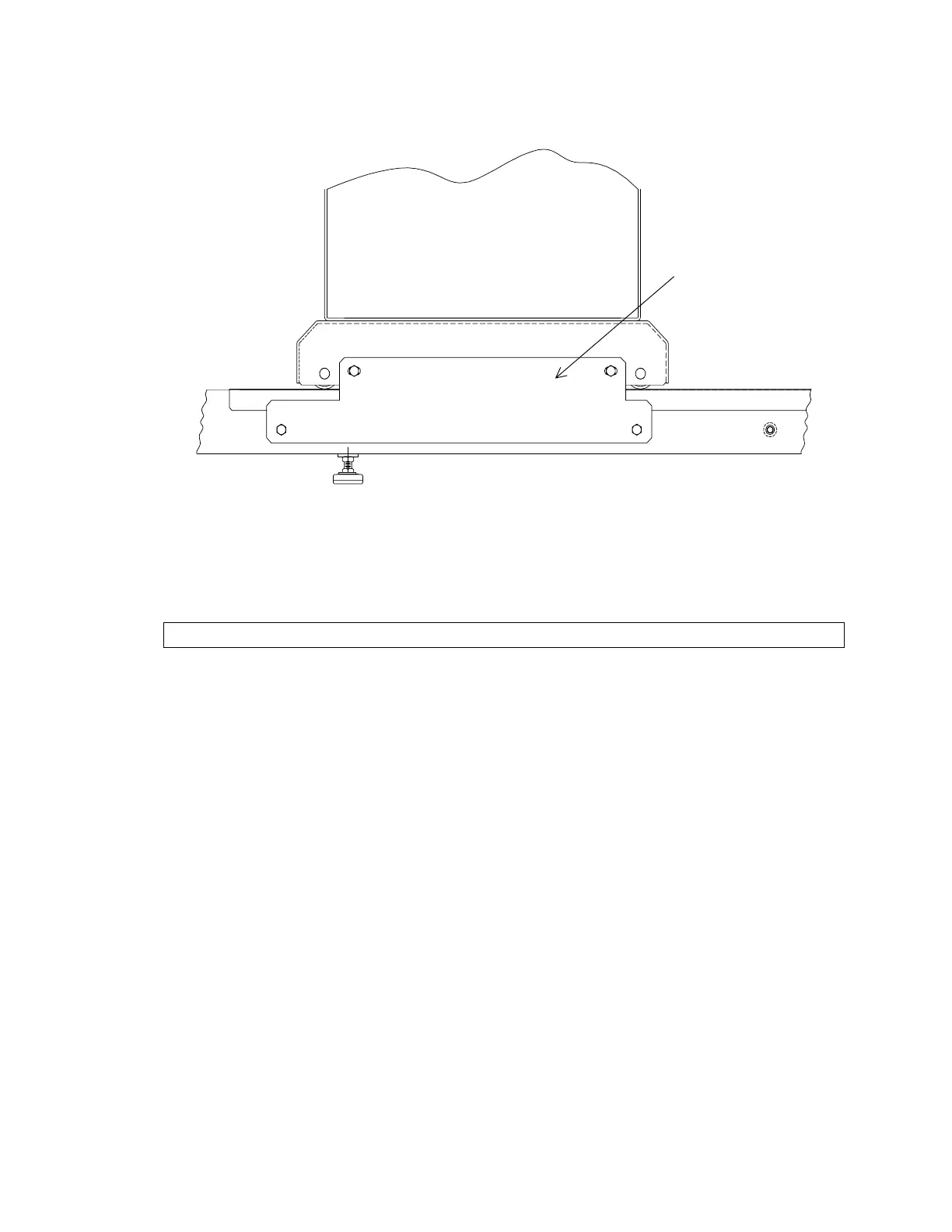
Shipping Bracke
Figure 3-14. Shipping Bracket Location (QDR 4500W and C)
INSTALL QDR 4500A, OR QDR 4500SL, UPPER C-ARM
Follow the procedure below to install a QDR 4500A, or QDR 4500SL, upper C-arm assembly:
WARNING:
Do not remove C-arm shipping brackets (Figure 3-12) until done.
1.
Refer to Figure 3-15. Reposition the belt tensioning mechanism. The belt tensioning
mechanism is turned around to facilitate shipping and moving the assembly (the
shipping bracket is not used after the mechanism is repositioned).
2.
Remove the back C-arm cover (2 Phillips screws).
3.
Remove the two 1/2" bolts that lock the upper C-arm in place (left in place during
shipment).
4.
Remove the screws for the C-arm shoulder cover (left in place during shipment).
5.
Remove the two C-arm retaining brackets (to allow upper C-arm to be set in place).
6.
Remove the cover from the upper C-arm.
7.
Install the upper C-arm onto the lower C-arm (tilt the front of the upper C-arm up to
slide it in place).
8.
Install the retaining brackets.












 To Next Page