QDR
4500 Technical Manual
5-30
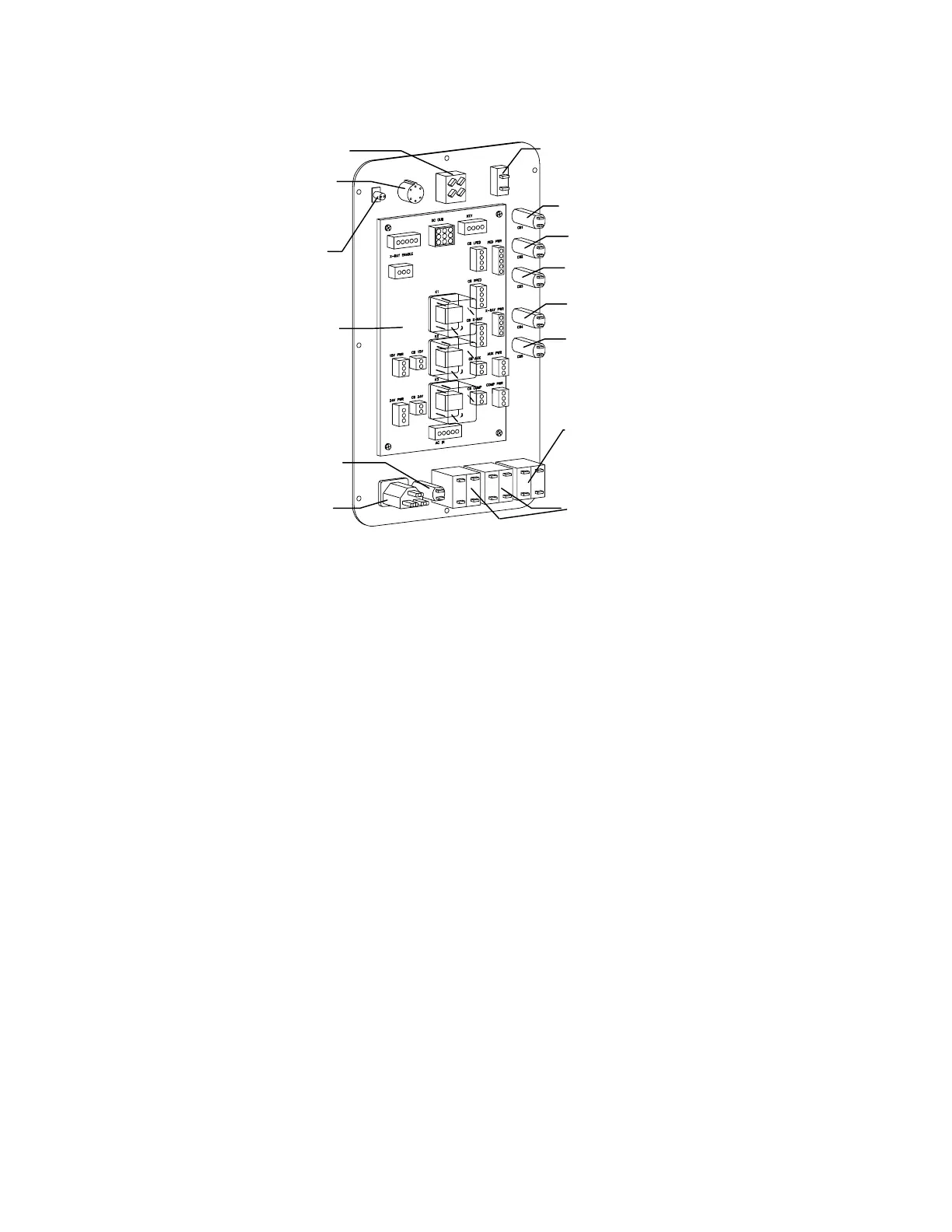
Power
Controller
Board
Computer CB
28V P/S CB
15V P/S CB
24V CB
28V CB
Computer Power
Switch
Instrument
Power Switch
Key
X-Ray On
LED
X-Ray
Supply CB
Pedestal CB
Remote X-Ray
Indicator CB
Receptacle
Figure 5-16. Power Control Panel FRUs
5.
Remove 4 Phillips screws and slide the board out.
6.
Reverse the steps to install the new Power Controller Board.
OPERATOR'S CONSOLE FRUS
The Operator's Console FRUs, computer, keyboard, monitor and printer, are located on the
computer stand (see Figure 5-17). If replacement is necessary, the keyboard, monitor or printer
are replaced as an entire unit. Refer to the computer service manual for computer servicing
information.












 To Next Page