QDR
4500 Technical Manual
5-38
Note:
When replacing the end cap ensure that the flats on each side of the drum shaft are facing
the same way (this happens where the two side-by-side holes line up).
11.
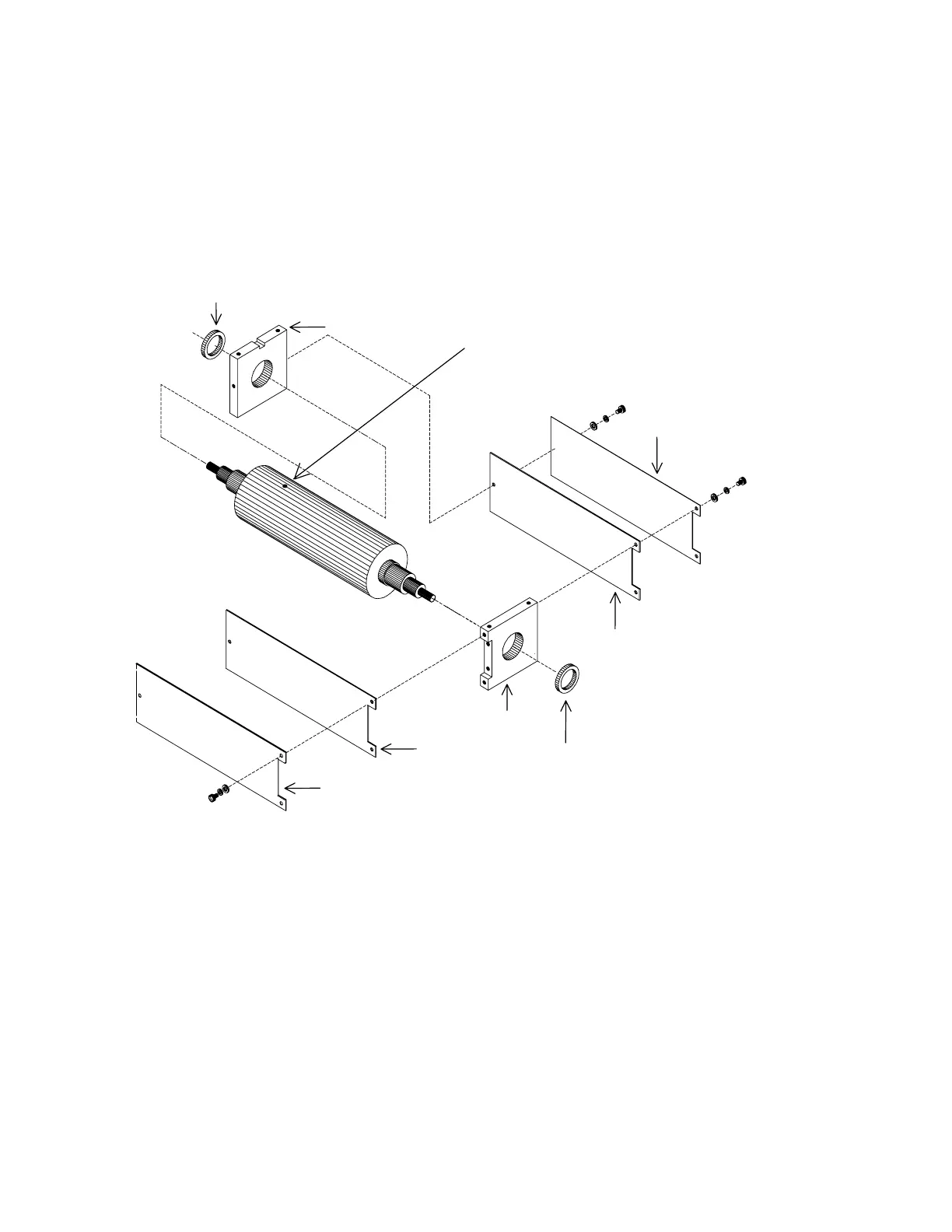
Replace the 2 endplates. The endplate with the cutout (for the PCB) goes on the drum
end
away
from the alignment hole (see Figure 5-22).
12.
Replace the lead shields and side plates (6 screws).
Bearing
250-0046
Bearing
250-0046
Endplate
Endplate
Lead Shield
Side Plate
Lead Shield
Side Plate
Alignment Hole
Figure 5-23. Drum Outer Bearings
13.
Align the 2 endplates onto the holes on the recessed area on the base plate. Orient the
front endplate towards the 2 slotted holes. Orient the rear endplate on the opposite set of
holes and position so that the endplate side with cutout (for PCB) is facing the "C"
cutout of the base plate. Replace the 4 flat washers, split locks, and 4-40 x 3/8 screws
that secure the endplates.
14.
Insert the Drum Spacing Fixture (099-0296) between the endcap and the front endplate.
Push the filter drum against the fixture to center it between the two blocks. Do not
remove the fixture at this time.












 To Next Page