QDR
4500 Technical Manual
4-6
Figure 4-5. The Alignment Fixture Properly Installed
7.
Exit SQDRIVER.
8.
Set the machine in the Center Table position, then raise the table all the way up.
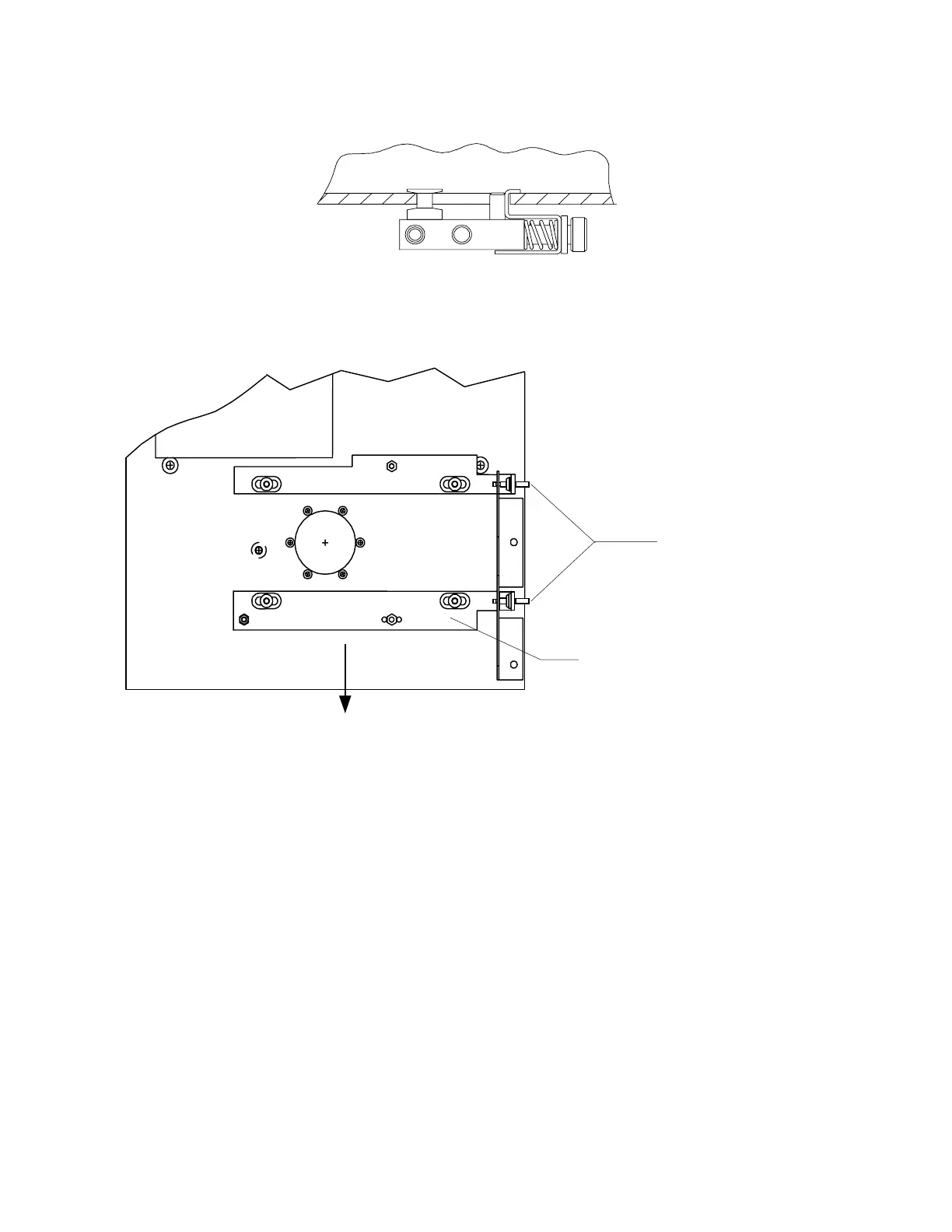
Adjusting
Screws and
Jam Nuts
Filter Drum Base
Assembly (filter drum
assembly removed)
FRONT
Figure 4-6. Filter Drum Adjustments - Top View
9.
At the Filter Drum assembly, loosen the jam nuts, and insert Allen wrenches (3/32"), in
both Filter Drum Allen alignment screws. (Figure 4-6 above shows location of
alignment screws and jam nuts.) Ensure that the Filter Drum is running.
10.
Type SUSQ <Enter>, set high gain = 2, low gain = 1. Set X-ray mode to 3.
11.
Press <Ctrl> <Pg Dn> to get the bar graph.
12.
Verify that the screen shows Pulse 1 (high air). If it doesn't, press <Alt><P> until it
does.
13.
Set X-ray mode to 3, press <Ctrl><PageDown> and make sure the screen still shows
pulse 1.
14.
Press F1 to turn on X-rays. View the X-ray plot.












 To Next Page