QDR
4500 Technical Manual
5-20
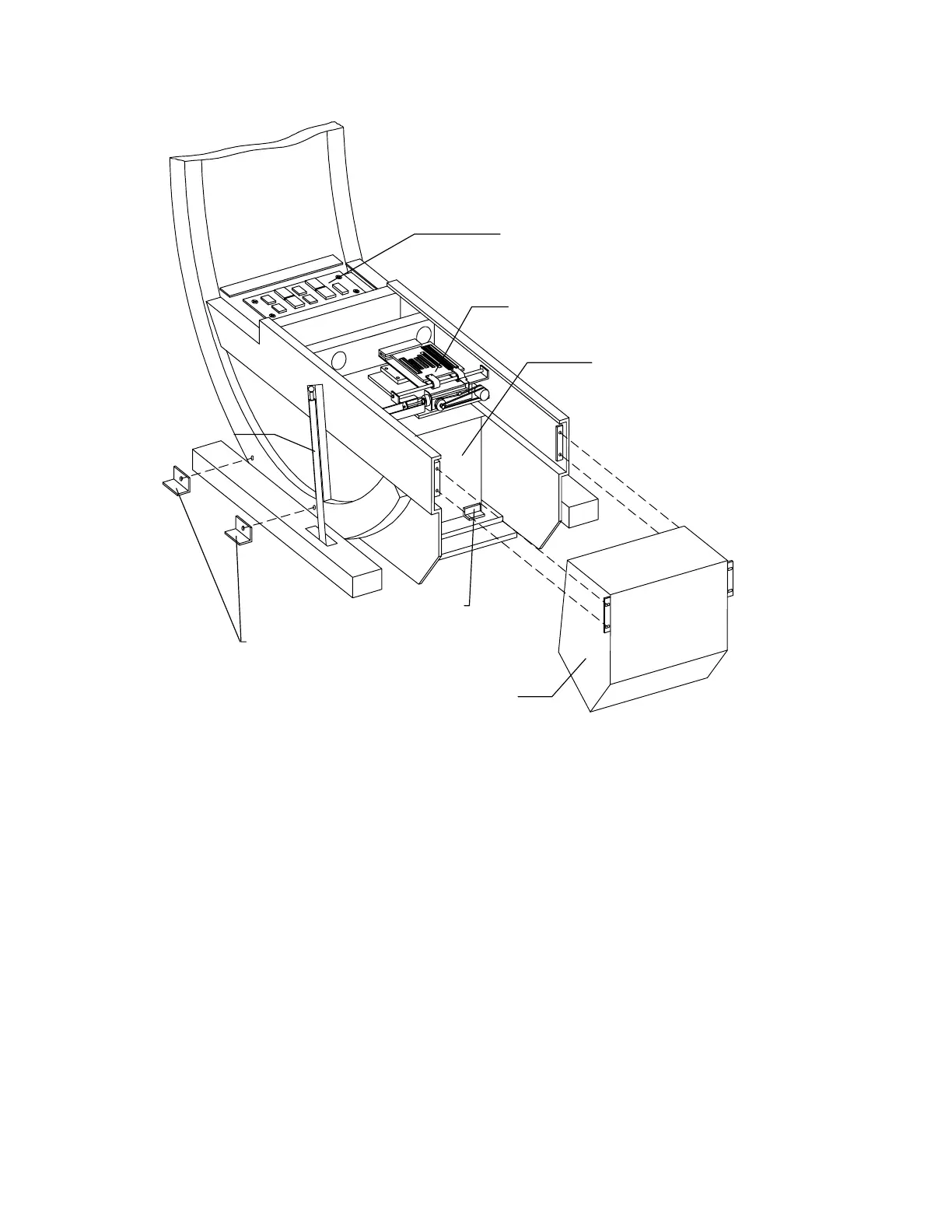
C-Arm Interface Bd
Filter Drum Assembly
Tank Assembly
Shipping Brackets
(2 each side)
L-Brackets
X-Ray Controller Assembly
Gas Spring
Figure 5-9. Lower C-Arm FRUs
Filter Drum Assembly
To remove and replace the Filter Drum (FD) Assembly refer to Figure 5-9 and follow the
procedure below:
1.
Using the Motor Control Pad, move the table up and in as far as it will go, and center
the C-arm, for easier access to the FD.
2.
Using SURVEY, move the FD aperture to 7.
3.
Turn off the QDR 4500 computer and instrument power switches, and main power
circuit breaker.
4.
Remove the lower C-arm cover by removing 2 Phillips screws and sliding it out from
the front. Also remove the bottom cover.
5.
Remove the 4 Phillips screws holding the XRC (see Figure 5-9).












 To Next Page