Section 5 - Remove & Replace
5-35
Motor Mount
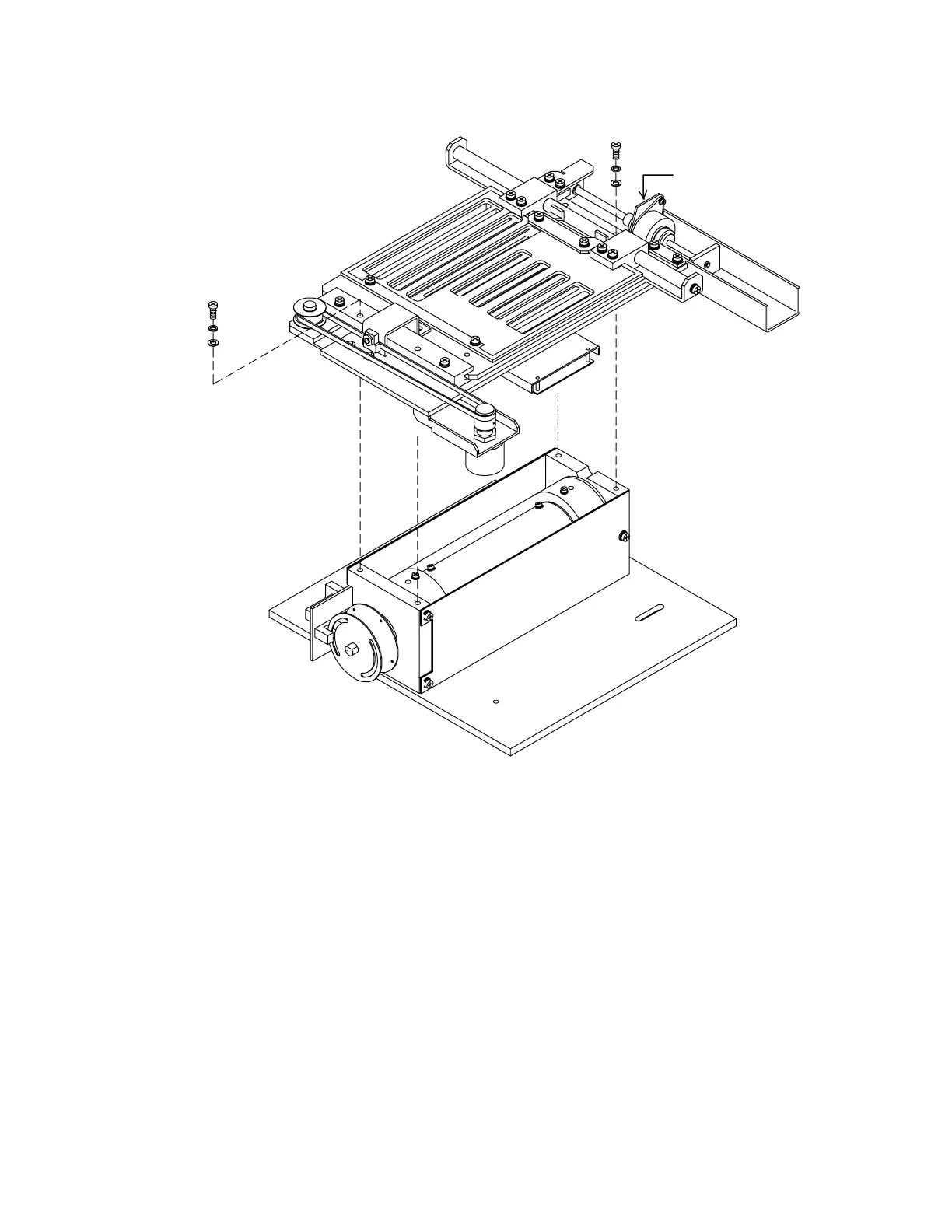
Figure 5-20. Aperture Assembly Removal (QDR 4500A and SL)
Drum Belts
To remove and replace either Drum Belt (130 teeth or 150 teeth) refer to Figure 5-21 and follow
the procedure below:
1.
Remove the Aperture Assembly by removing 4 Phillips screws that secure the assembly,
and 2 Phillips screws that secure the aperture motor mount, to the drum end plates (refer
to Figure 5-19).
2.
Loosen the 2 drum motor mount screws, the idler screw and the outer pulley set screw.
Remove the belts.












 To Next Page