QDR
4500 Technical Manual
5-28
1.
Turn off the QDR 4500 computer and instrument power switches, and main power
circuit breaker. Unplug the power cord.
2.
Remove the power module rear cover (4 Phillips screws).
3.
Locate the 28V Power Supply and unplug all cables (3 connectors).
4.
Remove the 4 nuts holding the 28V Power Supply and remove the supply.
5.
Reverse the steps to install the new 28V Power Supply.
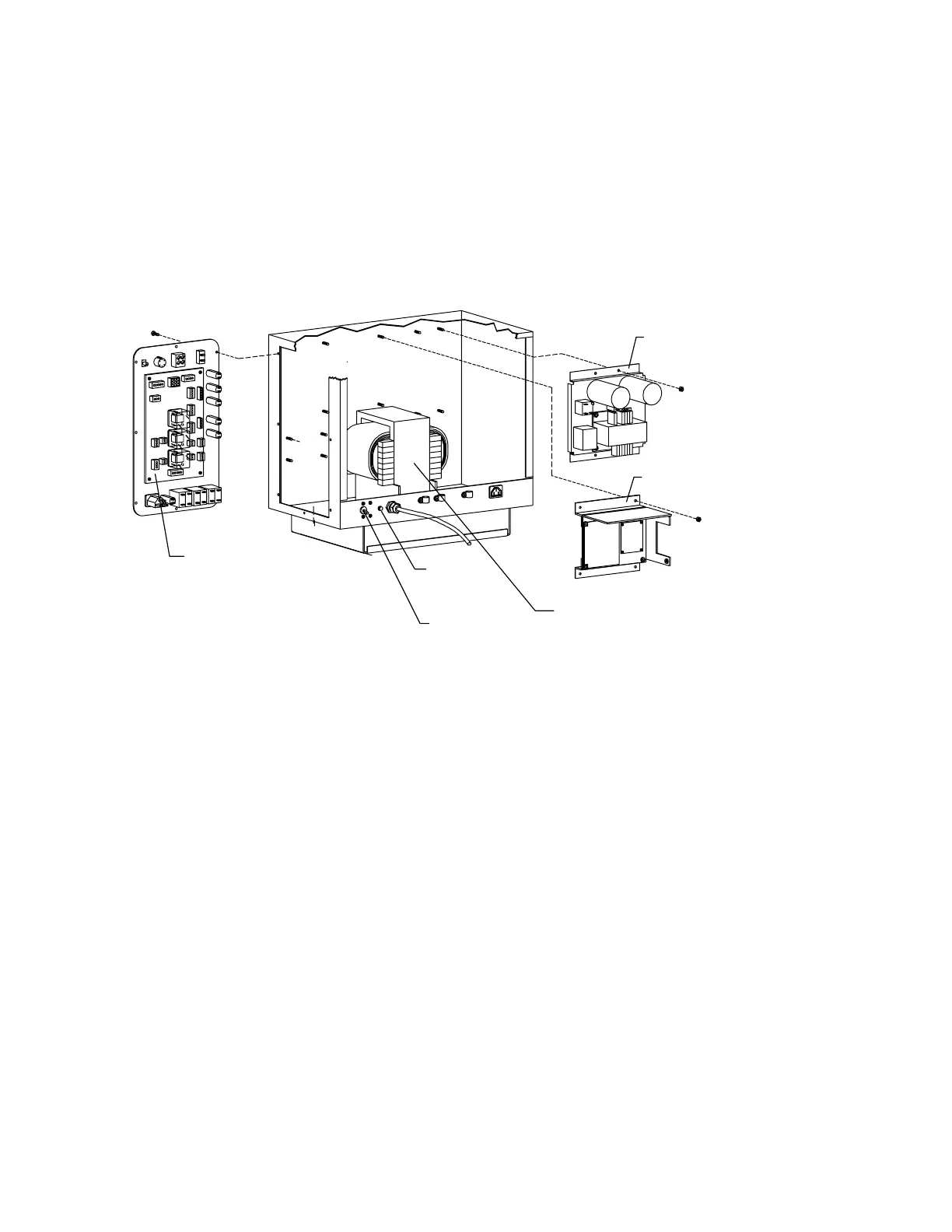
28V Power Supply
15V Power Supply
Power
Controller
Board
Power On
Lamp
Main Breaker
Isolation
Transformer
Figure 5-15. Power Module FRUs
Note:
On newer units there are two line filters.
±
±±
±
15 Volt Power Supply
To remove and replace the 15V Power Supply refer to Figure 5-15 and follow the procedure
below:
1.
Turn off the QDR 4500 computer and instrument power switches, and main power
circuit breaker. Unplug the power cord.
2.
Remove the power module rear cover (4 Phillips screws).
3.
Locate the 15V Power Supply and unplug all cables (2 connectors).
4.
Remove the 4 nuts holding the 15V Power Supply and remove the supply.
5.
Reverse the steps to install the new 15V Power Supply.












 To Next Page