ACUIX™ PTZ High Speed Analog Dome Installation and Configuration Guide
Document 800-05662 Rev C 83
06/10
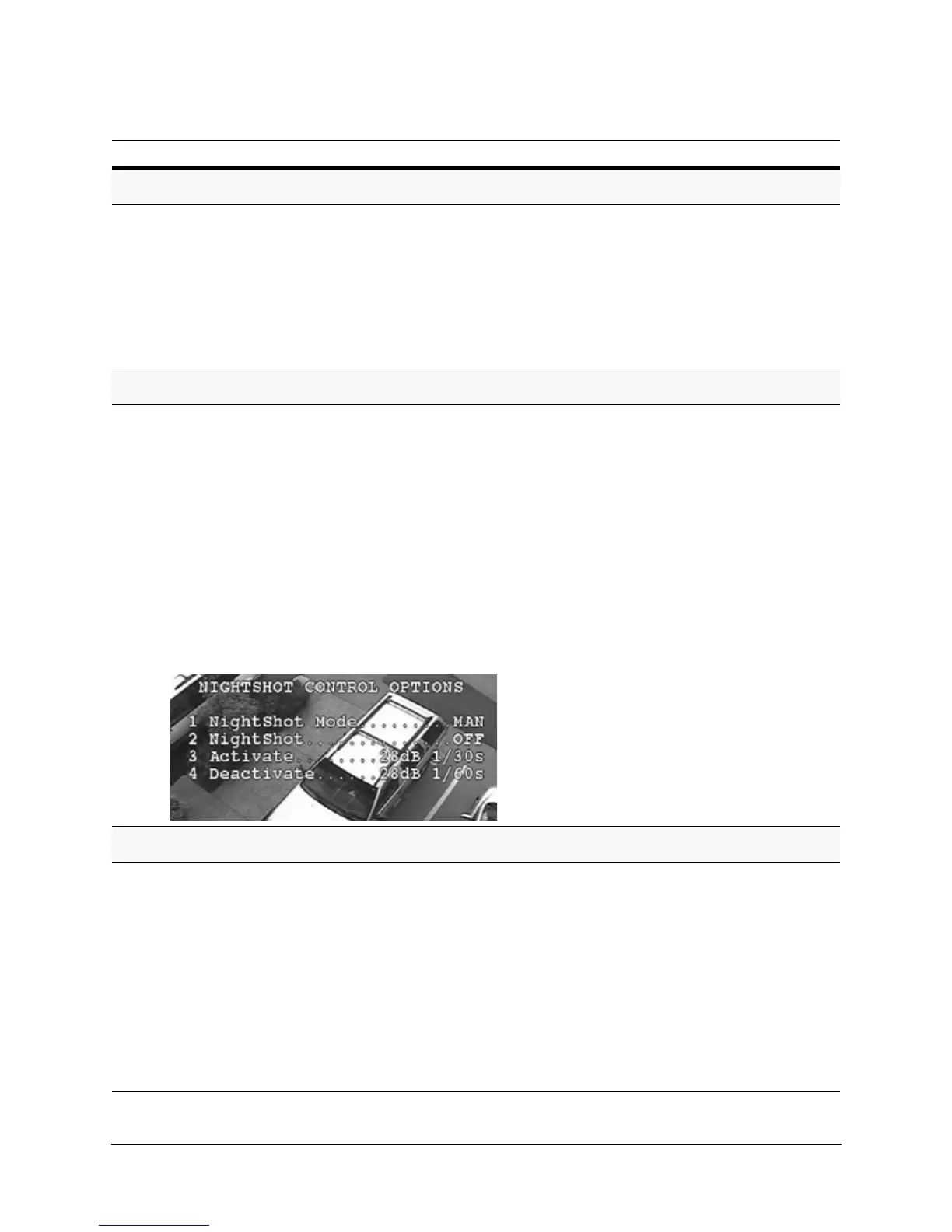
Turning NightShot (TDN) ON or OFF
1. Set NightShot to MAN mode.
2. Select 5 Camera Options 3 NightShot Control 2
NightShot
ON to manually moves the IR block filter in and
out or OFF.
Available with camera models HDXJ,
HDXF and HDXG (NOT HDXA).
Note Wide dynamic range (WDR) is
automatically turned OFF when
NightShot is turned on; WDR is
turned back ON when NightShot
is OFF, if WDR was turned ON
previously.
Activating NightShot (TDN)
1. Set NightShot mode to Auto.
2. Select 5 Camera Options
3 NightShot Control 3
Activate NightShot.
3. Toggle between the available gain and shutter speed values.
a. Gain Settings
• 0dB, 2dB, 4dB, 6dB, 8dB, 10dB, 12dB, 14dB, 16dB,
18dB, 20dB (default), 22dB, 24dB, 26dB, 28dB.
b. Shutter Speed Settings
• PAL = 1/3 sec, 1/6 sec, 1/12 sec, 1/25 sec, or 1/50 sec.
• NTSC = 1/4 sec, 1/8 sec, 1/15 sec, 1/30 sec, or 1/60
sec.
Available with camera models HDXJ,
HDXF and HDXG (NOT HDXA).
Keep the activation and deactivation
settings slightly apart to ensure that there
is always some deadband between the
activate and deactivate levels. The
amount of deadband can be adjusted to
prevent the dome from oscillating
between the NightShot activated and
deactivated modes.
Deactivating NightShot (TDN)
1. Select 5 Camera Options 3 NightShot Control 4
Deactivate NightShot.
Toggle between the available gain and shutter speed values.
a. Gain Settings
• 0dB (default), 2dB, 4dB, 6dB, 8dB, 10dB, 12dB, 14dB,
16dB, 18dB, 20dB, 22dB, 24dB, 26dB, 28dB.
b. Shutter Speed Settings
• PAL = 1/3 sec, 1/6 sec, 1/12 sec, 1/25 sec, or 1/50 sec.
• NTSC = 1/4 sec, 1/8 sec, 1/15 sec, 1/30 sec, or 1/60
sec.
Available with camera models HDXJ,
HDXF and HDXG (NOT HDXA).
Task/Action (with Default) Notes



 To Next Page
 Loading...







