HT2800T_en_c.doc Page 196 of 275
Follow this procedure to move from Liquid to SPME mode
Access sequence: RUN>CHANGE MODE>SPME
The screen “You are moving to SPME mode” confirms the start of the changing procedure.
Tap “CONTINUE” to start the switching operation or “ABORT” to return to the “CHANGE
MODE” screen.
Open the syringe location by pushing up the sliding lid and follow the wizard:
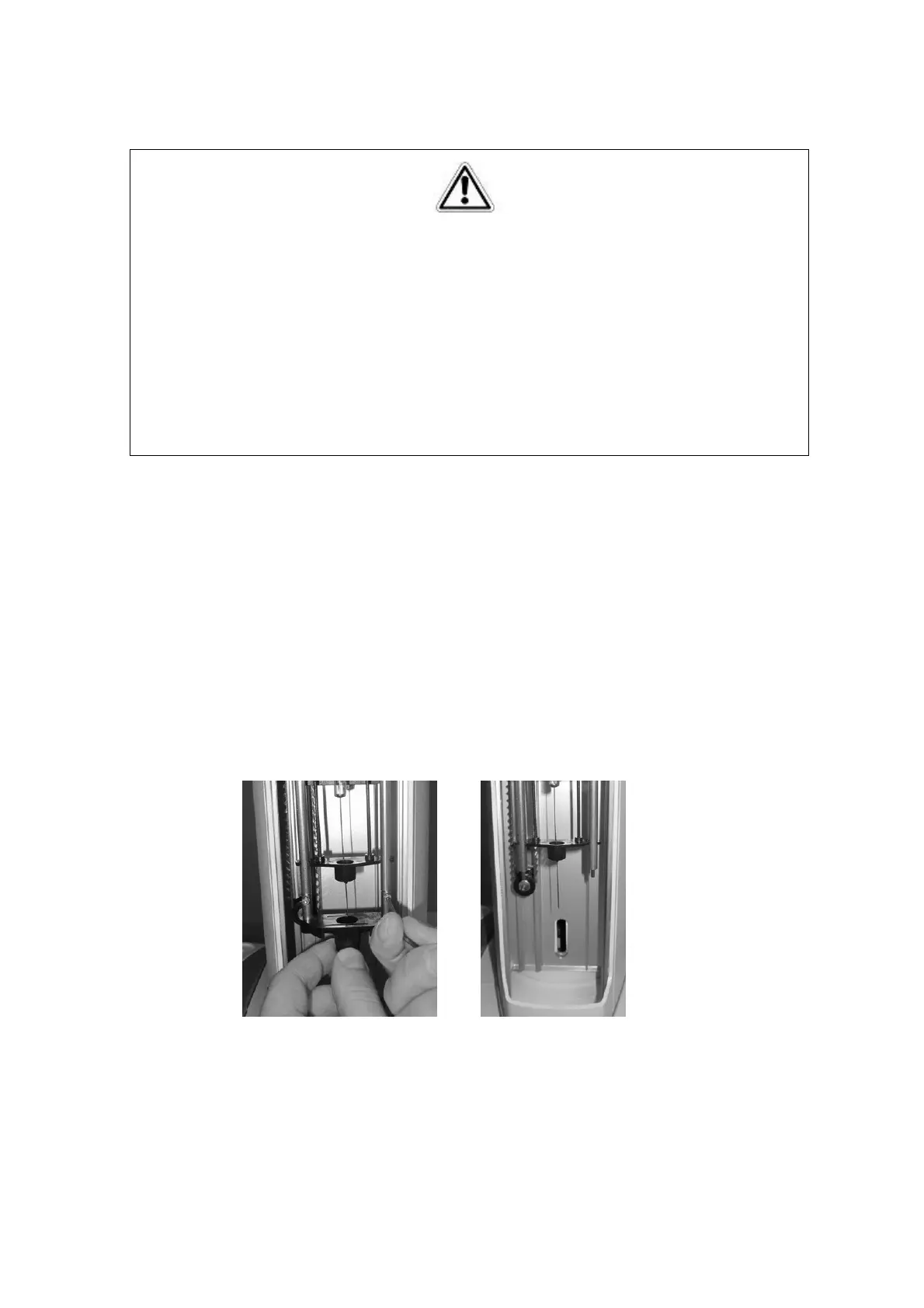
9) “Remove vial locator” screen: remove the liquid vial locator using the supplied allen key
to loosen the fixing screws ( see paragraph 2.3 “Tool kit“) and tap “CONTINUE”.
Figure 170: Change from liquid to Headspace mode_Remove vial locator
10) “Remove and install new Fiber holder” screen:
Warning
If syringeID system is used, the syringe information are loaded in a RFID tag included in
the black adapter mounted on the syringe for the syringeID system (see paragraph 11.2
“Liquid mode“). Every adapter must be associated to a syringe only in order to maintain
the info regarding the syringe always correct and updated. Do not remove the syringe
from its black adapter.



 To Next Page