Page: 103
JFS-A1 INSTALLATION, OPERATION, AND INSTRUCTION MANUAL
Document # : DOC230
Issued: August 27, 2012
Revised: N/A
Section 7: IP Communication
e system's built-in, on-board IP Communicator is one way to provide notication to a remote monitoring
company when alarms, troubles, and supervisory conditions occur. e IP Communicator is used with an IP capable
Sur-Guard receiver by means of the Fibro protocol.
Note: e UD-1000 or DACT may also be installed to provide notication to a remote monitoring company via
telephone lines.
Programming options allow you to select accounts for test events and alarm, trouble, and supervisory conditions.
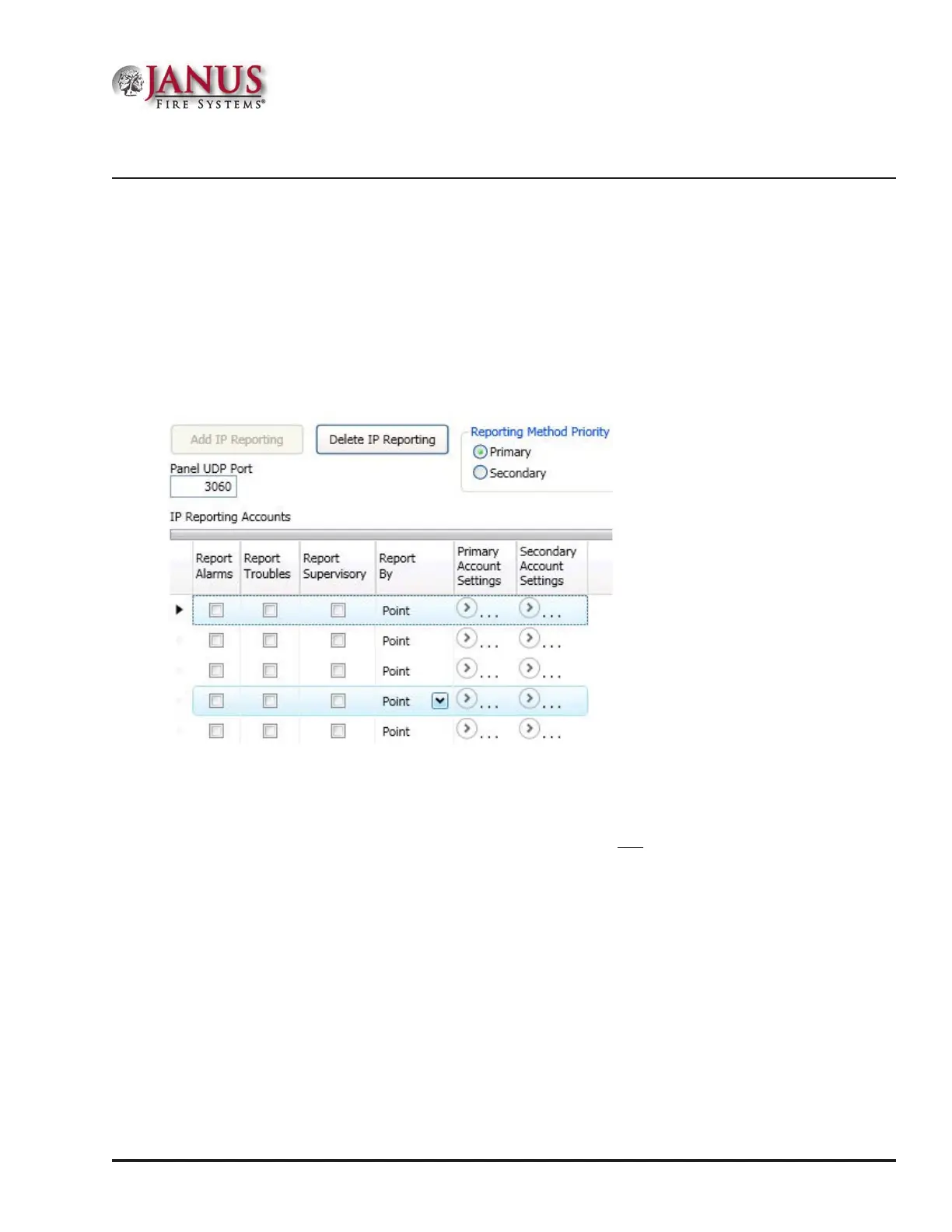
You may set up IP parameters, such as when and where to send reports by specifying IP addresses and other report
output options. An example of the Add – IP Communicator window is shown below.
Figure 133. Example of the IP Reporting Window
Notes:
1. A dail y test can automatically be sent to a remote monitoring location; the test time may be programmed through the
General Options program window – “Time to Send Autotest” eld.
2. If the system has been programmed to use the IP Communicator and the UD-1000, the daily test call can
be sent to both reporting accounts.
3. If the IP Communicator is not programmed and the UD-1000 is not installed, the system will operate as a
local panel.
4. W here the re alarm transmitter is sharing on-premises communications equipment, the shared equipment shall be
UL listed.
5. Secondary power shall be provided for all equipment necessary for the transmission and reception of alarm,
supervisory and trouble signals at the protected premises.
6. Secondary power shall be provided for all equipment necessary for the transmission and reception of alarm,
supervisory and trouble signals at the supervising station.



 To Next Page