Page: 84
JFS-A1 INSTALLATION, OPERATION, AND INSTRUCTION MANUAL
Document #: DOC230
Issued: August 27, 2012
Revised: N/A
Programming Modules
is section addresses how to program optional P-Link appliances – the DACT (UD-1000), RA-6500R, RA-
6075R, and the CA-6075 Class A expansion card.
DACT(UD-1000)
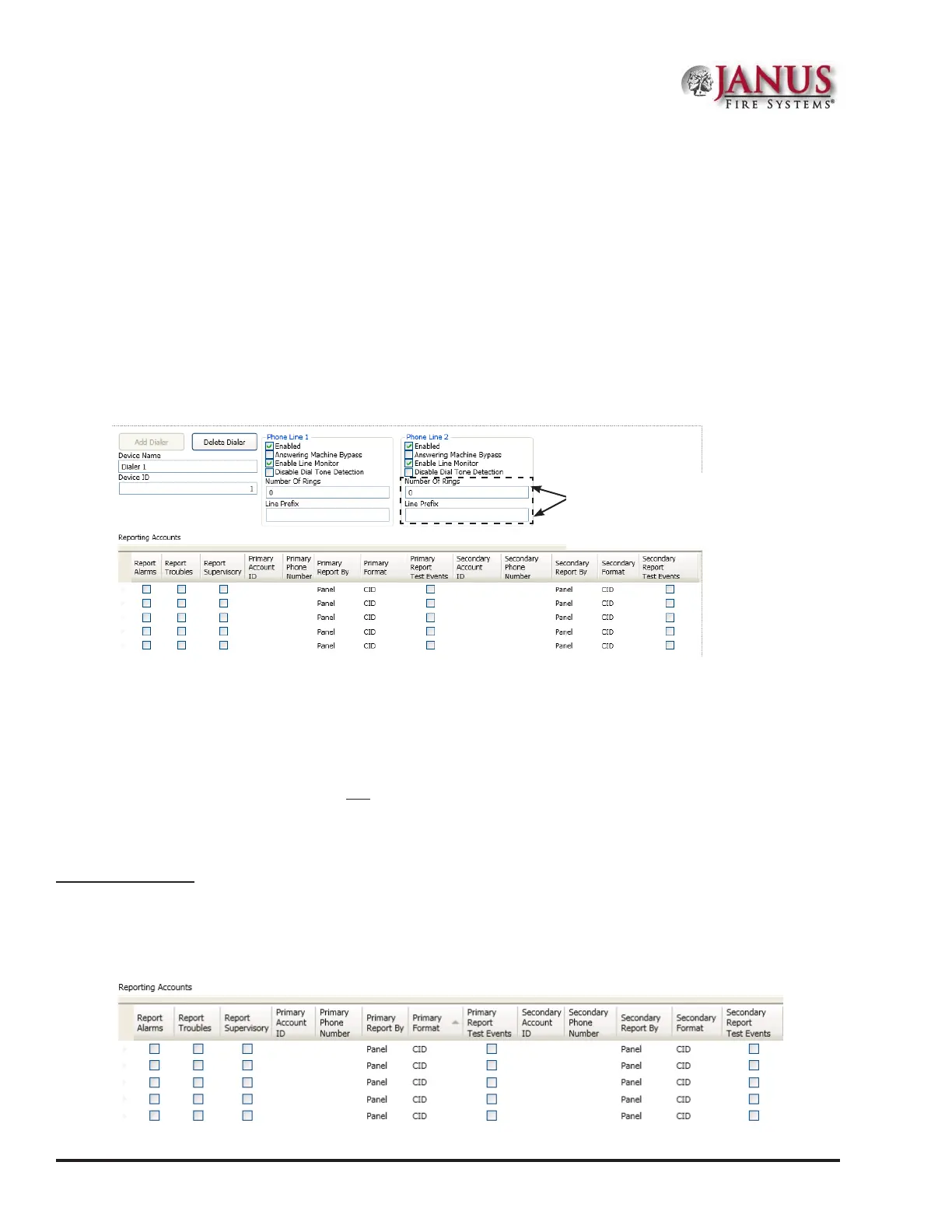
Each system may have one DACT module or Digital Alarm Communicator Transmitter. e DACT provides
notication to a remote monitoring company when alarms, troubles and supervisory conditions occur.
Programming options allow you to select separate accounts for test events and alarm, trouble, and supervisory
conditions. You may set up telephone parameters, such as number of rings, when and where to send reports by
specifying phone numbers and other report output options. An example of the Add – Dialer window is shown.
Figure 108. Example of DACT Add-Dialer Window
Notes:
1. A daily test is automatically sent to a remote monitoring location; the test time may be programmed through the
General Options program window – “Time to Send Autotest” eld.
2. If the system has been programmed to use a dialer, and two (2) phone lines are used, DACT will alternate between
lines on each daily call.
3. If a DACT (UD-1000) is installed and the IP Communicator is programmed, the daily test call can be sent to
both reporting accounts. (Please refer to Section 7 for more information on the IP Communicator.)
4. If a DACT is not installed and the IP Communicator is not programmed, the system will operate as a local panel.
Reporting Accounts
e “Reporting Accounts” section is used to program DACT operations and to customize the format of the reporting
accounts. You may choose dierent settings for Alarms, Troubles, and Supervisory conditions. Up to ve (5) primary
and secondary reporting accounts may be congured.
Figure 109. Example of Dialer Reporting Options
These elds are important! Be sure to
modify # of rings and line prex elds
according to your site's telephone setup!
Refer to procedures on next page.



 To Next Page