Page: 56
JFS-A1 INSTALLATION, OPERATION, AND INSTRUCTION MANUAL
Document #: DOC230
Issued: August 27, 2012
Revised: N/A
General System Functions
Job Details
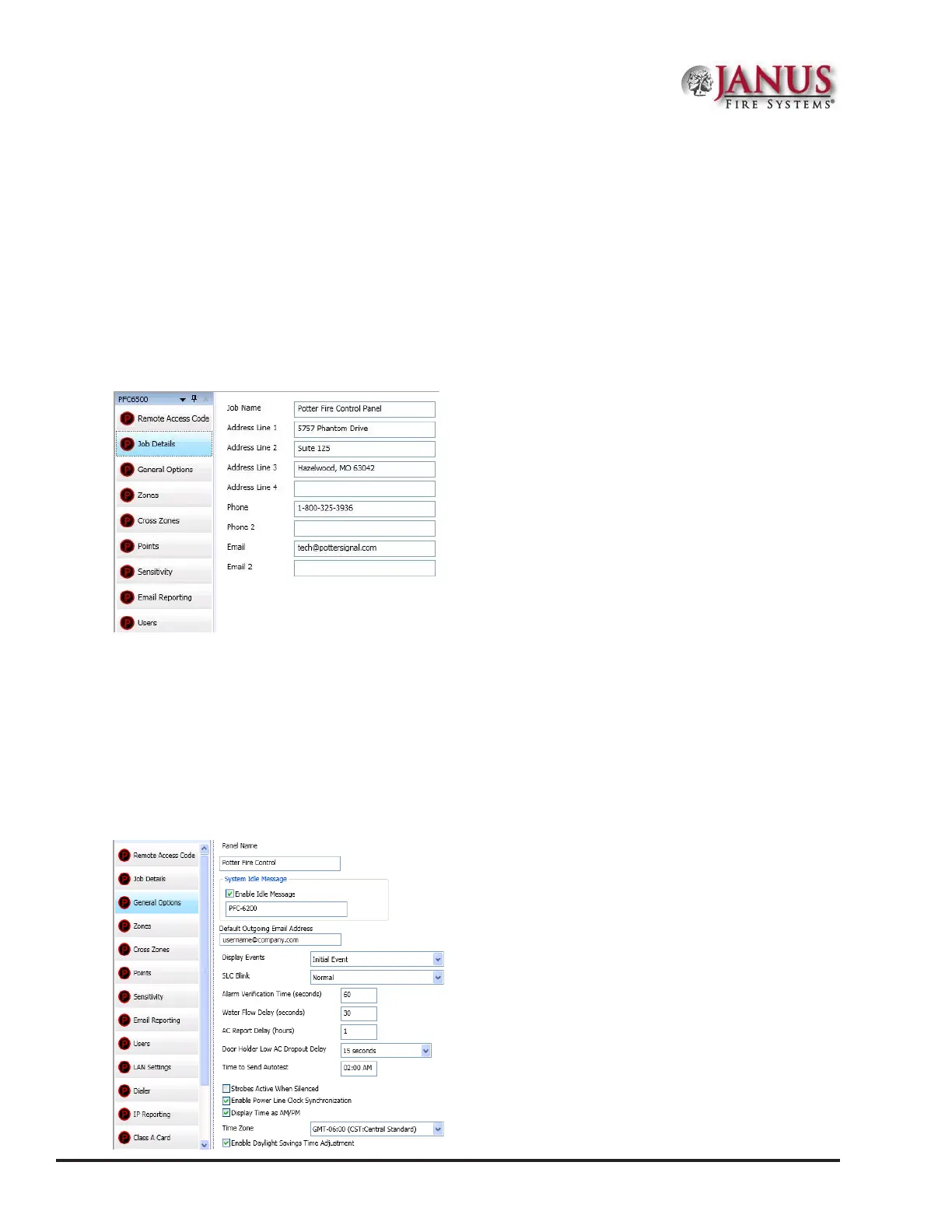
Site specic information, such as company name, address and phone numbers may be entered in this window. is
information is stored in the panel and is used to identify the panel when using e-mail reporting options. Please refer
to the gure shown below.
To enter site information:
1. Click the Job Details program option. e Job Details window displays.
Figure 64. Job Details Window
2. Click in each applicable eld to enter information.
Note: You may also press the TAB key to move to next eld.
General Options
e General Options window contains a variety of general system settings, such as the panel’s default name, idle
message, and the time an Autotest will be sent to the monitoring station.
Figure 65. General Options Window



 To Next Page