Page: 60
JFS-A1 INSTALLATION, OPERATION, AND INSTRUCTION MANUAL
Document #: DOC230
Issued: August 27, 2012
Revised: N/A
P-LinkE-mailNoticationRequirements
e following table lists the necessary hardware and Internet connectivity requirements to use P-Link functions,
such as DACT and e-mail notication.
Table 13: P-LinkE-mailNoticationRequirements
Item Requirement
Hardware 10/100 Mbps Ethernet Network
IP Address Protocol DHCP or Static IP (factory default is DHCP)
Outbound
Connectivity
Must have outbound access to Internet (mail server connections only).
Port 10025 for SMTP
Port 110 for POP3
Inbound Connectivity None required or utilized.
Connecting the Panel to a Network
In order to use the e-mail feature, the panel must be connected to a network with Internet connectivity. This is usually accom-
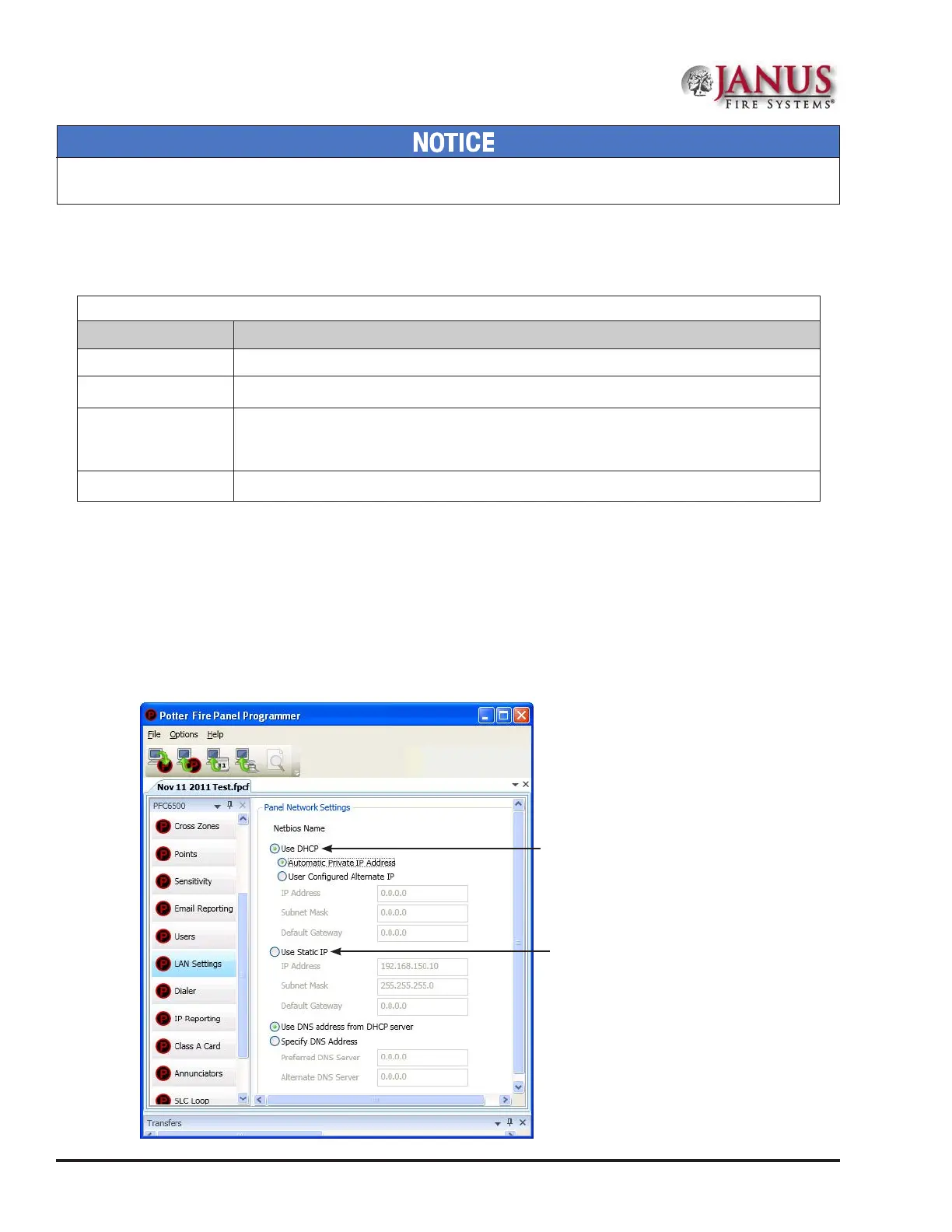
plished by installing an Ethernet drop near the panel. The IP address can be set one of two ways:
• e panel has a built in DHCP (Dynamic Host Conguration Protocol) and will ask for an IP address from the
“Host Computer”.
• e installer or the Network Administrator may set the IP address using the software's Static IP function.
Figure 70. Setting the IP Address
Set the IP address using
the Static IP function
Set the IP address using
the DHCP function...or
System e-mail communications and functions are intended for informational reporting purposes only. ey are intended to be used
as a convenience function. E-mail communications should NOT be used as a primary means of reporting emergency information.



 To Next Page