Page: 68
JFS-A1 INSTALLATION, OPERATION, AND INSTRUCTION MANUAL
Document #: DOC230
Issued: August 27, 2012
Revised: N/A
Table 16: Zone Styles
Zone Description
Releasing Dedicated to handling release sequence.
Fire Drill Comprised of input / output devices that will activate when running a Fire Drill.
System Alarm Used for outputs that will be activated upon any alarm.
System Supervisory Used for outputs that will be activated upon any supervisory.
System Trouble Used for outputs that will be activated upon any trouble.
Zone Attributes
Zone attributes are the settings that control the overall behavior of devices within the zone. e zone may be
congured as latching or non-latching, silenceable vs. non-silenceable, among other attributes. Additionally, the
zone’s name may be modied to a more descriptive name, which displays on the LCD when an “o normal” condition
occurs.
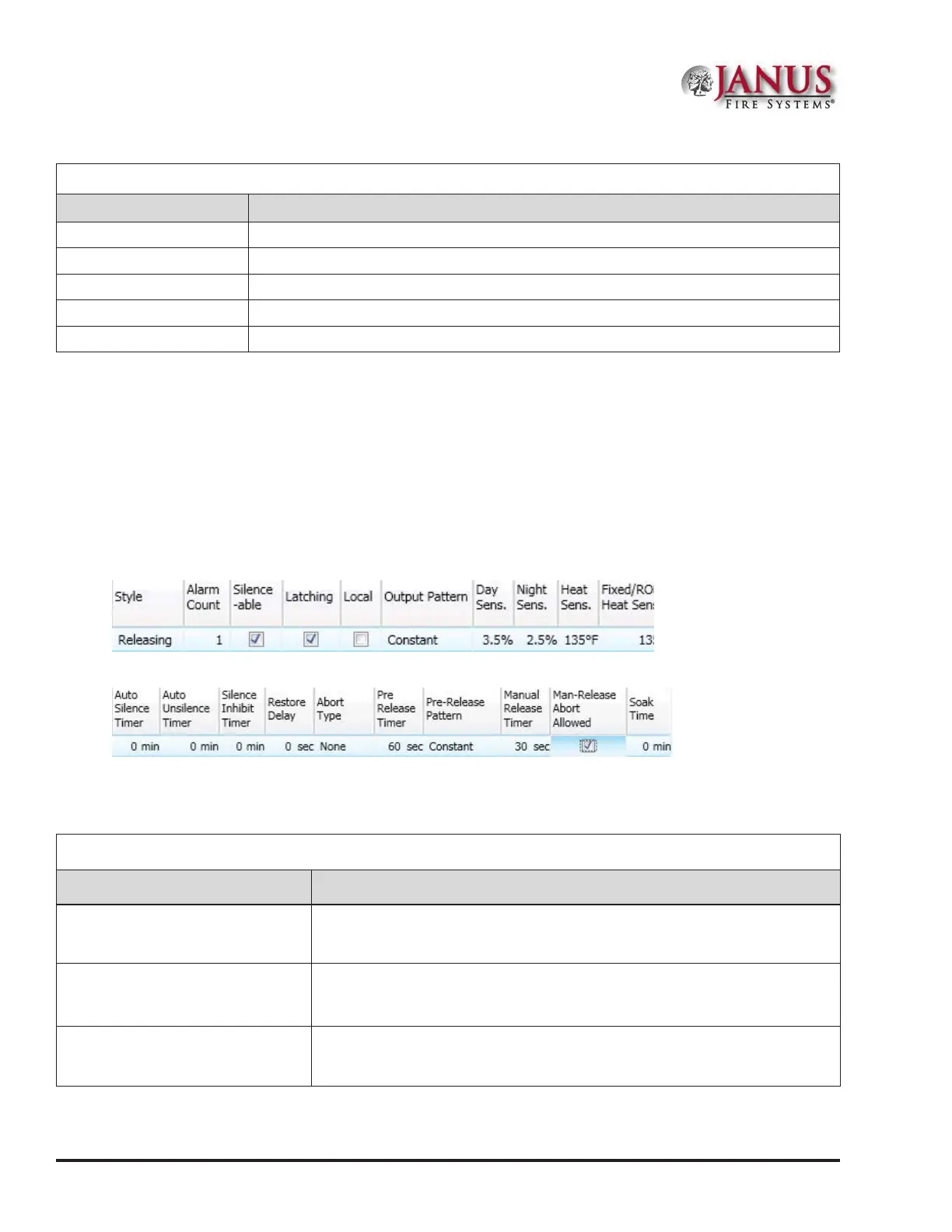
All zones default to an “Alarm” style or type when rst created. e gures shown below are examples of the default
attributes of a "Releasing" zone.
Figure 80. Example of Zone Attributes (Fields 1-10)
Figure 81. Example of Zone Attributes (Fields 11-20)
Refer to the table below for a brief explanation of zone attributes:
Table 17: Zone Attributes
Attribute Description
Zone Name
Default = Zone “x”
(where “x” is a sequential number)
•y Zone name may be up to sixteen (16) alphanumeric characters.
Note: Double-click in eld to modify zone name.
Alarm Count
Default = 1
•y Denes the number of inputs that must be in alarm before outputs are activated.
•y Default is one (1); up to 10 inputs may be selected.
Note: Double-click in eld to modify alarm count.
Silenceable / Non-Silenceable
Default = Silenceable
•y If zone dened as “silenceable” allows an operator to silence outputs by
pressing the SILENCE button.
Note: Click in selection box to remove “silenceable” setting.



 To Next Page