Page: 36
JFS-A1 INSTALLATION, OPERATION, AND INSTRUCTION MANUAL
Document #: DOC230
Issued: August 27, 2012
Revised: N/A
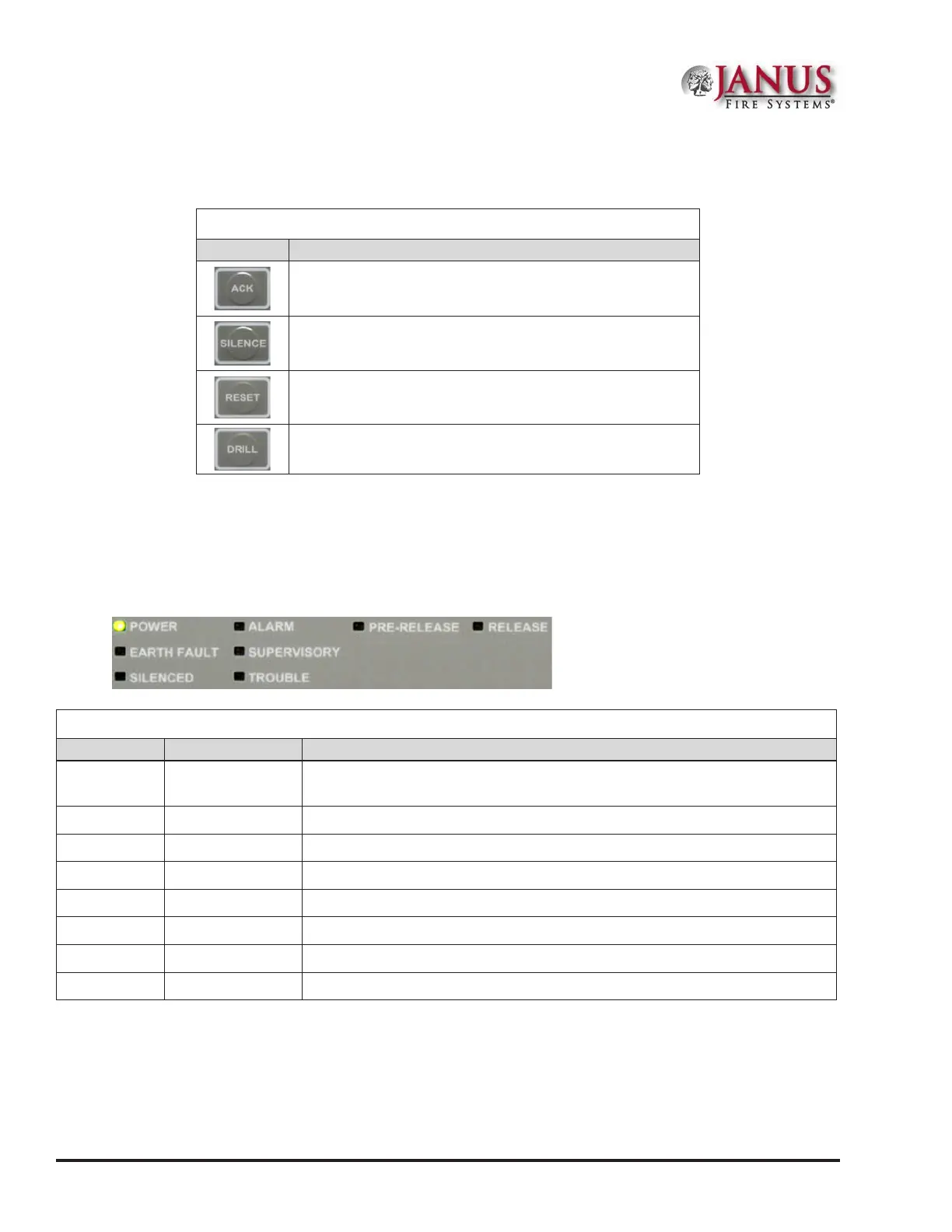
e table below provides a brief summary of the pushbuttons:
Table 7: Control Panel Pushbuttons
Pushbutton Description
Press to acknowledge the currently displayed condition.
Press to silence all outputs programmed as silenceable and buzzer.
Press to reset panel to normal condition.
Press to begin a re drill.
Status LEDs
e control panel’s LEDs communicate system conditions by illuminating and/or ashing the applicable green, red
or amber indicators. ese are described in the table below.
Figure 41. Control Panel Status LEDs
Table 8: Status LEDs
LED Type LED Color/Action Description
Power Steady Green
Power is present.
Note: If power is absent for more than 5 seconds, LED will extinguish.
Alarm Flashing Red An alarm device is active.
Pre-Release Steady Amber A releasing zone is in a Pre-discharge mode.
Release Steady Red A release condition is active.
Earth Fault Flashing Amber A ground fault is present.
Supervisory Flashing Amber A supervisory condition is present.
Silenced Steady Amber A fault condition has been silenced.
Trouble Flashing Amber A fault condition is present.



 To Next Page