122
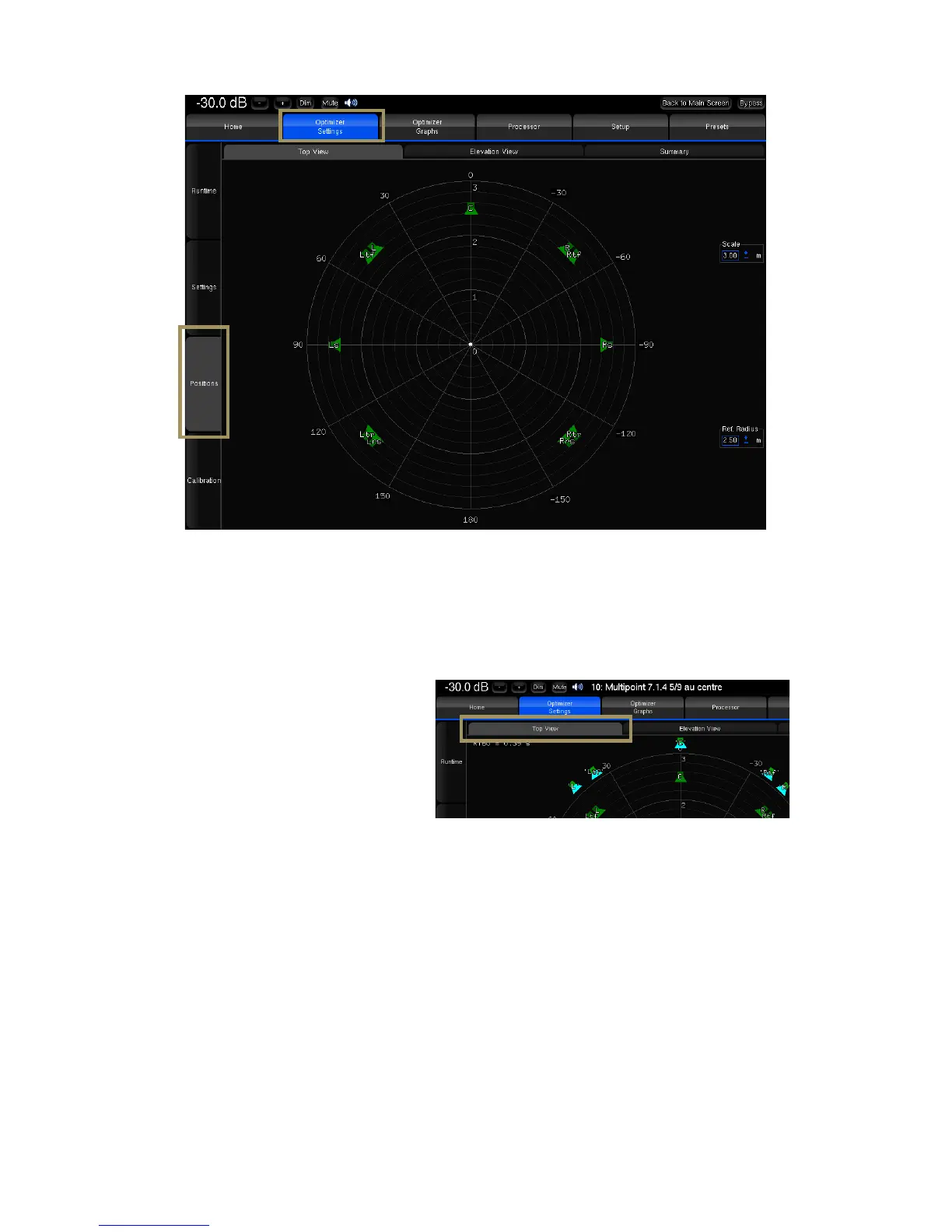
Figure'88:'Top'view'of'a'7.1.4'layout'before'calibration'
As the calibration is performed, the real position of each speaker is displayed after the 3
rd
MLS burst.
The Top View helps to identify wrong speaker
placements. It might be necessary to
recalibrate if the microphone is not perfectly
pointed towards the center of the front stage,
but that would only impact the visual
representation.
Figure'89:'top'view'of'a'7 .1 .4 'a fte r'c alib r a tio n'
This view also provides the RT60 on the top left corner of the page.
• Overlay both representations with the Scale and Ref. Radius options to verify the compliance with the
recommended placements.
• The channel name displayed on each speaker is related to the channel order defined in the Speakers/Room setup
tool.
• The color of the loudspeakers depends on the Remapping settings.
• The Elevation View uses the same color codes to display the real speaker positions. It indicates whether the
microphone was or was not correctly leveled during the calibration:



 To Next Page