34
2.2.3.3 OPTION C: THE SDP-75 JOINS YOUR EXISTING ETHERNET
NETWORK
The factory setting for the SDP-75’s Ethernet mode is set to DHCP. Therefore, the SDP-75 will automatically be detected
and configured on most local networks.
The benefit of this Ethernet-based option is that you don’t need to switch your own device to another network. Therefore,
if your network has Internet access, you will remain connected to the Internet while also being connected to the SDP-75.
To connect the SDP-75 to your local Ethernet network:
• Use an Ethernet cable to connect the SDP-75 to your router or ISP Box;
• Use the SDP-75’s front panel to check that it now has an IP address: go to the Setup/Network menu to see
the network configuration.
Once the SDP-75 is connected to your local network, you can move to the next step of the procedure: configure and
connect your VNC client to the SDP-75’s VNC server.
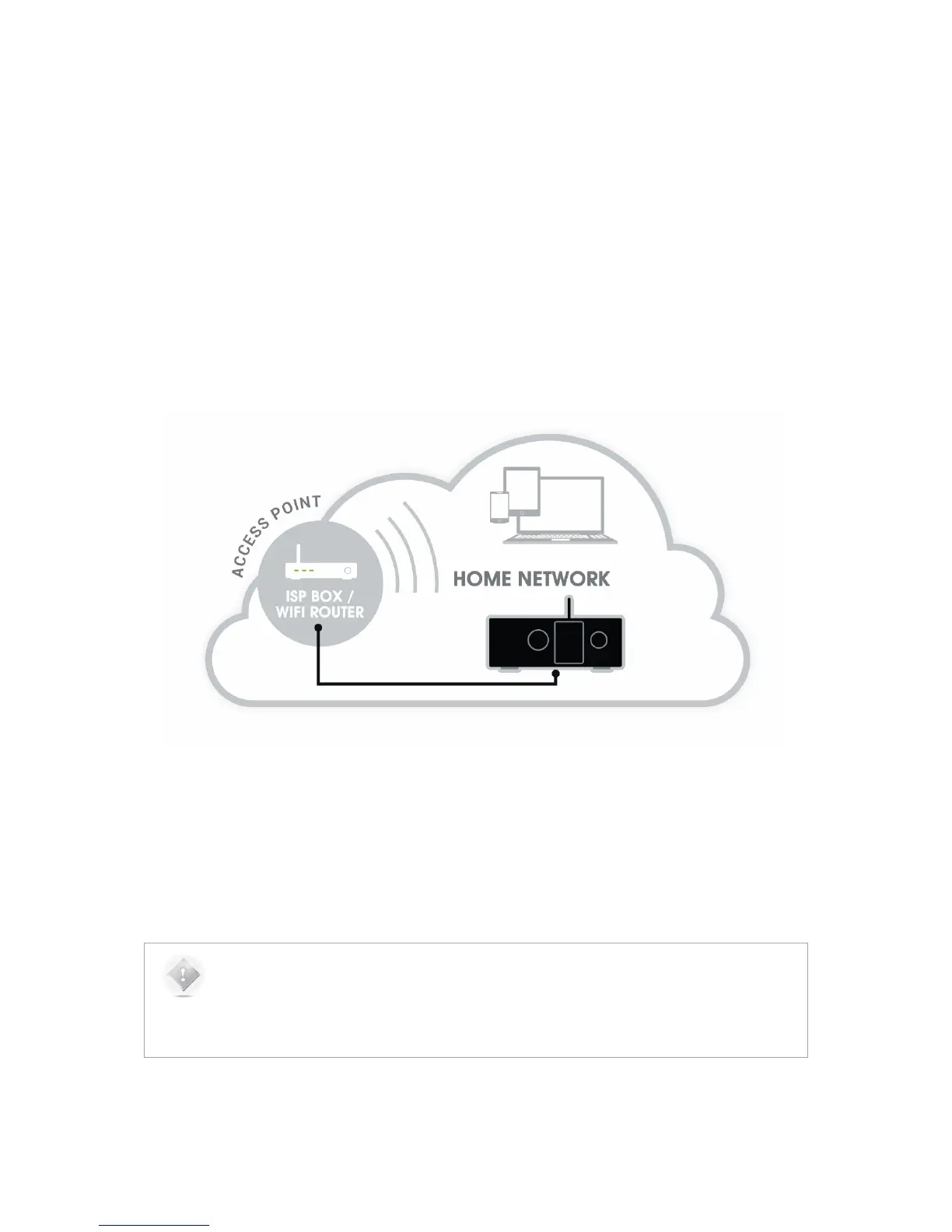
Figure#15:#connecting#th e#SD P-75# to #an#ISP#box#
The figure above shows that the SDP-75 is hard-wired to the Internet Service Provider Box / Wi-Fi Router of the local
home network.
If your local network has a Wi-Fi Access Point, you can then access the SDP-75 from any wireless device connected to
your local Wi-Fi Access Point.
NOTES:
• This configuration only works if the router includes an active DHCP server.
• The standard settings of your ISP box should allow the SDP-75 to reach the Updates Server for
software updates through the internet.



 To Next Page