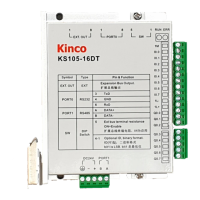
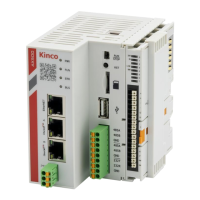
Kinco FD5P AC series servo driver
Chapter 4 Controller setup with LED panel
Table 4-4 tunE parameters
level of control stiffness from 0 to31 determines the bandwidth (BW) of the velocity loop and
the position loop (see table 4-5). The larger the value, the greater the stiffness. If this
parameter is too large, the gain will change excessively and the machine will become
unstable.
When setting tn01 via the up and down buttons on the panel, entered values are valid
immediately, in order to ensure the input of small change steps
Ratio of total inertia and motor inertia (unit: 0.1) for example 30 represent an inertia ratio of
3.
This value becomes defaulted by the EASY procedure and measured by the inertia
measuring function in the tunE menu (tn03).
When setting tn02 by the panel up down buttons, the data will be valid immediately, to
ensure the input of small change steps.
Writing 1 starts auto-tuning inertia measurement. The controller is enabled and the motor
executes an oscillating motion for less than 1s.
If tuning is successful, Tuning Method indicates a value of 1. The measured inertia is
used to determine the Inertia Ratio. Stiffness is set to 4 to 12 depending on the inertia
ratio. The control loop parameters are set according to Stiffness and Inertia Ratio.
If the inertia measurement fails, Tuning Method indicates the fail-reason:
0: The controller could not be enabled by any reason.
-1: Inertia cannot be measured due to too little motion or too little current.
-2: The measured inertia result is outside the valid range.
-3: The resulting Inertia Ratio value is greater than 250 (inertia ratio >
25). This is a possible result, but the control loop will not be tuned.
-4: The resulting Inertia Ratio value is larger than 500 (inertia ratio > 50). This is an
uncertain result.
In the cases 0, -1, -2, -4 Inertia Ratio is set to 30, in the case -3
Inertia Ratio is set as measured, Stiffness is set to 7-10
In any fail case the control loop parameters are set to Inertia Ratio of 30 and the set
Stiffness values. To make the measured Inertia Ratio of case -3 become effective, the
value of tn02 must be confirmed by SET
Inertia measuring distance (unit: 0.01 rev), for example 22 represents 0.22 motor revolutions.
The maximum is 0.4 revolutions
Write “1” to save control and motor parameters.
Write “2” to save control and motor parameters and reboot the servo.
Write “3” to reboot the servo.
Write “10” to initialize the control parameters
Table
4-5
Tuning result description:
Tuning result description:
1: The measurement result is correct and the inertia ratio is less than 25:1, the measurement of the
inertia ratio result is valid, and the PID automatically adjusts according to the load inertia.
-1: The speed amplitude is 1/4 of the set value or the current amplitude is less than 10DEC. The
tuning result is invalid. It is recommended to increase the load detection operating range or initialize
the rigidity re-detection.
-2: Indicates that the calculated inertia coefficient is too large or too small, and the measurement
result is not within the normal range. The integral needs to be adjusted, the limit parameters need to
be re-tuned, and the result is invalid.
-3: The inertia ratio exceeds 25:1. The inertia ratio result is valid but does not automatically set the
loop parameters.
-4: The measured inertia ratio is over 300 times the range. Inertia ratio result is invalid.


 To Next Page
 Loading...