10. DRIVE PULLEY/DRIVEN PULLEY/CLUTCH
10-5
MXU 500
DRIVE PULLEY, DRIVE V-BELT
AND DRIVEN PULLEY
REMOVAL/INSPECTION/
INSTALLATION
REMOVAL
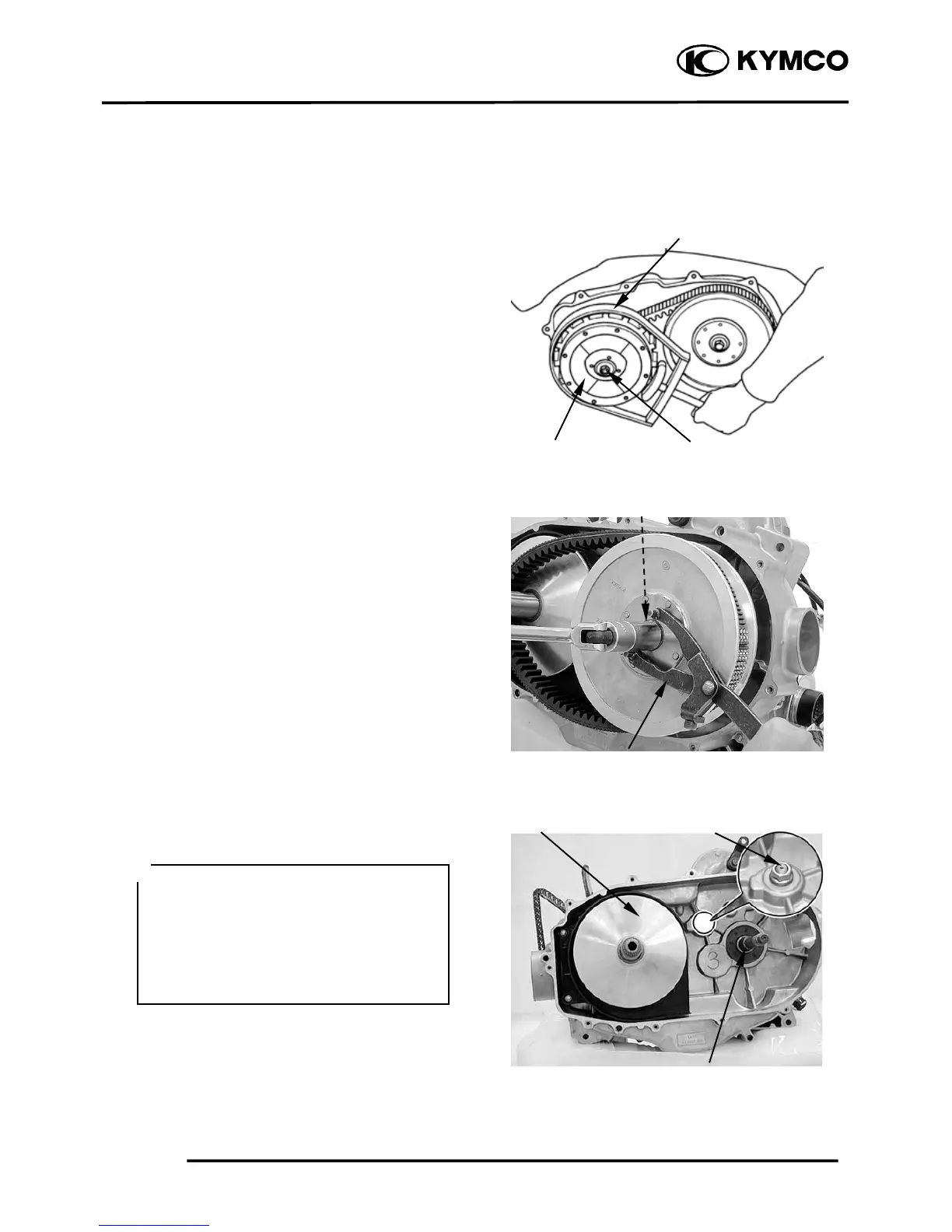
Use the special tool to hold the drive pulley,
then remove the nut and washer.
Special tool:
Drive pulley holder A120E00058
Remove the drive pulley.
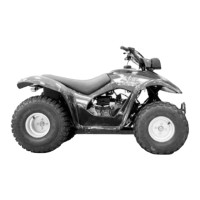
Use the special tool to hold the driven
pulley, then remove the nut.
Special tool:
Y-type holder A120E00056
Remove the driven pulley and V-belt.
Remove the driven pulley washer.
Remove the drive pulley face.
Drive Pulley Nut/Washer
Drive Pulley Holde
Do not loosen the stopper lever shaft nut,
it may cause stopper lever bolt loosen.
To tighten the stopper lever bolt must
remove the crankcase (refer to the
“TRANSMISSION REMOVAL/
INSPECTION/INSTALLATION”
section in the chapter 11).
*



 To Next Page