LABORIE Goby Owner’s Manual GOBY-UM02 13
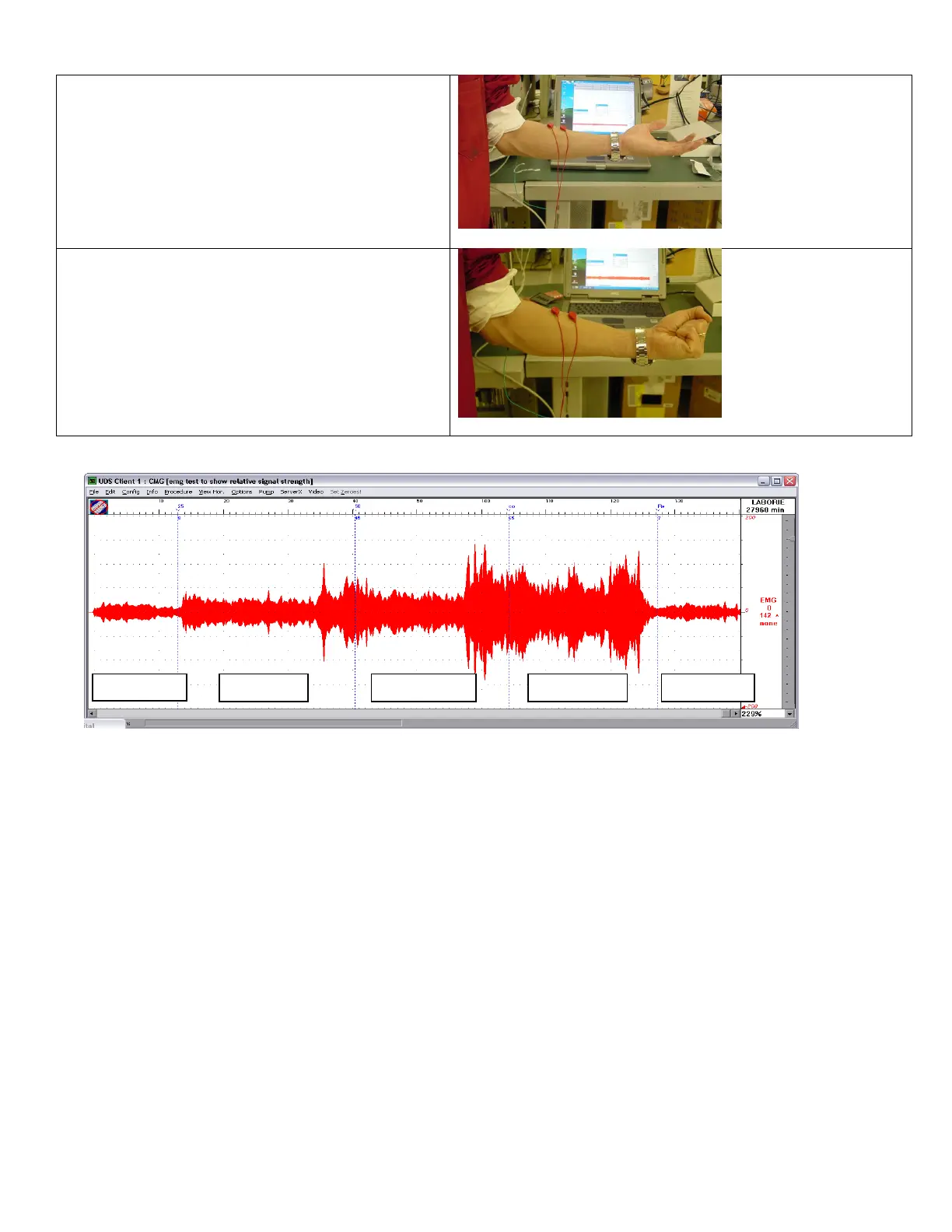
5. Keep palm open and flex arm to a 90 degree
angle, until it is parallel to the floor. You will
notice more activity on the EMG channel.
6. Keeping your arm in the 90 degree position,
clench your fist. You will see an increase in EMG
activity on the EMG channel.
7. Unclench your fist and return arm to the fully
extended position.
8. Check the EMG channel for activity.
at 100% strain with full contraction
A sample reading can be seen here:
Figure 3: EMG Chanel during Check
If the EMG channel does not display any activity, then calibration is required.
Once calibration is complete perform a re-
check by following the instructions provided above.
Contact LABORIE service for assistance if problems continue after
the calibration and re-check.
2.6.3.2 Check the Pressure Transducers Using T-DOC™
1. Connect the T-DOC™ Reusable Cable to the UDS Roam™.
2. Switch the charger on the T-DOC to the OPEN position.
3. Connect the catheter to the charger and gently squeeze the balloon on the catheter to expel any air in the balloon.
4. Switch the charger to the CHARGE position.
5. Fill a standard graduated beaker with 1000ml of water.
6. Open the UDS120 Goby™ software and start a sample test with pressure channels.
7. Click Set Zeroes.
8. Dip the catheter into the beaker until the balloon on the catheter sits just below the water line. The pressure
channel should read between 0 and 1 cmH
2
O.
9. Carefully lower the catheter into the beaker until the tip gently touches the bottom of the beaker. Do not touch the
sides of the beaker.
10. Hold the catheter in a steady position and wait for a reading on the pressure channel.
The pressure channel should display a reading of 15 cmH
2
O (+/- 2 cmH
2
O). If the reading is above or below the 2 cmH
2
O
threshold, then calibration is required.
Once calibration is complete perform a re-check by following the instructions
provided above.
Contact LABORIE service for assistance if problems continue after the calibration and re-check.



 To Next Page