LABORIE Goby Owner’s Manual GOBY-UM02 47
5.6.3.2 LinPURR
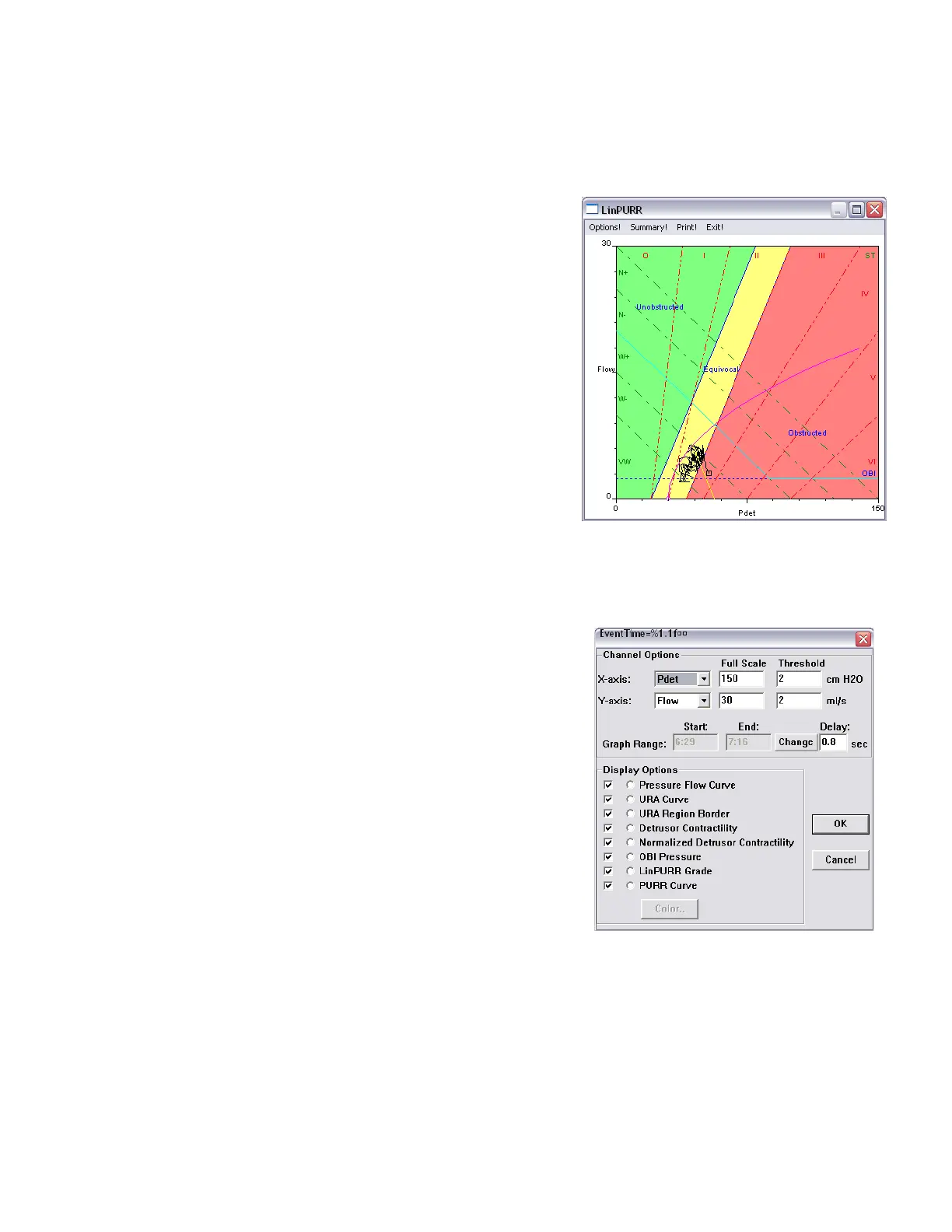
The LinPURR graph
vi
is based on the work by Dr. Werner Schäfer. The LinPURR (Linear Passive Urethral Resistance) feature
is available after a Micturition (pressure-flow) test has been run. A LinPURR graph determines urethral resistance by
comparing flow and pressure.
To access the LinPURR Graph:
1. Select the Info menu and select X-Y Plot.
2. Click
. The LinPURR graph is displayed.
To cancel the LinPURR option select
.
Figure 50: LinPURR Window
A complementary analysis of pressure/flow data can be made using Dr. Schäfer’s techniques combined with
Abrams/Griffiths. This representation is also in an X-Y format; however, the Flow and Pdet channels are plotted on the Y-
axis and X-axis respectively.
To access the Parameters for the LinPURR graph:
Click
from the LinPURR window. The LinPURR Options box
will appear.
Figure 51: LinPURR Options Box



 To Next Page