LABORIE Goby Owner’s Manual GOBY-UM02 30
4.3 DEVICE CONNECTORS AND BUTTONS
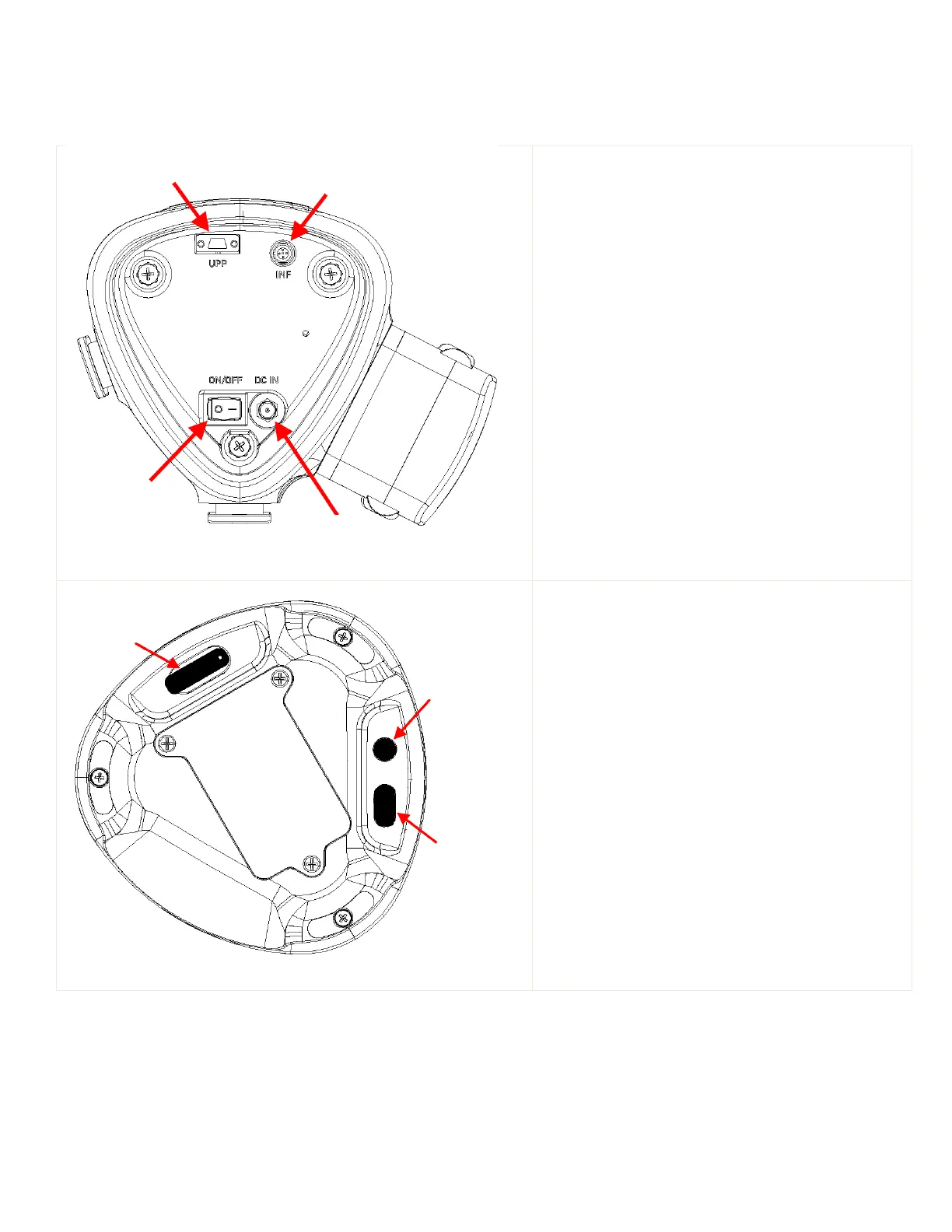
Connections ports and buttons at the bottom of the Goby™ Hub and Urocap™ IV provide different functions. Refer to
Figure 23 and Figure 24.
Figure 23: Goby™ Hub bottom view
plug the UPP cable into this port.
Infusion transducer connector:
cable into this port.
plug the power cable into this port
turns the
power on/off.
Figure 24: Urocap™ IV bottom view
lift the tab to reveal the charging port.
Insert the charger cable into this port.
press to reset system firmware. To be
pressed only when equipment status light is orange
and other methods of troubleshooting do not resolve
connection issues.
pres
s to apply settings during
the calibration process. This behaves the same way
as the
button in the software.
connector
button



 To Next Page