LABORIE Goby Owner’s Manual GOBY-UM02 40
5.5.3.3 Pump Tab
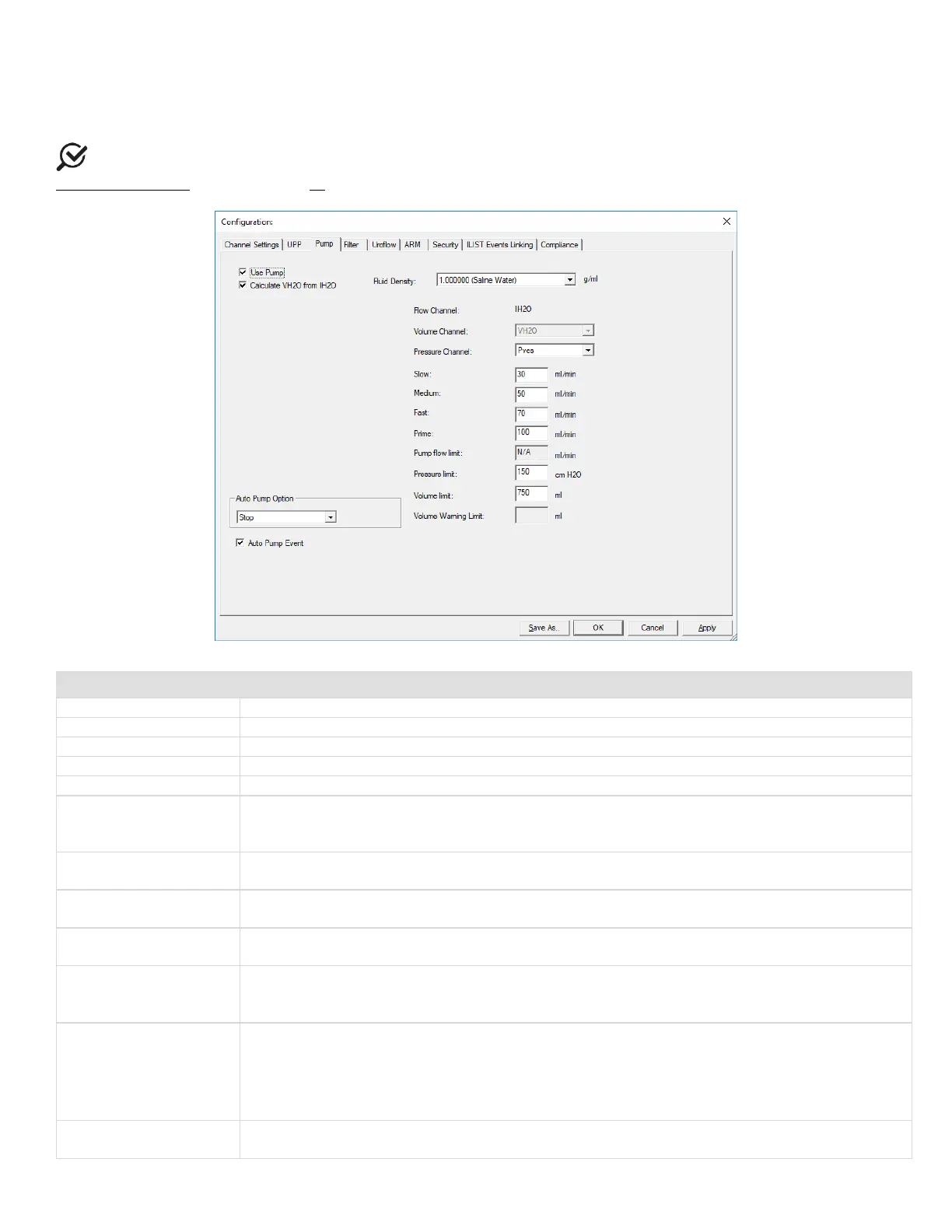
Use the pump tab to set the parameters for the pump such as auto pump actions and volume limits (Figure 41). Table 5
provides a description of features available in the Pump tab.
NOTE: The fluid density selection must match with the fluid density used to calibrate the equipment. Refer to the
Calibrate the Pump section on page 90.
Figure 41: Configuration – Pump Tab
Specifies the infusion volume channel
Specifies the channel used for pressure feedback
Determines the slow speed of the flow rate
Determines the medium speed of the flow rate
Determines the fast speed of the flow rate
Prime (rate speed)
Determines the prime speed of the flow rate.
NOTE:
The Prime rate feature runs the pump at the speed set in the prime box in the Configure
Pump screen. The default speed is 150 ml/min.
Pump Flow Limit
Specifies the max pump flow rate during calibration. NOTE: This setting cannot be changed
manually in the UDS software.
Pressure Limit
Stops the pump if the pressure channel exceeds this limit.
CAUTION: Do not exceed 150 cm H20.
Volume Limit
Stops the pump if the volume channel exceeds this limit.
CAUTION: Do not exceed 750 ml.
(
see following section
for more information
)
Displays a warning message when the infused volume reaches the specified limit.
Auto Pump Option
• Stop
• Slow
• Med
This option starts the pump at the selected pump speed when the test starts. Choose
if
you do not want to use this option.
Auto Pump Event
This option records events automatically when the pump runs or stops. Select the box to enable
the feature.



 To Next Page