LABORIE Goby Owner’s Manual GOBY-UM02 95
8.2 SOFTWARE
A message appears saying a device is in “sleep mode”. What do I need to do?
Click the Run or Wake up button on the control panel and wait for connection to resume before using the device.
A message appears saying there is a device connection failure. What do I need to do?
Open the Goby™ Device Manager window by clicking the button of the disconnected device and wait for the connection
to be re-established. If a connection is not established, follow the instructions provided in the Connect Goby™ Devices
section on page 24 to connect the devices. If reconnection is not successful, restart the computer and try the reconnection
steps again.
How do you connect to the Goby™ system after unplugging and then plugging back in one of the devices? Do
I need to re-start the computer?
Re-starting the computer is not required. Re-connect the device by restarting the Goby™ Device Manager.
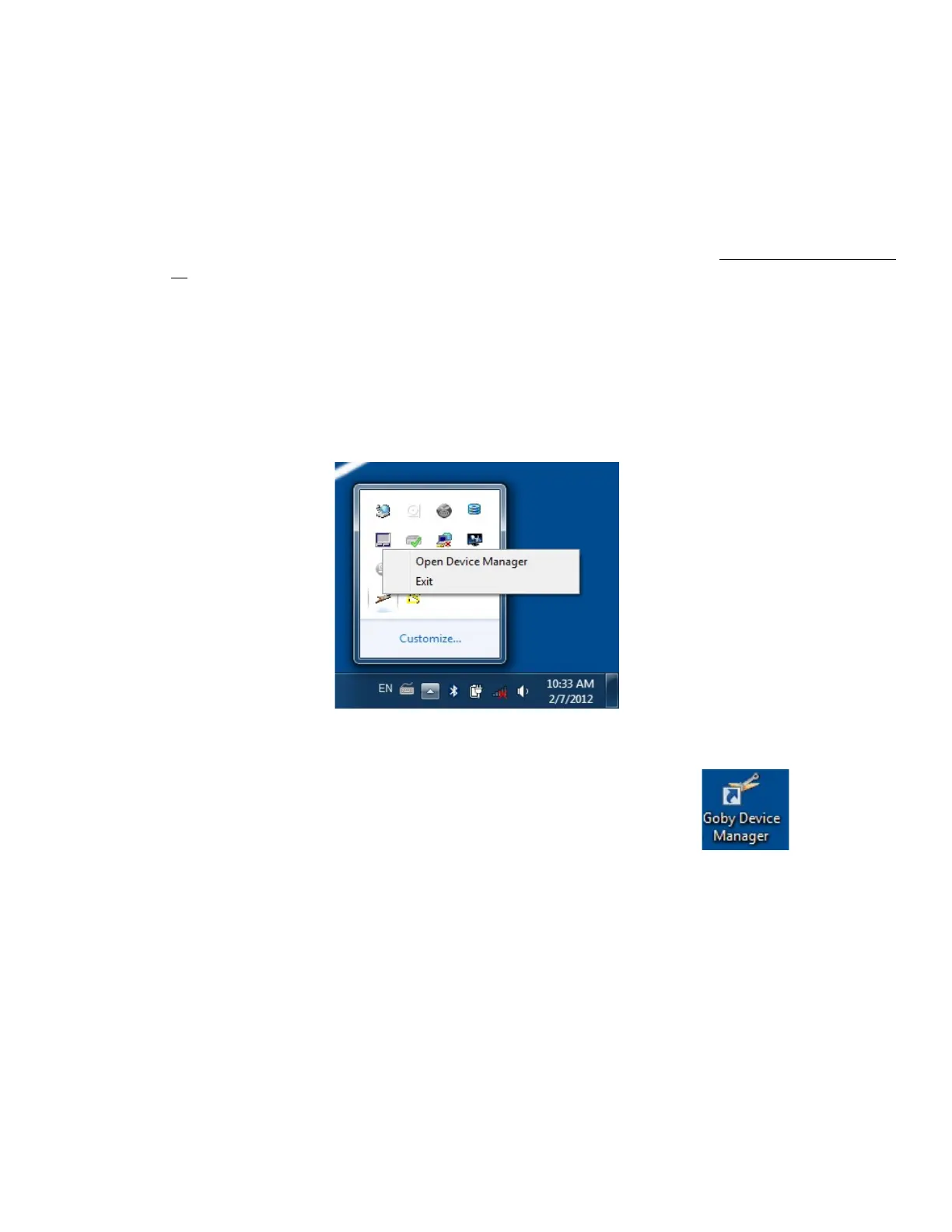
• Locate the Goby™ Device Manager icon in the System Tray; right-click the icon and select Exit (Figure 118).
Figure 118: Opening the Device Manager Through the Quick Access Toolbar
• Wait 5 - 10 seconds, and then double-click the Goby™ Device Manager shortcut icon on the desktop.
This will reload the Goby Device Manager in the system tray.
• Double-click the new instance of the Goby™ Device Manager in the system tray to open the Goby™ Device
Manager window; verify all devices are connected.
• Close the utility.



 To Next Page