LABORIE Goby Owner’s Manual GOBY-UM02 44
5.6 INFO MENU
The Info menu contains items that allow viewing of patient information as well as test summaries.
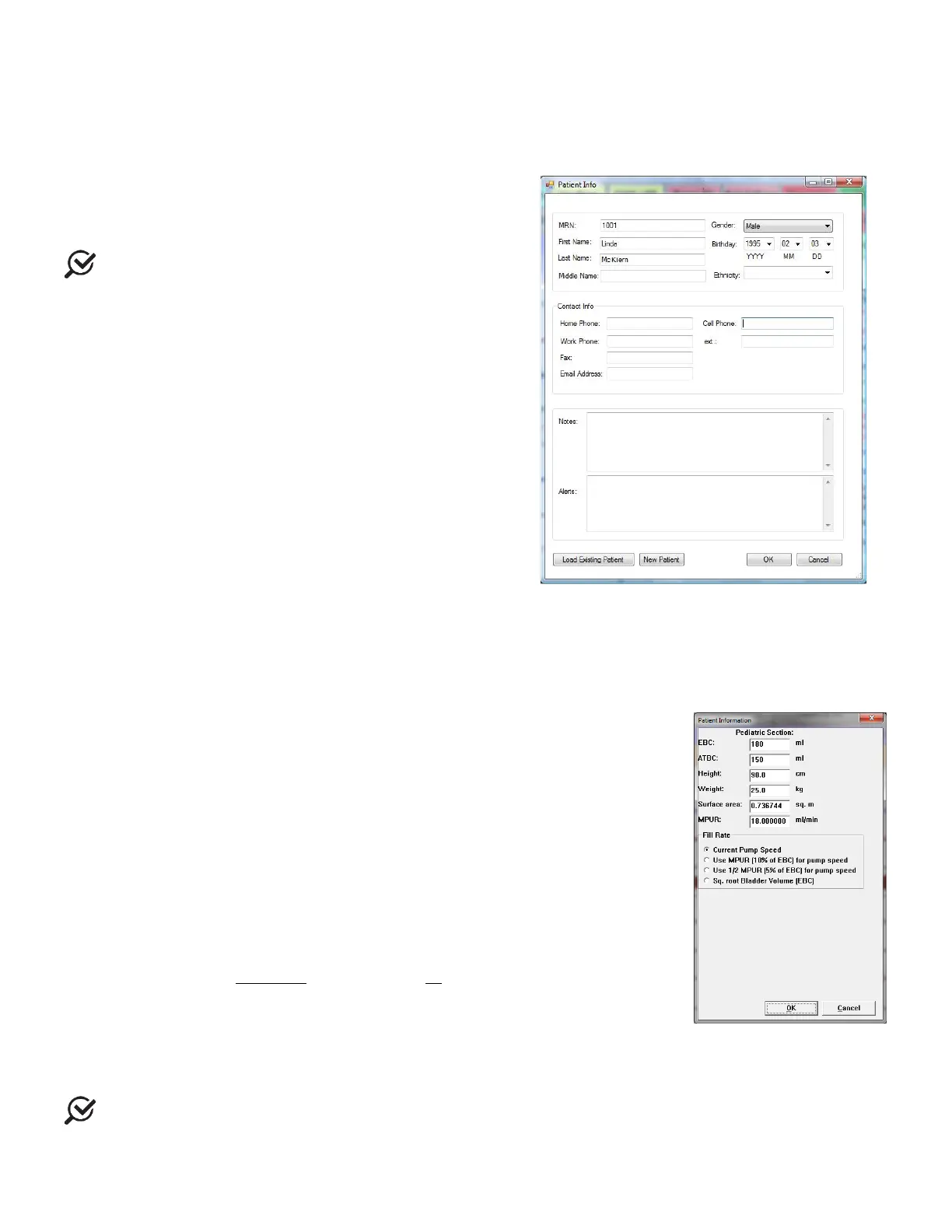
5.6.1 Patient Info
The details of a patient’s file are easily added to and accessed
through the Patient Information window (Figure 46)
information as necessary and click
when complete.
If a previous patient’s information is still visible in this
form, click
and then enter the necessary information.
Click
when complete.
If you already know that the patient is in the system, click the
button and select the patient in the resulting list.
Figure 46: Patient Info Window
5.6.2 Pediatric Patient Information
When entering information for a patient who is 16 years of age or younger, the Patient Information window will automatically
adjust itself to allow for the addition of necessary information (Figure 47). Refer to overview of fields below:
:
– shown in milliliters - automatically calculated using the
formula: 30 x (Age + 1)
ii
.
•
:
Acceptable Total Bladder Capacity
. This limit is the maximum amount of
fluid that can be infused into the patient according to bladder capacity at a given
age. Calculated using the formula: ATBC = 16 x (Age of child in years) + 70 ml
iii
.
•
add height in centimeters.
•
add weight in kilograms.
•
of the bladder - shown in square meters – automatically calculated
based on height and weight.
•
Maximum Physiological Urinary Rate
- shown in milliliters per minute –
automatically calculated based on patient’s height and weight.
•
fill rate of the pump. For more information on pump fill rates for pediatric
patients, refer to the
Pump Tab section on page 40.
o Current Pump Speed: allows for selection of slow, medium, or fast fill rate
o Use MPUR (10% of EBC) for pump speed and Use ½ MPUR (5% of EBC) for pump
speed: automatically sets the ideal pump filling rate based on MPUR value.
o Sq.Root Bladder Volume: automatically sets the ideal pump filling rate based on
EBC value.
Figure 47
Information Window
To enable pediatric pump settings, select the test configuration (.cfg) file first then enter patient
information. MPUR and Sq Root Bladder Volume fill rates can then be selected for the test.



 To Next Page