LABORIE Goby Owner’s Manual GOBY-UM02 76
No required button labels.
Action is applicable to all
button labels.
Cancel Settings of any Button Label
button action by selecting
None in the button type
field of the control panel.
†
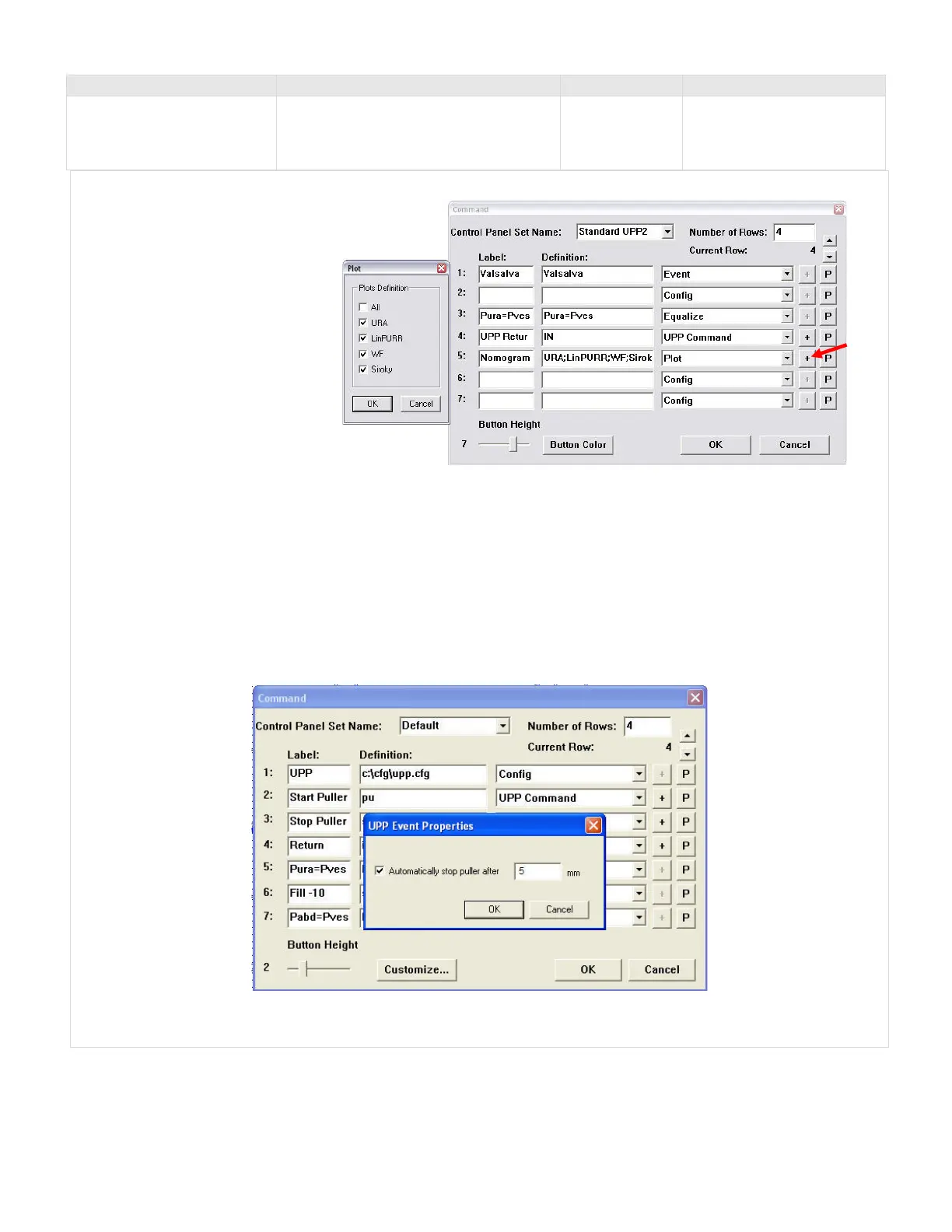
NOTE : To define the Nomogram plots that will be displayed follow the instruction provided below.
1. Select Plot from the drop
list in the Command
window.
2. Click the plus (+) button to
open the selection box.
3. Select
in the Plot
Window
and click
4. Name the button
5. Click
to save changes
to the control panel.
Refer to Figure 90.
Figure 90: Command Window – Selecting Plots
*NOTE Additional UPP commands include:
• PU XX (pulls the UPP puller XX millimeters at the default UPP speed; for example PU 15 will pull the UPP for 15
mm at the default speed)
• PUH XX (pulls the UPP puller XX millimeters as fast as possible; used for positioning the UPP puller)
• IN XX (returns the UPP puller XX millimeters as fast as possible; used for positioning the UPP puller)
Set the puller to automatically stop or pull at preset intervals with the click of a button using the Additional UPP
commands listed above. When a UPP Command is selected in the Label drop down list and the definition is either
PU or IN, a pop-up box appears for selection of the intervals at which the puller will stop.
• Click
to set the interval.
Table 7: Control Panel Commands



 To Next Page