LABORIE Goby Owner’s Manual GOBY-UM02 65
The UPP Summary window contains the following information:
• Length: Length of the urethra (functional length). The UDS software calculates the urethral length by multiplying
the withdrawal rate by the period of the functional segment of the graph.
IMPORTANT: The recommended withdrawal speed is approximately one millimeter per second.
• Start: Starting time of the pull
• End: Terminating time of the pull
• Peak Pclo: Maximum urethral closure pressure
• Obstruction Zone Peak: Maximum pressure at observed obstruction.
• Length of the Continence Zone: Distance between the bladder neck and the highest pressure point in profile.
• Area of the Continence Zone: Area under the Length of Continence Zone
To select and modify a segment for analysis:
1. Click the column heading (Pull 1, Pull 2, etc...) of a UPP pull. The start and stop times will be highlighted in green,
and the graph on screen will scroll to the end position of the selected UPP pull.
2. Click the Auto Detect button to automatically adjust the start and end range or manually move one of the UPP
start or stop events on the UDS screen. The events are updated on the screen and in the UPP Summary window.
Select up to eight segments for UPP calculation.
To change the Puller Speed, Measuring Channel, and/or Threshold:
1. Click the Configure button on the UPP Summary window. The UPP Config box will appear.
2. Click the text box of the data field to be changed and enter the new data.
3. Click OK. The data fields are updated and the UPP Config dialog box closes.
5.6.8.1 Re-Marking UPP Segments
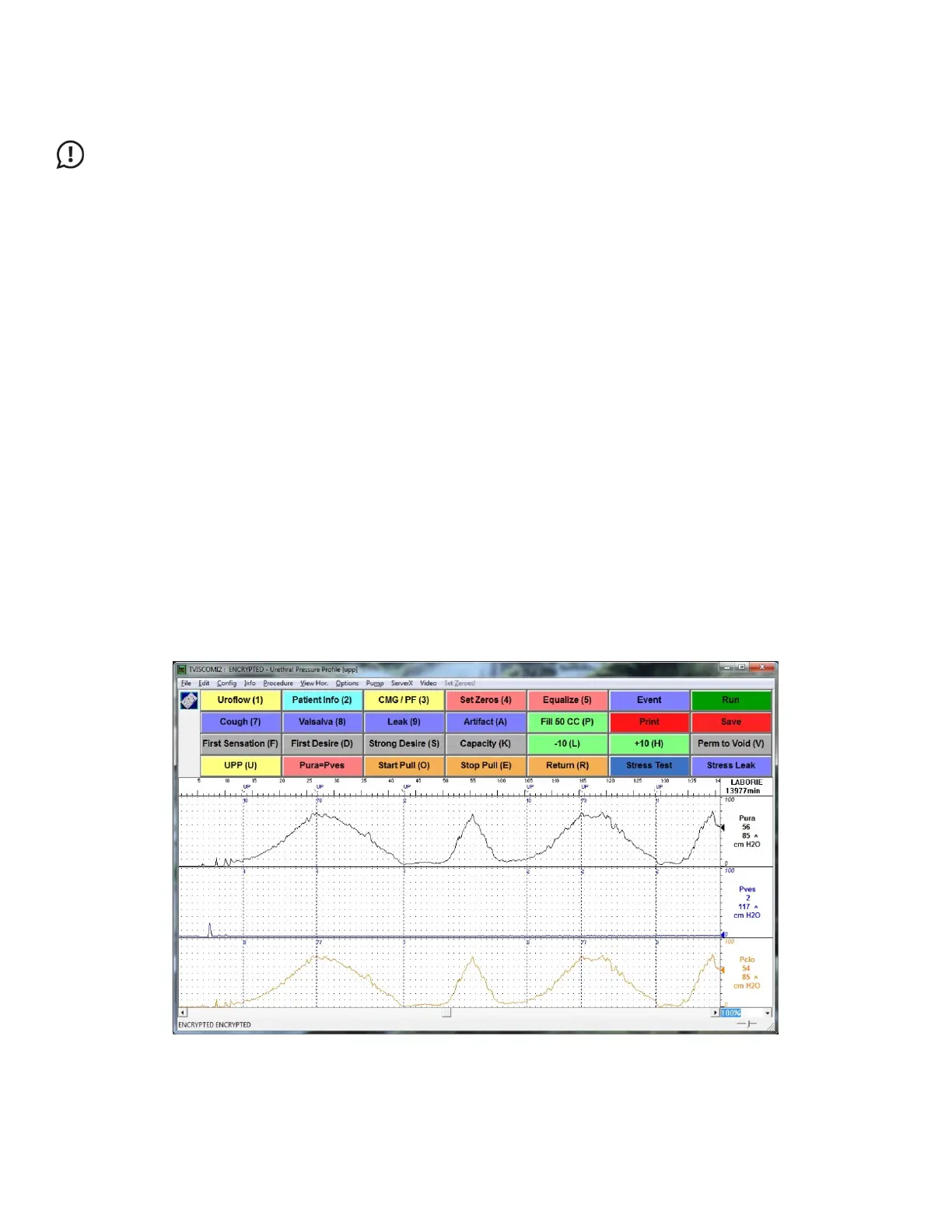
The UPP segments mark automatically when using the Start Pull and Stop Pull Control Panel buttons to perform the UPP
test. Each UPP performed with these Control Panel buttons creates three unique events on the graph named
UPP Start X
,
UPP Peak X
, and
UPP Stop X
(where X is the Pull #). The first UPP pull will be assigned number 1 with each additional Pull
assigned a sequential number. UPP events for the first Pull will then be named UPP Start 1, UPP Peak 1, and UPP Stop 1
automatically (
Figure 75).
Figure 75: Urethral Pressure Profile Test



 To Next Page