LABORIE Goby Owner’s Manual GOBY-UM02 49
5.6.3.3 Bladder Work Function (WF)
The Bladder Work function
vii
is based on the work of Dr. Derek Griffiths. The Bladder Work Function feature is available
after a Micturition (pressure-flow) test has been run. This feature calculates the bladder work function (also called bladder
power) by using Pdet, Flow, and Bladder Volume.
To access the WF Plot:
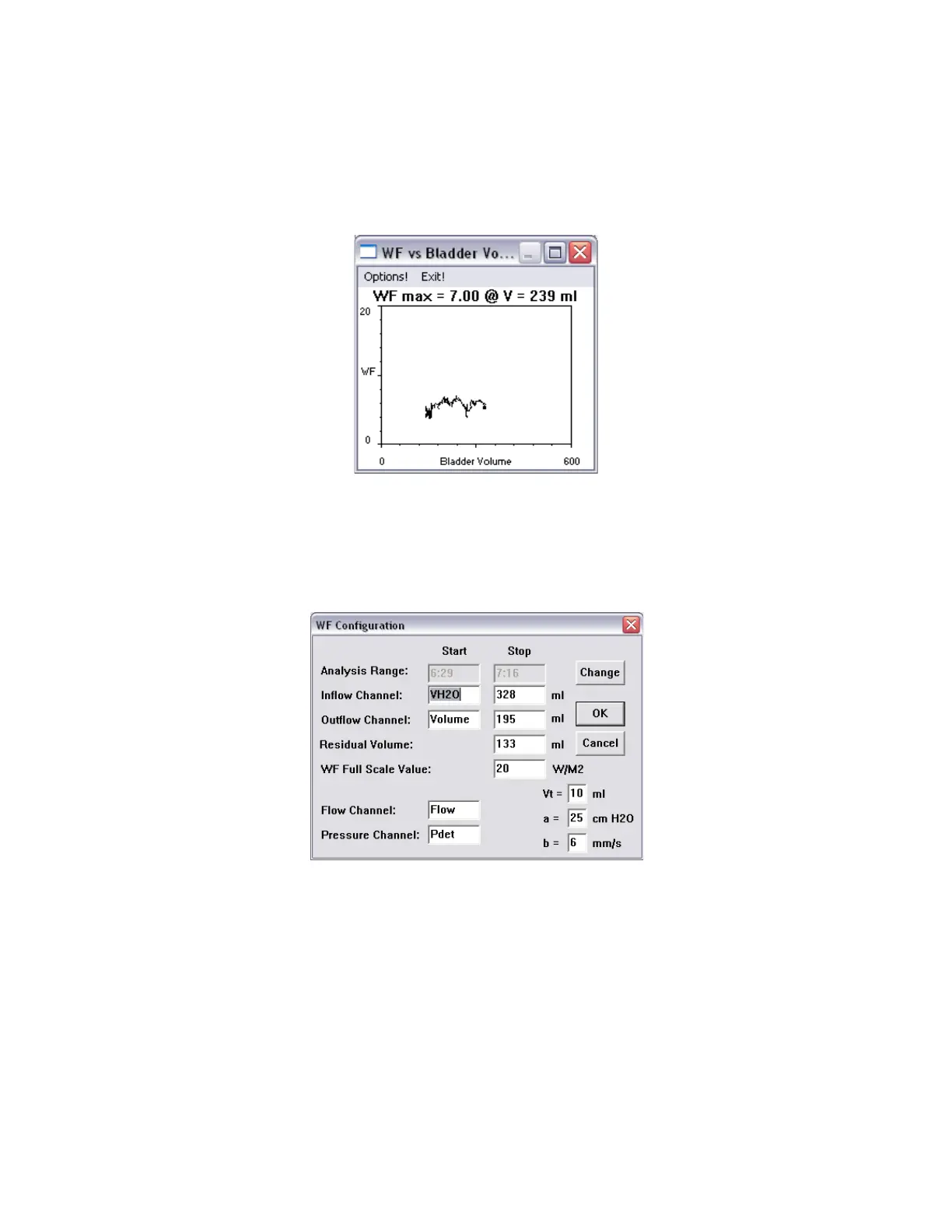
1. Click Info > X-Y plot > WF. The WF plot is displayed and the complete test is plotted on the screen (Figure
52).
Figure 52: WF Plot
2. Select Exit! in the WF Plot window to close the WF Plot window.
To change the Default Settings of the WF Plot using the WF Configuration Window:
1. Click Options from the WF window. The WF Configuration window will appear (Figure 53).
Figure 53: WF Configuration Window
2. Change the range by using the Change button, if applicable.
3. Type any other changes using the keyboard.
4. Click OK.
By default, the Inflow Channel is the infused volume (VH2O) and the Outflow Channel is the voided volume (Volume).
Usually the Inflow and Outflow volumes are equal in value; however, if a patient has a residual volume of urine in the bladder,
the volumes will not be the same. Residual volume is the difference between the inflow and the outflow. It is automatically
calculated and is displayed in the Residual Volume text box. Refer to Figure 53 above.



 To Next Page