LABORIE Goby Owner’s Manual GOBY-UM02 33
5.2.2 Modifying Channels
5.2.2.1 Modify Channel Title and Units
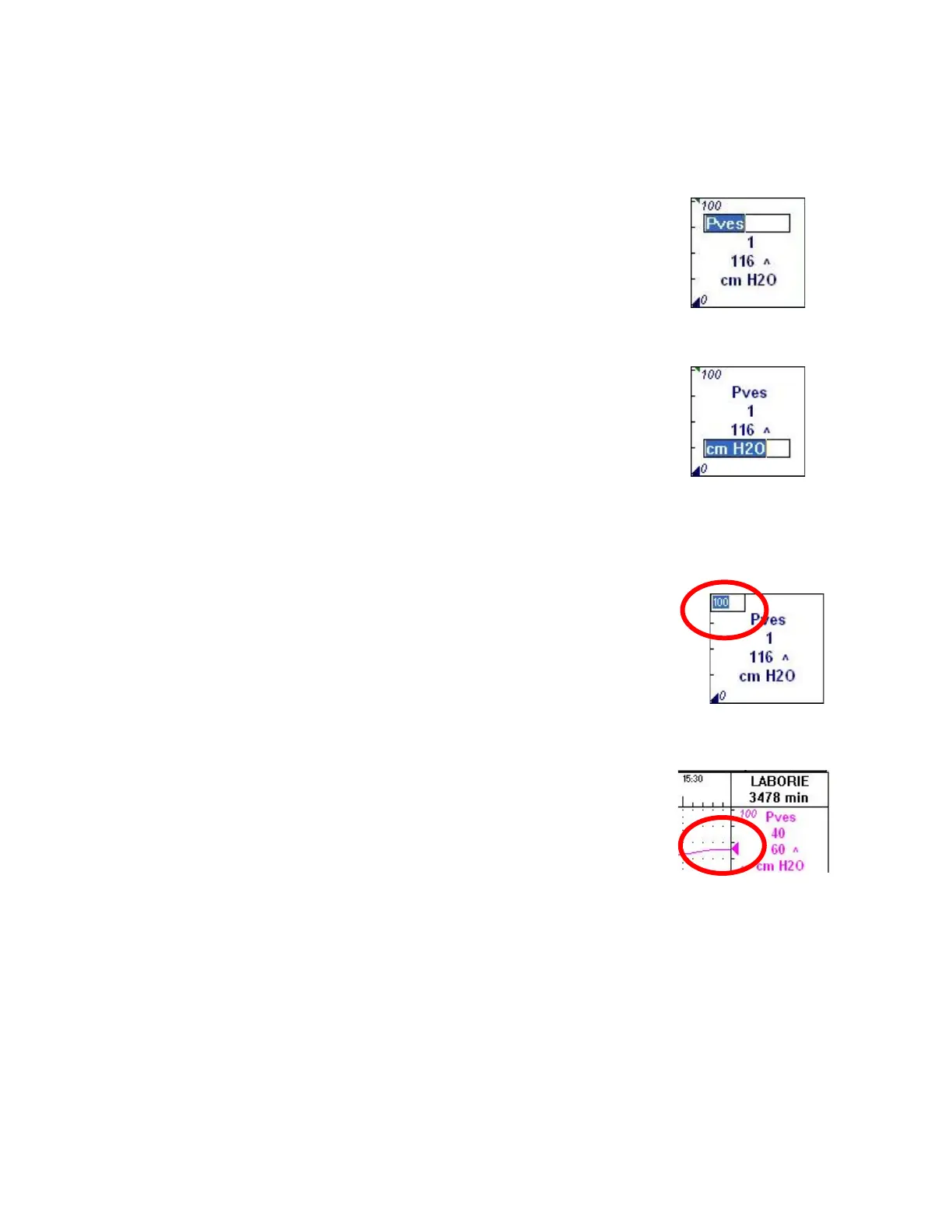
Change the channel title and units by simply clicking on them and typing in the new data.
To change a channel title:
1. Click a channel title. An edit box will appear above the channel
title.
2. Type the new channel title into the edit box to replace the
previous title and press
The channel title will be
changed.
Refer to Figure 28.
To change the channel units:
1. Click on a channel units. An edit box will appear above the
channel units.
2. Type the new channel units into the edit box to replace the
previous entry and press
. The channel units will be
changed.
Refer to Figure 29.
5.2.2.2 Modify Channel Scales
Change the channel scales (minimum and maximum) by simply clicking on them typing in the new data.
To change either the maximum and minimum scale:
1. Click on a channel scale. An edit box will appear above the
channel scale.
2. Type the new channel scale into the edit box to replace the
previous entry and press
. The channel scale will be
changed.
5.2.2.3 Channel Value Marker
This feature displays the triangular channel value marker at the edge of the
graph window to facilitate identification of the channel curve. The marker
functions like a pen that draws the curves as the test is running.
Figure 31: Channel Value Marker



 To Next Page