LABORIE Goby Owner’s Manual GOBY-UM02 53
5.6.4.2 Pressure Transmission Ratio
The Pressure Transmission Ratio (PTR) feature is available after a test with Pves and Pura is completed (For example, a UPP
test). Pressure Transmission is a ratio of pressure that is “transmitted” from the bladder to the urethra during a cough.
Pressure Transmission is calculated from the Pves and Pura channels.
The PTR formula is:
∆ Pura
% PTR = X 100%
∆ Pves
• ∆ Pura refers to the change “from baseline” in urethral pressure during a cough
• ∆ Pves refers to the change “from baseline” in vesicle pressure during a cough
Methods for Calculating PTR
In the Pressure Transmission window there are three methods provided for calculating PTR: Basic PTR, UPP Segments,
Manual PTR. To launch the Pressure Transmission window, click Info > UPP and select Pressure Transmission.
Basic PTR:
The Basic PTR feature is the simplest method to identify coughs because this feature allows you to perform calculations for
all coughs during the test. To configure Basic PTR follow the instructions provided below:
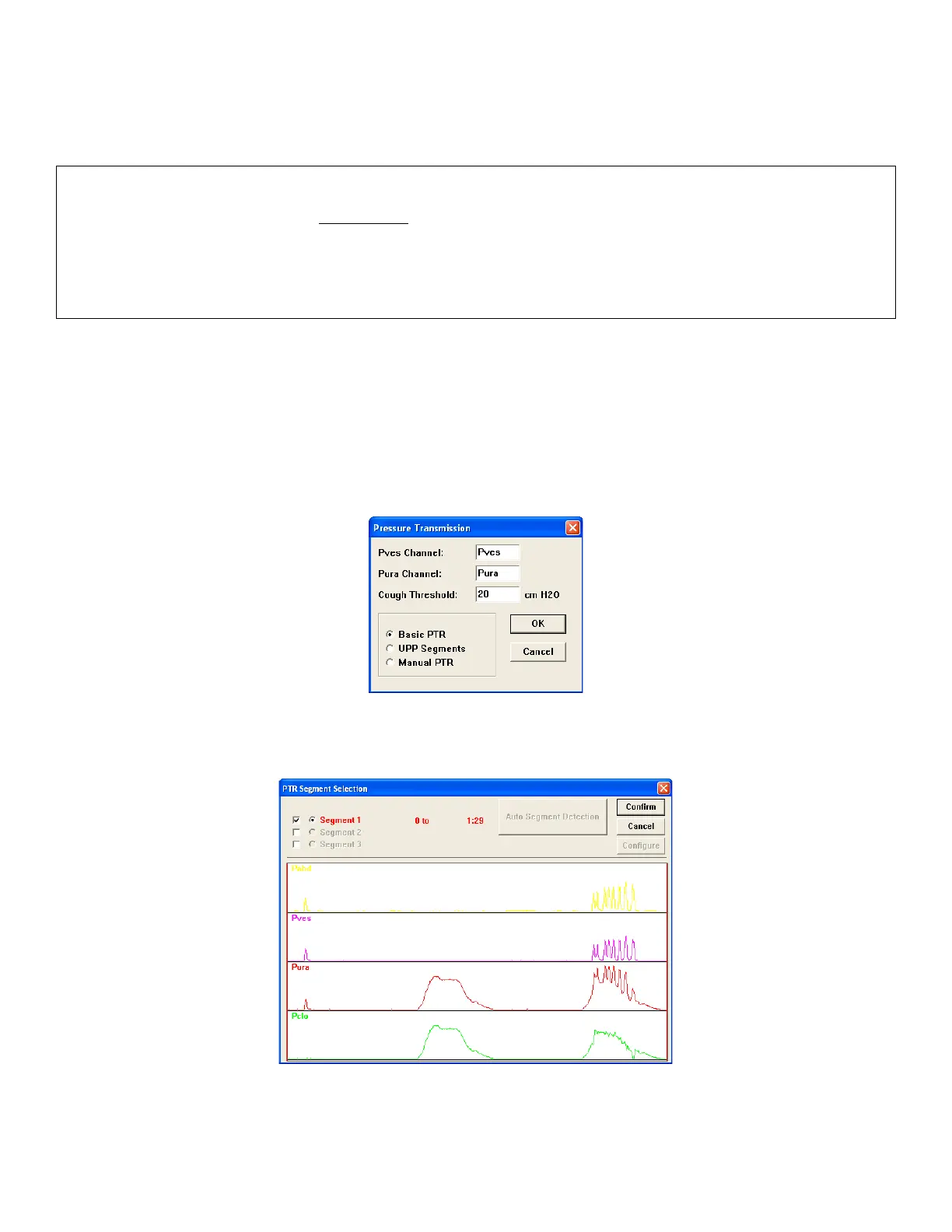
1. Click Info > UPP and select Pressure Transmission to launch the Pressure Transmission window (Figure 58).
Figure 58: Pressure Transmission window
2. Select Basic PTR in the Pressure Transmission window and click OK. The PTR Segment Selection box will
appear (
Figure 59).
Figure 59: Basic PTR - PTR Segment Selection Box
3. Verify that the entire test is selected as a segment and click Confirm.



 To Next Page