LABORIE Goby Owner’s Manual GOBY-UM02 94
How do I attach the UDS Roam™ to a patient?
Attach using the provided belt and holster:
• Thread the belt into the UDS Roam™ holster.
• Place the UDS Roam™ into the holster and secure into place.
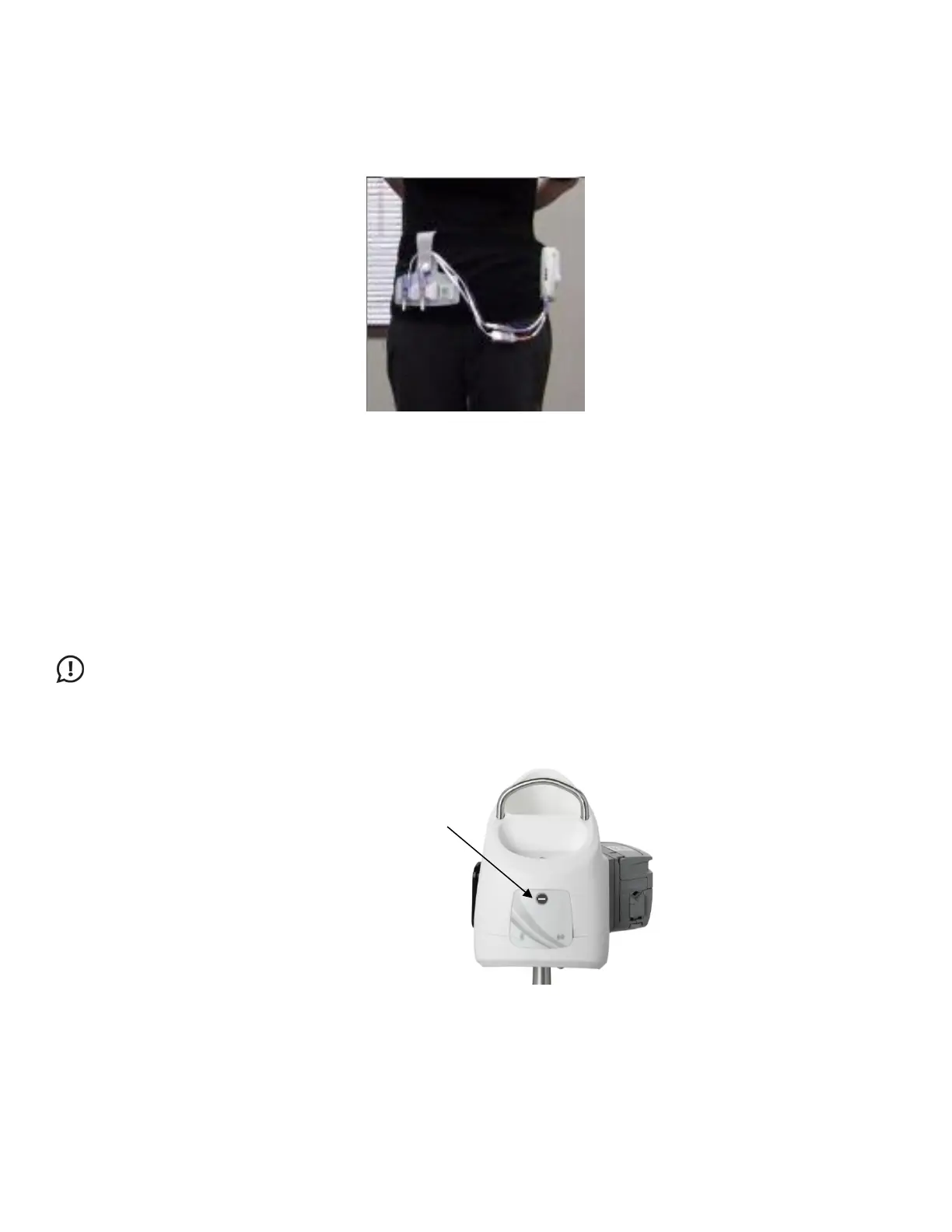
• Secure the belt around the patient’s waist with the UDS Roam™ cables extending downward (Figure 117).
Figure 117: UDS Roam Holster and Belt Setup
• Secure the transducer cables onto the belt utilizing the VELCRO bottom.
• Connect the catheters to the cables.
• You can also use the optional lanyard to place the Roam around the patient’s neck.
How do I attach the Goby™ Hub to the IV pole?
Unfasten the thumbscrew on the mounting clamp and place it around the IV pole; place it on the center tube for increased
stability. Tighten the thumbscrew to secure into place. Insert the
Goby™ Hub into the clamp by sliding the Goby™ Hub
back mount or side mount into the slot of the clamp. Lock in place using the gold-colored pin screw. To remove the
Goby™
Hub mount, gently pull out the pin screw and slide the Goby™ Hub up and out. Adjust the height of the Goby™ Hub as
necessary.
IMPORTANT: To prevent damage, remove the Goby™ Hub from the mounting clamp before adjusting the placement
of the clamp on the IV pole.
How do I stop the pump?
Press the grey button on the front of the Goby™ Hub if you need to stop the pump at any time during a test (). Alternatively,
lift the pump head to release the tubing from the pump.
How do I stop the UPP?
Press the grey button on the front of the Goby™ Hub if you need to stop the UPP at any time during a test. Alternatively,
manually remove the catheter from the UPP clip.



 To Next Page