266 X75HD/X75SD Installation and Operation Manual
Appendix C: Servicing
6. Inspect the connectors on both the module and the main board to
ensure that all pins are straight, and then push the board gently over
the main board stacker connection points until they lock into place.
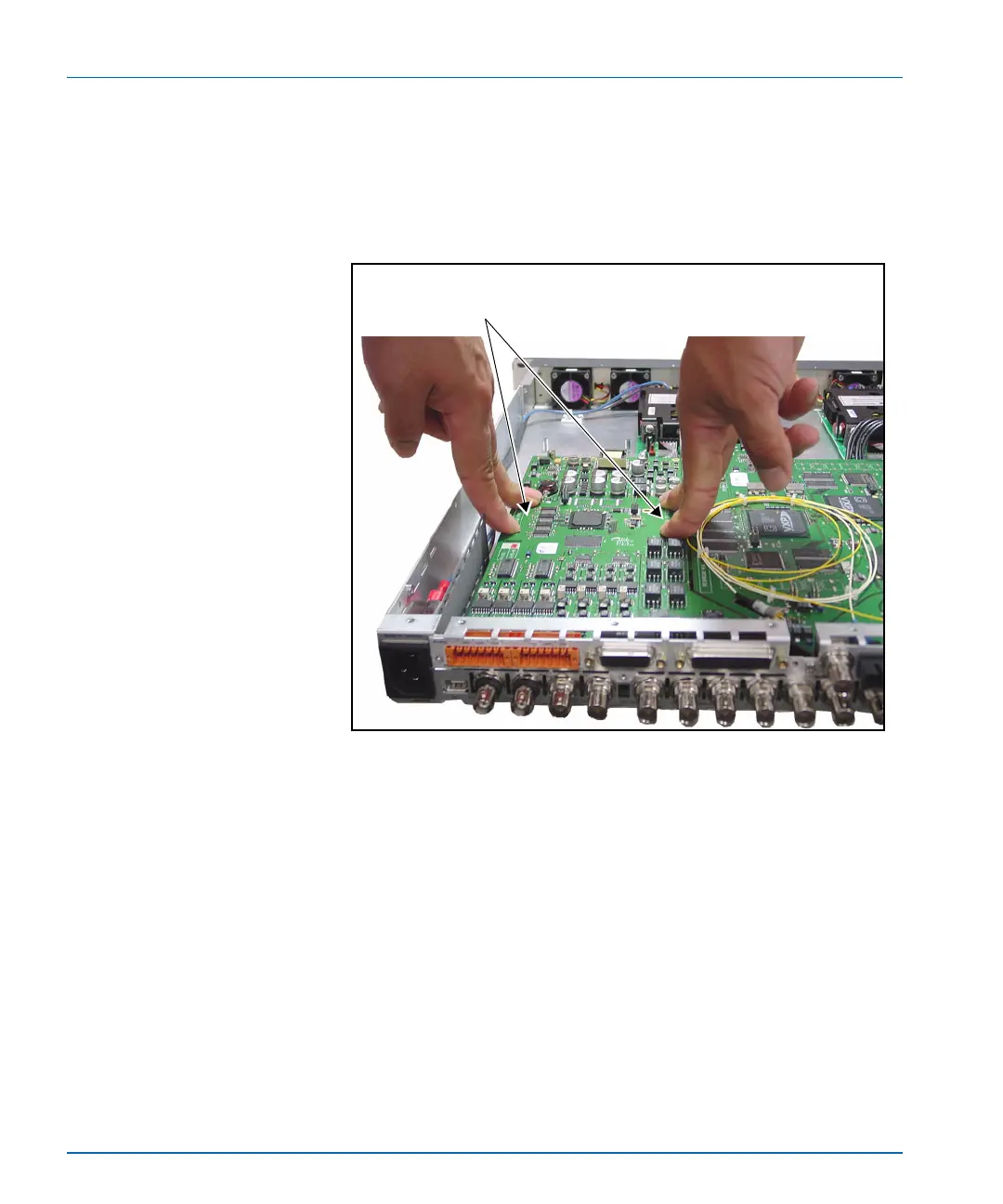
Figure C-7 illustrates the area of the module you should push so
that the stackers lock firmly into place.
Figure C-7. Pushing the Module on to the Main Board
7. Secure the new module to the main board using the provided
screws.
Figure C-8 on page 267 illustrates the location of the three module
standoffs where you need to apply the screws.
Pushing the module onto the main board
Push the module above where the stackers
are located.


 To Next Page
 Loading...
