Colortran Encore Control Console
Software Version 3.05
42
The Effect Display (a blind display)
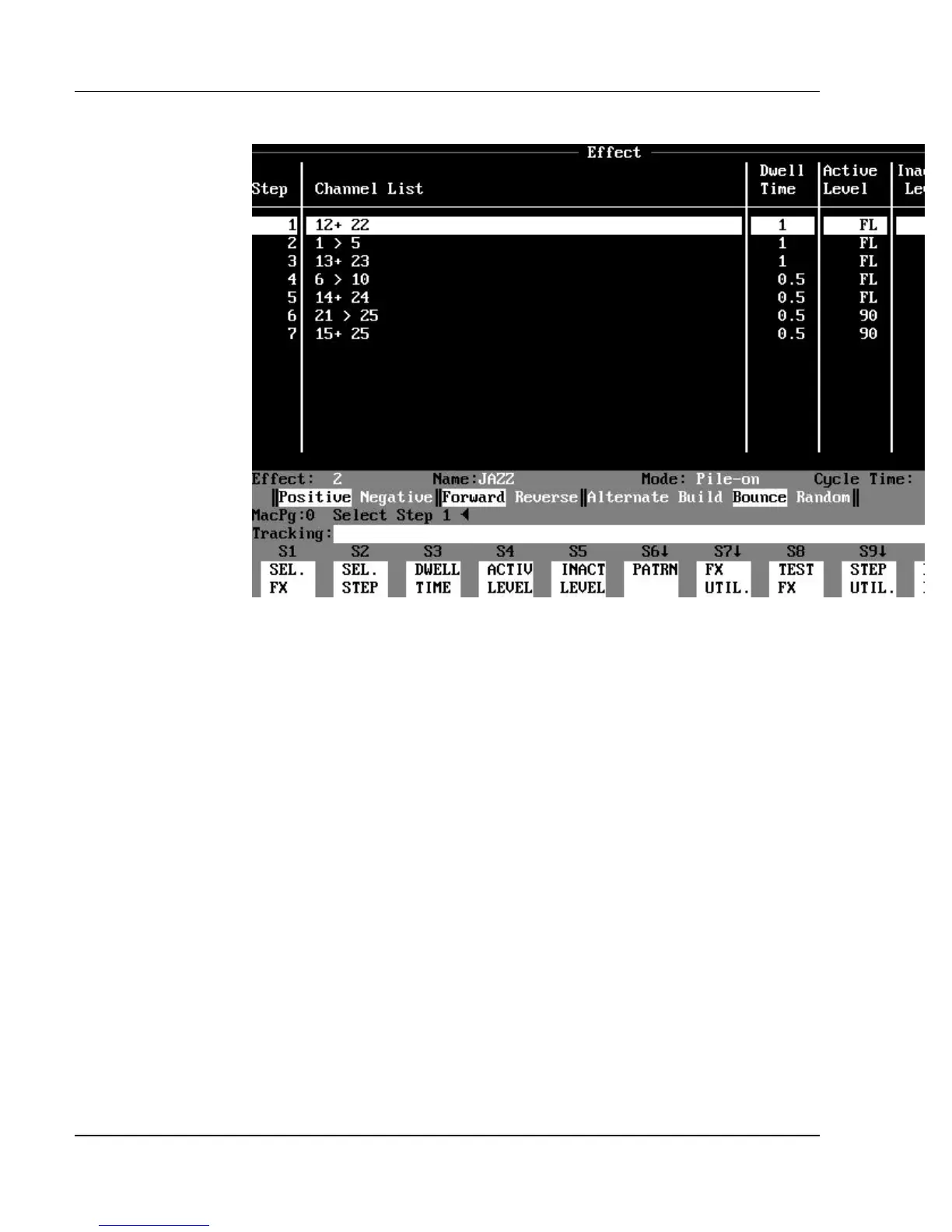
Figure 3.11, Effect Display
Purpose of the Effect Display: The Effect display creates, edits
and tests effects. The Effect display shows a list of all channels used in each
step of the effect, as well as the timing and level information.
Contents of the Effect Display: The main part of the Effect display
consists of five columns of information about the current effect as follows:
?? Step shows the step numbers (up to 99) of an effect. When an effect is
executed, each step executes
one after another. After the last step, the sequence repeats again from first to
last, for as long as the effect continues to run.
?? Channel List shows the channels assigned to each step.
?? Dwell Time shows the length of time each step is active.
?? Active Level shows the level of the channels when the step is active.
?? Inactive Level shows the level of the channels when the step is inactive.



 To Next Page