4
Prestige Owner’s Guide
A TIP FROM LOWREY:
The VOLUME PEDAL controls the “overall” volume level of the organ. The volume level of specific sections
is controlled by the individual volume level controls found on the panel and in the
GRAPHIC MIXER section
of the organ. If the overall maximum volume level of the organ is too loud, use the
MASTER buttons in the
GRAPHIC MIXER to adjust the volume to your liking.
6. COLOR TOUCH SCREEN
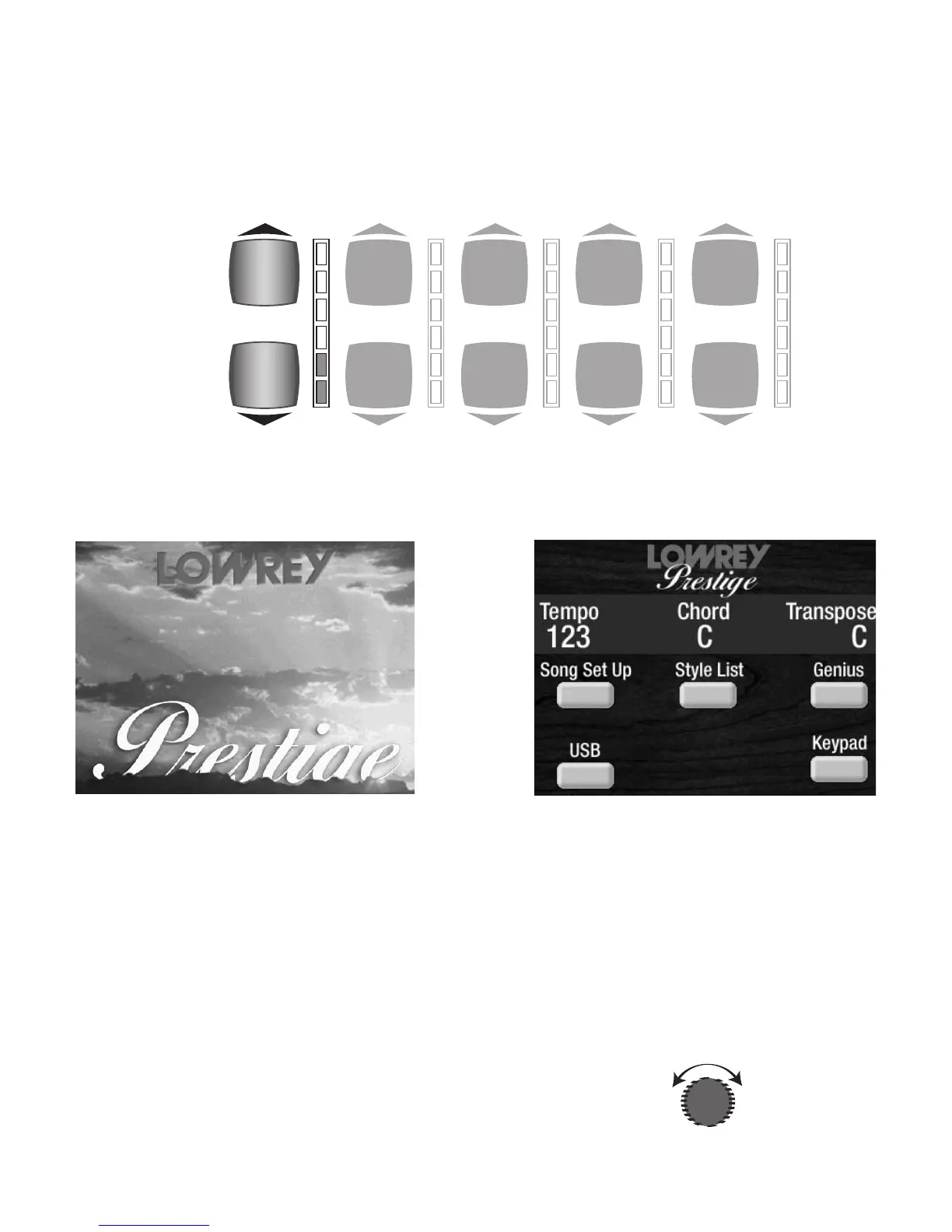
Look at the big screen in the center of the button panel. This is the COLOR TOUCH SCREEN. When you turn
the organ on, the Prestige screen, below left, evolves during startup. When the organ is fully powered and
is ready to be played the
POWER UP SCREEN, below right, appears.
The
COLOR TOUCH SCREEN is Touch-Sensitive and is your primary entry point for much of what this
instrument is capable of doing the
POWER UP SCREEN gives you some basic information:
TEMPO: The numbers under the word TEMPO will indicate the tempo (speed) when a Rhythm Style (Big
Band, Country, Waltz, etc) is being used.
CHORD: The letter under the word CHORD indicates the Lower Keyboard chord being played. The bass
pedal, if being played, is displayed to the right of the chord display, preceded by a slash (C / E
b
).
TRANSPOSE: The letter under the word TRANSPOSE indicates the key that the instrument is set to. In addi-
tion, you will see pictures of buttons with these labels: Song Setup, Genius, USB, Style List, and Keypad.
This is the “Power-Up” screen.
There is a DISPLAY CONTRAST dial located just to the right of
the screen. Turn the dial to adjust the screen to a setting that is
best for you.
MASTER
VOLUME
REVERB
AMOUNT
BASS
VOLUME
LOWER
VOLUME
UPPER
STRING/VOCAL
VOLUME








 To Next Page