96
Prestige Owner’s Guide
Advanced Features
What It Does:
GOLDEN HARP features a variety of graceful arpeggios that act as a background or accompaniment to your
songs. Arpeggios are the tones of a chord, played in succession, that create up and down sound runs.
The Golden Harp settings are preset from the factory as a beautiful Harp sound. A variety of different
Patterns, the Tempo of the pattern, the Volume, and the instrumental sound of the Golden Harp can be cho-
sen.
How It Works:
GOLDEN HARP reads the chord being played on the Lower Keyboard and adds the appropriate arpeggios.
Golden Harp does not work unless a Lower Keyboard chord is being played.
How To Use It:
When you are playing your own pedals and chords, Golden Harp will only be heard while chords are being
played on the Lower Keyboard. Lifting your hand off the Lower Keyboard will silence the Golden Harp
sound (unless the
MEMORY button in the Rhythm Plus Orchestration section is on).
When you are playing using the Easy button or a Rhythm Style, Golden Harp will continue playing even if
you lift your hand from the Lower Keyboard. The Memory button, detailed in the Rhythm Plus
Orchestration section, is what keeps Golden Harp playing.
Golden Harp can be temporarily silenced by pressing the
RIGHT FOOT SWITCH on the Volume Pedal (this
switch usually activates the FX). It can also be silenced by touching the LEFT TOUCH BAR below the lower
keyboard.
GOLDEN HARP GENIUS SOUNDS
Just like any other button or tab labeled GENIUS, any sound from the GENIUS VOICE LIST, in the back of this
book, may be assigned to the GOLDEN HARP GENIUS button, creating Golden Harp arpeggios with a wide
variety of sounds. Sounds are listed alphabetically.
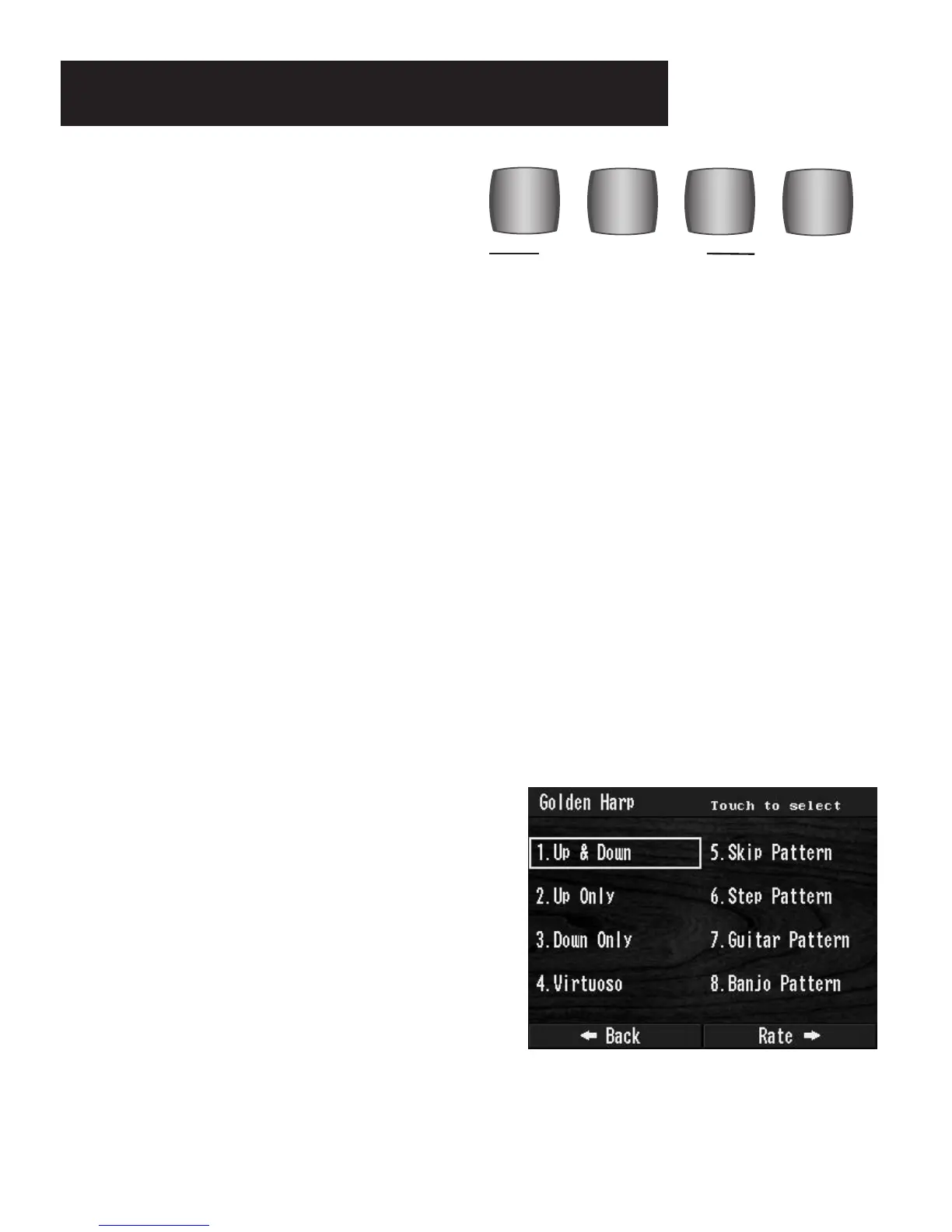
GOLDEN HARP PATTERNS
There are eight different GOLDEN HARP patterns:
GOLDEN HARP 1: The classic Up and Down pattern.
GOLDEN HARP MORE: Pressing the MORE button in the
Golden Harp section changes the TOUCH SCREEN screen
to display all eight choices.
Make your selection by touching the desired pattern name
on the screen.
VIRTUOSO
GENIUS
MORE
#1
GOLDEN HARP
PREVIEW: GOLDEN HARP is another favorite, long
time Lowrey feature. The Golden Harp effect may
easily be added to any song. Golden Harp may also
be used along with a Rhythm Style. The Prestige has
eight dynamic Golden Harp patterns and a
GENIUS
button for selecting a variety of sounds.
Golden Harp Section








 To Next Page