26
Prestige Owner’s Guide
CD PLAYBACK
The Prestige will playback Music CDs recorded by you, on your Lowrey Prestige organ, and Music CDs pro-
duced by other makers.
Follow these steps to playback a music CD. Remember, the CD control buttons are located to the right of
the lower keyboard, on the right end block.
1. Press the
DISPLAY button.
2. Press either the
OPEN/CLOSE screen button, or press the button on the front of the
CD RECORDER/PLAYER.
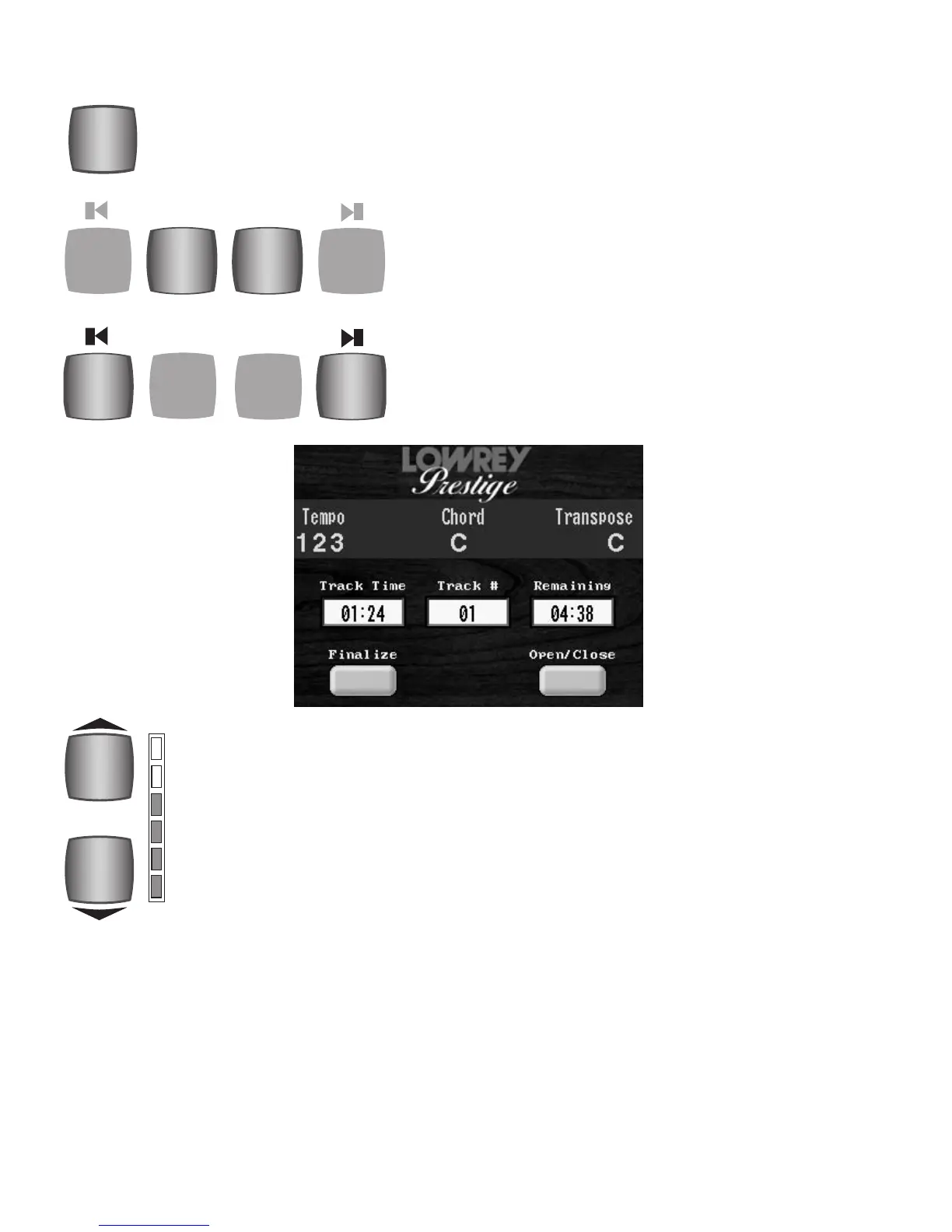
Use these two button to control the volume level when playing a music CD.
To raise the volume, press the top button. To lower the volume, press the
lower button. It may be necessary to tap the button several times to achieve
the desired volume. The column of red and green colored lights next to the
volume buttons will visually illustrate the volume levels. To set the volume to
a specific value, press the
KEYPAD button, on the touch screen. Press the num-
bers on the screen to represent a value between 0 (lowest volume) and 100
(greatest volume). After keying the desired value, press either
CD PLAYBACK
VOLUME
button to set the numerically determined volume.
Press either TRACK button to select among the tracks on a CD.
The track number selected will be displayed under TRACK# on
the
COLOR TOUCH SCREEN.
During playback of a music CD, press and hold the << but-
ton to rewind a recording or the >> button to move forward
through a recording. To hear the recording simply release the
button. Replay will continue at the point in the recording
when either << or >> buttons were released.
Press the PLAY/PAUSE button and playback the track displayed in the TRACK # section on the
COLOR TOUCH SCREEN. Press the PLAY/PAUSE button during recording or playback to halt
the process. Press
PLAY/PAUSE button again to resume the recording or playback activity at
the exact point where it was paused.








 To Next Page