73
Tabs
6. Play a few notes on the Upper Keyboard again. You will hear a Muted trumpet sound.
Notice that each time you press either SCROLL button, the Touch Screen displays a
different
GENIUS VOICE for that tab. Play a few notes on the Upper Keyboard each time a new
sound is displayed to hear a sample of the sound.
Pressing the
RESET button or turning the organ off will return the GENIUS VOICE assigned to a Genius tab
or button back to the factory preset sound. If you find one you really like save it in a BANK PRESET.
DRAWBARS
What It Does:
The famous and unique sound of flute drawbar-type organs can be obtained with the Prestige. Lowrey’s
DRAWBAR feature allows you to control and customize the volume intensities of each individual (clear)
Flute tab and (orange) Bass 16 and Bass 8 tabs. The DRAWBAR settings are preset from the factory and never
need to be changed.
4. There are two ways to manipulate the volume of the Flute Drawbars on the screen. To increase the
volume of an individual Flute tab, press the screen just below the image of the particular Drawbar you
wish to change.
The Flute Drawbar image will lengthen, increasing the volume.
Another method to increase the volume is to press a Drawbar image, highlighting it, and then
repeatedly press the top
SCROLL button, causing the Flute Drawbar image to lengthen, increasing the
volume.
How It Works:
Each (clear) Flute tab and (orange) Bass 16 and Bass 8 tab
has a volume range of 0 (off - no sound) to
10 (maximum volume).
SHORTCUT:
1. Press the RESET button.
2. Press the
CUSTOM 2 button, to the right of the RESET
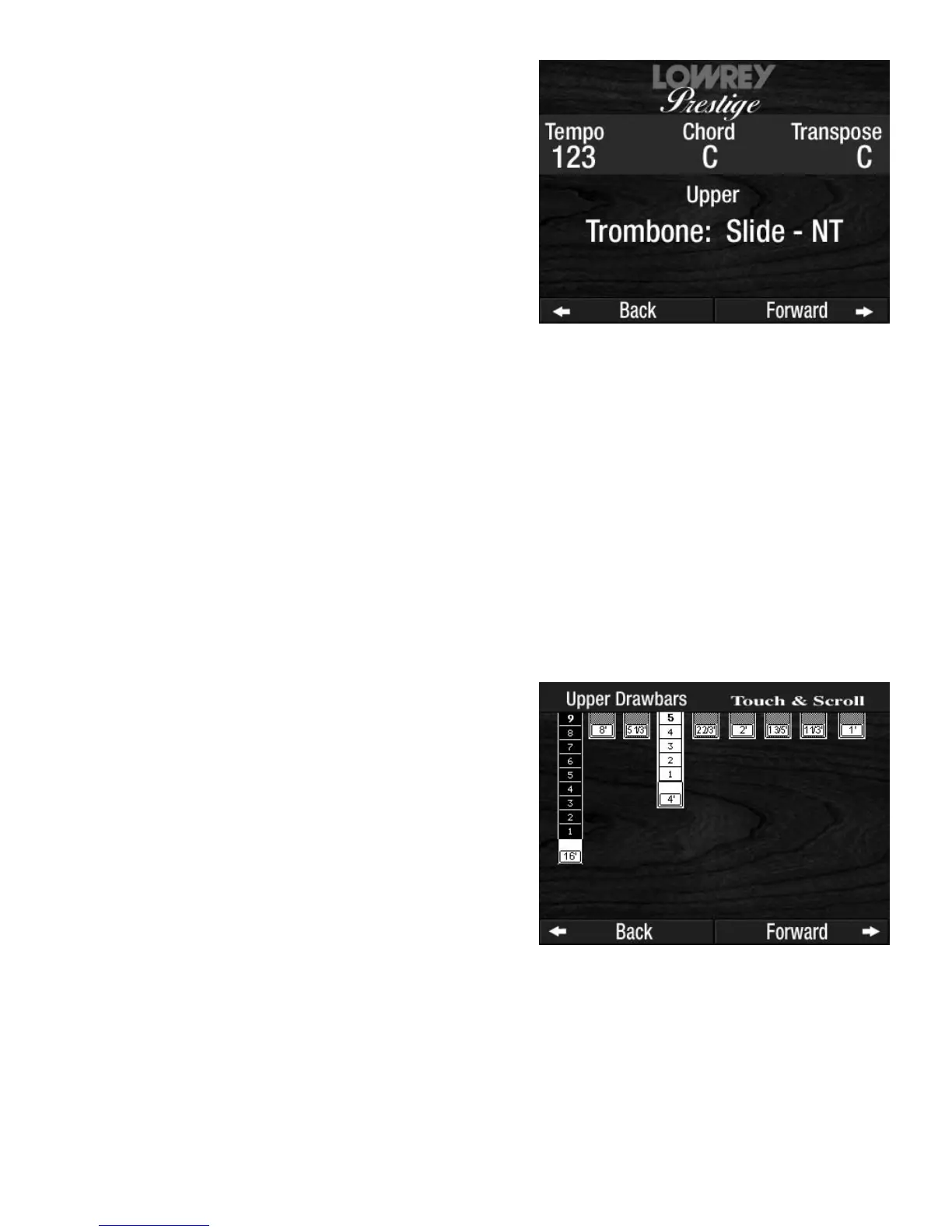
button. The Touch Screen will display the Upper
Drawbar controls. Flute 16 is set at 9, which is almost
full volume. Flute 4 is set at 5 - a little softer.
3. Press the
FLUTE 8 tab in the Upper tab section,
turning it on. The
DRAWBAR display will change
to show Flute 8 is set at 5.
TRY THIS: Try the following example to see how to change
the sound in a
GENIUS tab.
1. Press the
RESET button.
2. Press the tabs in the Upper section FLUTE 16 and FLUTE
4, turning them off.
3. Press the gray
UPPER GENIUS tab. The Touch Screen
will display
TROMBONE: SLIDE- NT.
4. Play a few notes on the Upper Keyboard to hear a
beautiful Trombone sound.
5. Press the top
SCROLL button repeatedly until the screen
displays: TRUMPET: MUTED.








 To Next Page