132
Prestige Owner’s Guide
1. Volume Pedal Setting
What It Does:
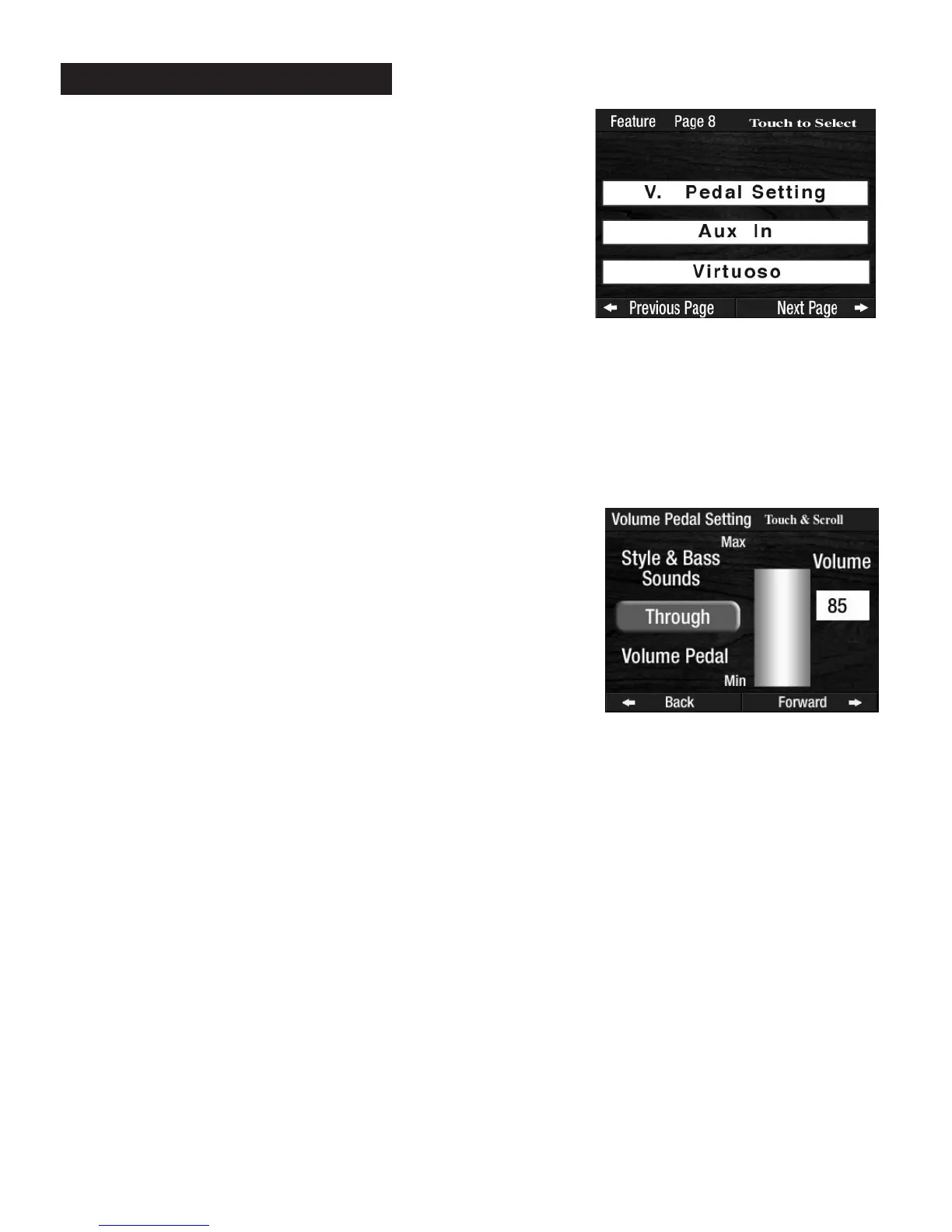
Typically, the VOLUME PEDAL raises and lowers the overall volume of the organ. The V PEDAL SETTING
feature allows you to bypass Rhythm Style volumes and Bass volumes when using the Volume pedal.
How It Works:
Press the words V PEDAL SETTING on the screen to display two choices:
There will be a numerical display as well as a graphic display.
How To Use It:
The BYPASS feature keeps the volume level of the Rhythm Style and the Bass at a constant level. Using the
Volume Pedal would only raise or lower the volume of the sounds on the Upper Keyboard and to the right
of the Keyboard Split (if activated).
BYPASS may provide more control over the expression of the melody
sounds.
Press the lighted
FEATURE(CLEAR) button to return to the POWER-UP screen.
2. Aux in. (Auxiliary in)
What It Does:
The AUX IN feature allows you to control the volume of the organ when using the AUX IN (Auxiliary Input)
jacks, located on the rear panel of the organ. Connecting a device, such as a tape deck or CD player, to the
Aux In jacks allows the audio to to be heard through the organ’s sound system.
THROUGH - Rhythm Style and Bass volumes (the sounds heard when
playing chords on the Lower Keyboard) are controlled with the
Volume Pedal, as usual. This is the factory preset selection.
BYPASS - Rhythm Style and Bass volumes are NOT controlled or
affected by the Volume Pedal. The Volume levels are set on the screen
by using the
SCROLL buttons. Levels range from 0 (no volume) to
100 (full volume). A range of 55 to 75 works best.
PREVIEW:
FEATURE PAGE 8
controls three feature categories:
1.
V. PEDAL SETTING -How the Volume Pedal will affect the
Rhythm Style and Bass sounds..
2.
AUX IN -How the Volume Pedal will affect the Auxiliary In
sounds.
3. VIRTUOSO - Select the source and pattern for the Virtuoso
(touch sensitive) Keyboard.
Feature Page 8








 To Next Page