122
Prestige Owner’s Guide
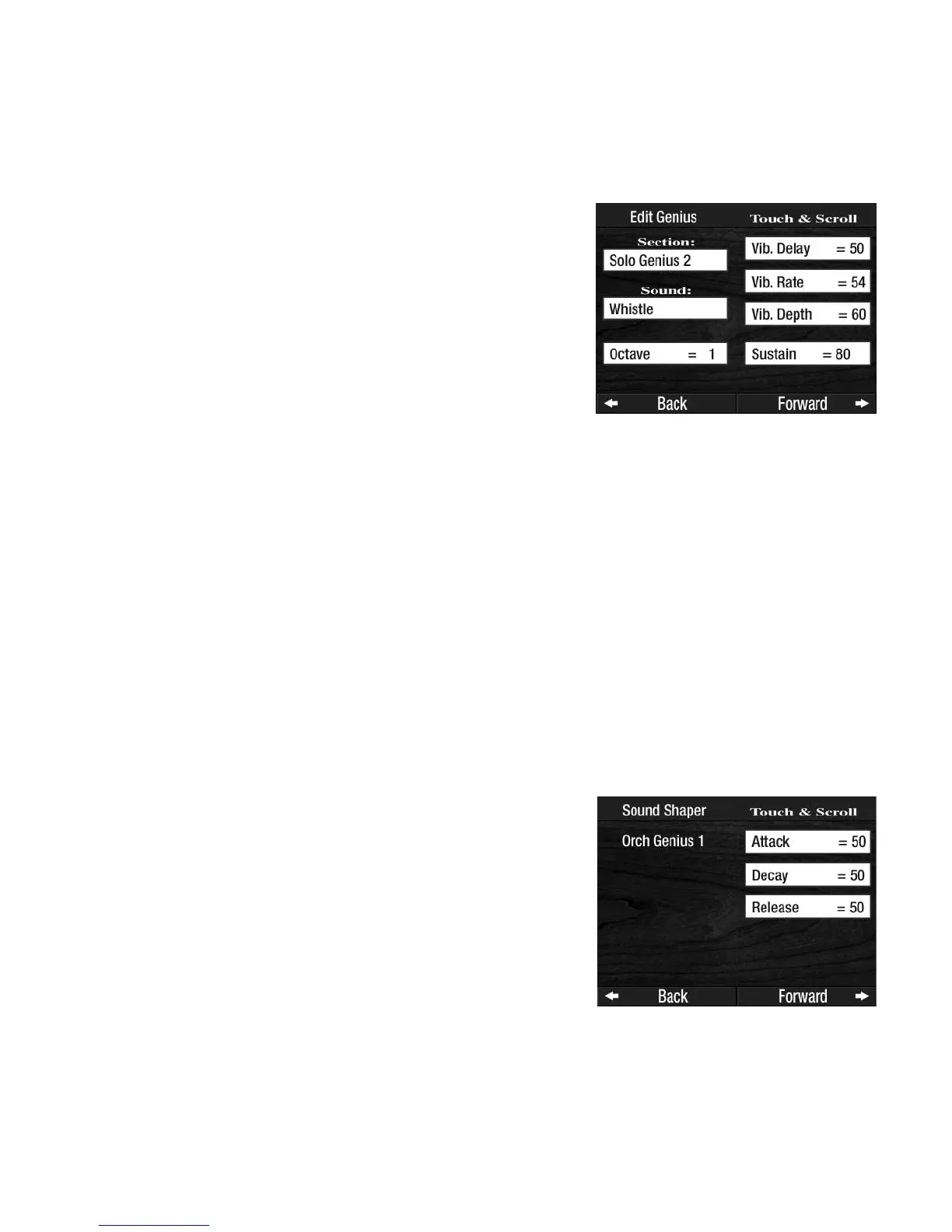
The five PARAMETERS listed below can be changed in the seven Genius sound sections listed above.
•
OCTAVE - Raise or lower the sound by one or two octaves.
•
VIBRATO DELAY - How early or late the Vibrato effect is added to a sound.
•VIBRATO RATE - How fast or slow the Vibrato effect is on a sound.
•
VIBRATO DEPTH - How deep or shallow the Vibrato effect is on a sound.
•SUSTAIN - How long the sound will linger after the key is released.
To change the Genius sound for the section press the name of the sound, on the screen, and then press either
SCROLL button until the desired sound name appears.
To edit the sound, press one of the five edit categories. The box will become highlighted. Press either
SCROLL button to set the Effect value. The higher the number, the more of the effect is added.
How To Use It:
Use the EDIT GENIUS feature to change any of the sounds found on the GENIUS VOICE LIST in the back of
this book. Any of the sounds from the list may be placed into any of these seven sections and then edited.
3. Sound Shaper
Every sound in the Prestige organ has been tuned by Lowrey audio professionals to produce the best instru-
mental sounds possible. You need never change any of the sounds in the organ. The Sound Shaper feature
provides limited sound editing capabilities, if you wish to use them.
What It Does:
Change the character of certain sounds.
The Decay portion of some sounds may not be altered. Sounds such as Organ and Brass, which do not nat-
urally decay
, may not be modified with Sound Shaper. Sounds such as Guitar and Bells, which do natural-
ly decay, may be modified using the Sound Shaper.
RELEASE: The end of the sound-when the key is released.
How It Works:
The Sound Shaper screen displays the Attack, Decay, and Release
portions of a sound that may be changed, resulting in a modified
sound.
ATTACK: The beginning of a sound-when the key is first played.
DECAY: When the sound begins to fade away-the key is still being
held.
How It Works:
Each GENIUS SOUND is preset from the factory and need not be
changed. Press the words
EDIT GENIUS on the screen. The screen
will display the first of seven sections: ORCH GENIUS 1.
Press
ORCH GENIUS 1 to highlight that section, then press either
SCROLL button to display the other six sections, one at a time. Under
the heading Sound will be displayed the Genius sound currently
selected for the section. Stop on the desired section.








 To Next Page