38
Prestige Owner’s Guide
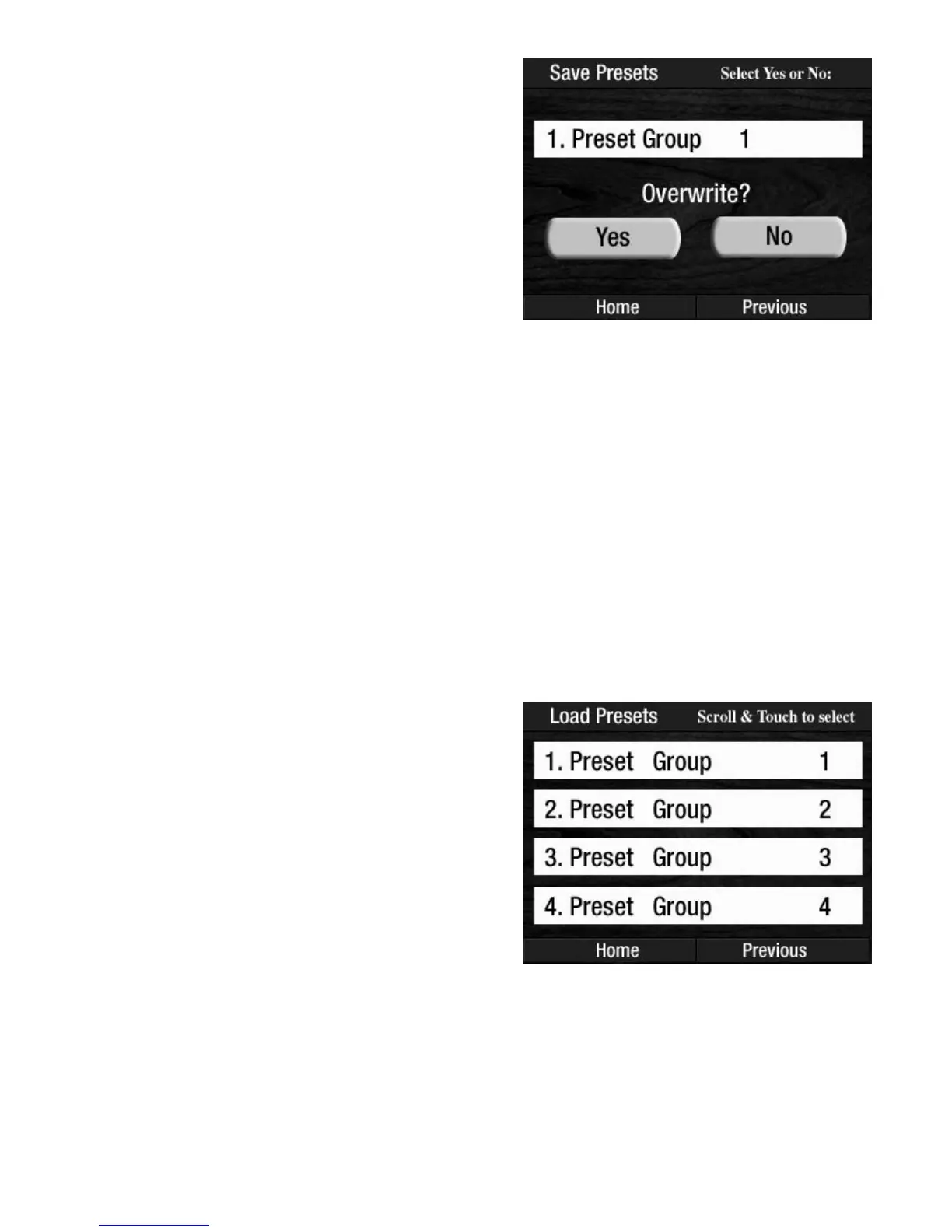
The OVERWRITE feature is used primarily for updating existing Preset groups. For example, Preset Group
1 may be your Elvis Presets. As you are playing with these Presets, you may have made some minor changes
in them. These changes may be more appealing than what you already saved. Rather than saving these
Presets into a new Preset Group, you can
OVERWRITE the existing Presets with the changes you have made.
You don’t even have to change the title.
How To Use It:
The SAVE PRESETS feature is used to permanently store customized Presets for future use in your Prestige.
These can be Presets you have created on your instrument or they can be Presets that are in a Prestige at your
Lowrey dealer. If you are playing for your class, you could put your registrations into the
BANK PRESETS
on your organ at home and then save them onto a memory stick. Bring this memory stick into the Lowrey
store and put your Presets into the Prestige at the store. You’ll have exactly the same sounds as you do at
home!
LOAD PRESETS
How It Works:
1. Insert the memory stick on which you have saved
some Presets into the USB DATA PORT.
2. Press the
USB screen button on the screen.
3. Press the words LOAD PRESETS on the screen to dis-
play the Preset Groups on the memory stick.
The screen will display up to four titles, or groups, at
once. Press either
SCROLL button to display the other
titles that may be on the memory stick.
4. Press the name, on the screen, of the Preset Group you
wish to load into the organ.
The screen will display more options...
Pressing the word NO will return the screen to the previous
display and not overwrite the Preset Group.
Pressing the word YES will display the typing feature in
order to title the new Preset Group.
Press the word
SAVE on the screen to complete the
procedure.








 To Next Page