129
Feature Pages
FOOT SWITCHES - LEFT/RIGHT
The LEFT and RIGHT FOOT SWITCHES work the same at the Touch Bars. You are using your right foot on
the Foot Switches rather than your hand on the Touch Bars.
INCLUDE BANKS? Pressing YES gives you the ability to go from one set of BANK PRESETS to another. For
example, using the
NEXT PRESET on the RIGHT TOUCH BAR or the RIGHT FOOT SWITCH and starting with
BANK A-0, the presets advance through A-10, then continue advancing B-0 through B-10...
Using the
LEFT TOUCH BAR or LEFT FOOT SWITCH moves through the BANK PRESETS in reverse order: A-
10
through A-0, E -10 through E-0...
Remember,
NEXT PRESET moves from the preset currently selected.
How To Use It:
The NEXT PRESET feature allows hands free changing of any of the Presets.
Press the lighted
FEATURE(CLEAR) button to return to the POWER-UP screen.
1. Set Key Splits
What It Does:
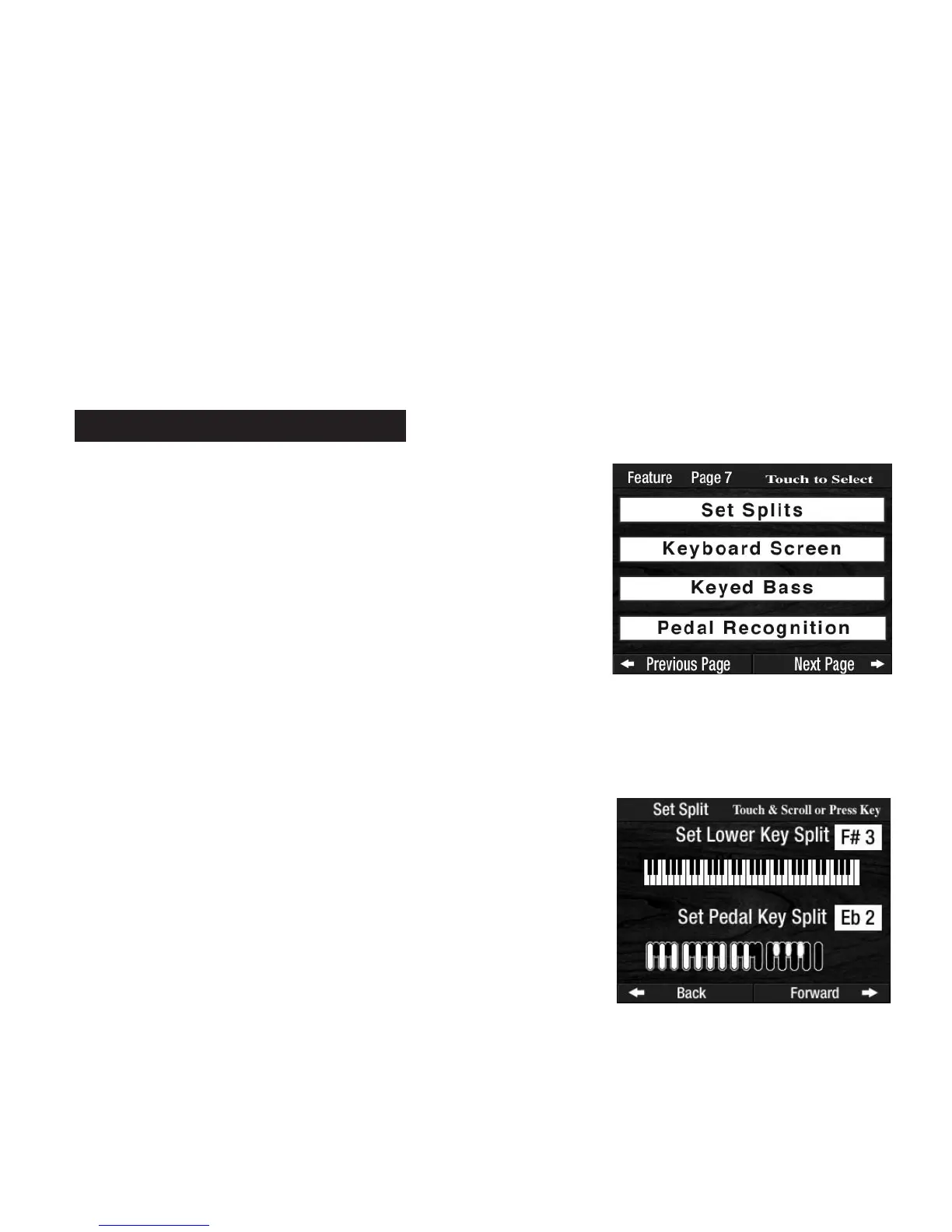
The SET KEY SPLITS feature displays the factory settings for the Lower Key Split and Pedal Key Split. This
same feature allows you to change the factory setting.
To change the
LOWER KEYBOARD SPLIT POINT, simply press the Lower Keyboard key where you want the
Key Split to be. The illustration on the screen will immediately change to reflect your selection. The box,
to the right, will also indicate the change. To the right of the
SPLIT POINT you will be able to use the Lower
Keyboard as an additional melody keyboard. The left side of the Split Point will function as normal-left
hand, lower keyboard.
How It Works:
Press the words SET SPLITS on the screen. The screen will display
an illustration of the Lower Keyboard and Pedals, with an arrow
pointing to the Split Point on each. To the right of each illustration is
a box with the key and pedal name of the split points.
PREVIEW:
FEATURE PAGE 7 controls four feature categories.
1.
SET SPLITS - Changes the factory setting for the location of the
Keyboard Split point on the Lower Keyboard.
2. KEYBOARD SCREEN - Displays the notes being played on the
Keyboards and Pedals.
3.
KEYED BASS - Play the Bass (Pedal) sounds from the Lower
Keyboard.
4.
PEDAL RECOGNITION - Play MCS - Music Chord System - with
the Pedals.
Feature Page 7








 To Next Page