135
Feature Pages
This setting can be saved into a BANK PRESET. Pressing the RESET button or turning the organ off will
return this feature to the factory settings.
Press the lighted
FEATURE(CLEAR) button to return to the POWER-UP screen.
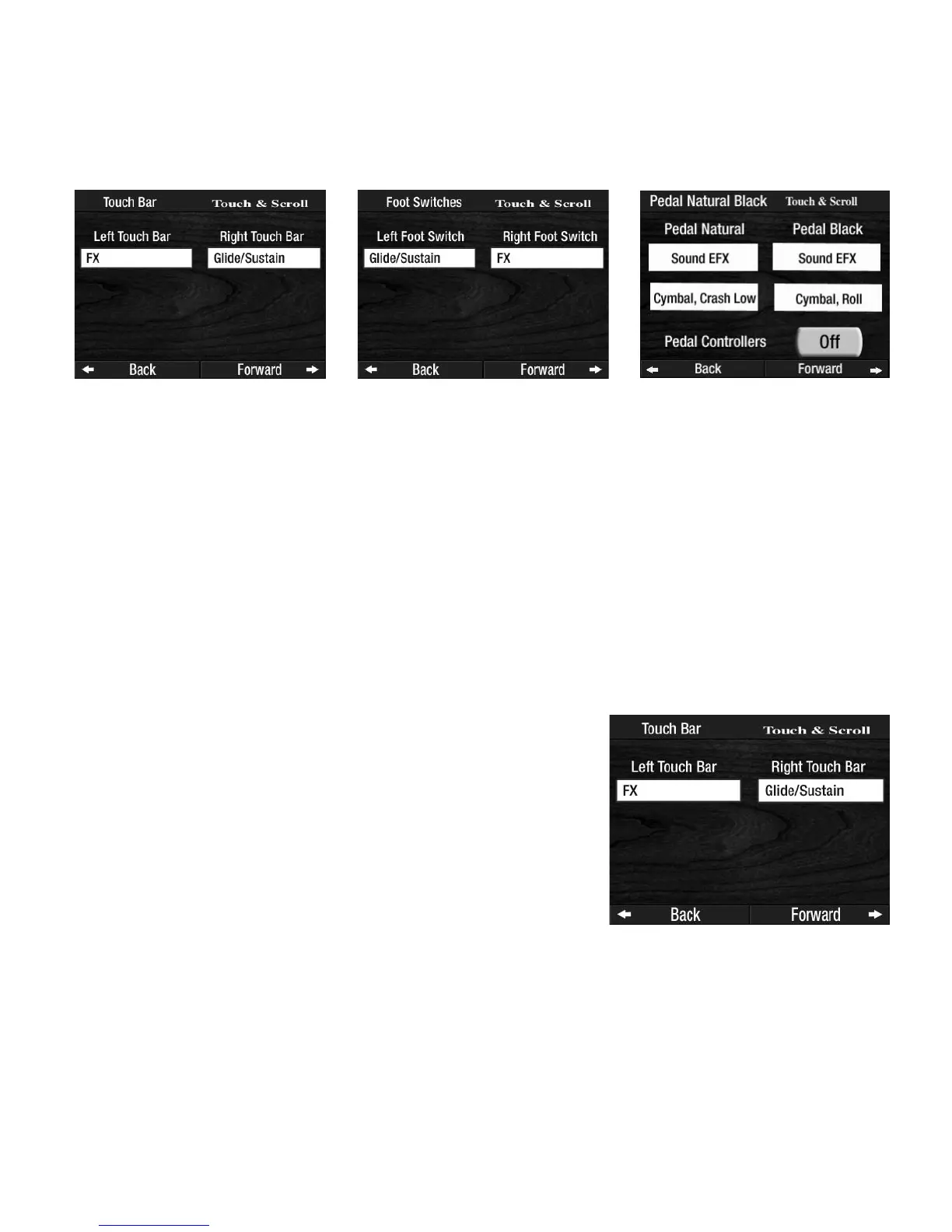
2. Touch Bar 3. Foot Switches 4. Pedal Natural/Black
What It Does:
The method for assigning different functions to the six Controllers are similar. The feature allows you to
assign any one of the 19 functions, listed below, to any one of the six controllers, shown above.
THE FUNCTIONS ARE:
1. Glide/Sustain 6. Transpose Up 11. No Function 16. Sostenuto
2. FX 7. Increase T
empo 12. N.C. (No Chord) 17. Vibra Trem/Rotary
3. Tap Tempo 8. Decrease Tempo 13. Chord - Minor 18. Sound Effect
4. Start/Stop 9. Intro-Ending 1 14. Chord - 7th 19. Light Show
5. Auto Start/Stop Intro Ending 2 15. Chord Diminished
10. Fade In/Out
NOTE: A complete description is found in the section: HOW TO ASSIGN FUNCTIONS TO THE CON-
TROLLERS.
Press the box under either heading,
LEFT TOUCH BAR or RIGHT TOUCH BAR, on the screen and then use the
SCROLL buttons to assign one of the functions to either Touch Bar.
How It Works:
Pressing a particular Controller, on the screen, will display both
Controllers and the factory setting for each. Press the Controller, on
the screen. It will become highlighted. Press either
SCROLL button
to select from among the functions available for the Controller.
For example, press the words TOUCH BAR on FEATURE PAGE 9.
The
LEFT TOUCH BAR and RIGHT TOUCH BAR Controllers are dis-
played.








 To Next Page