136
Prestige Owner’s Guide
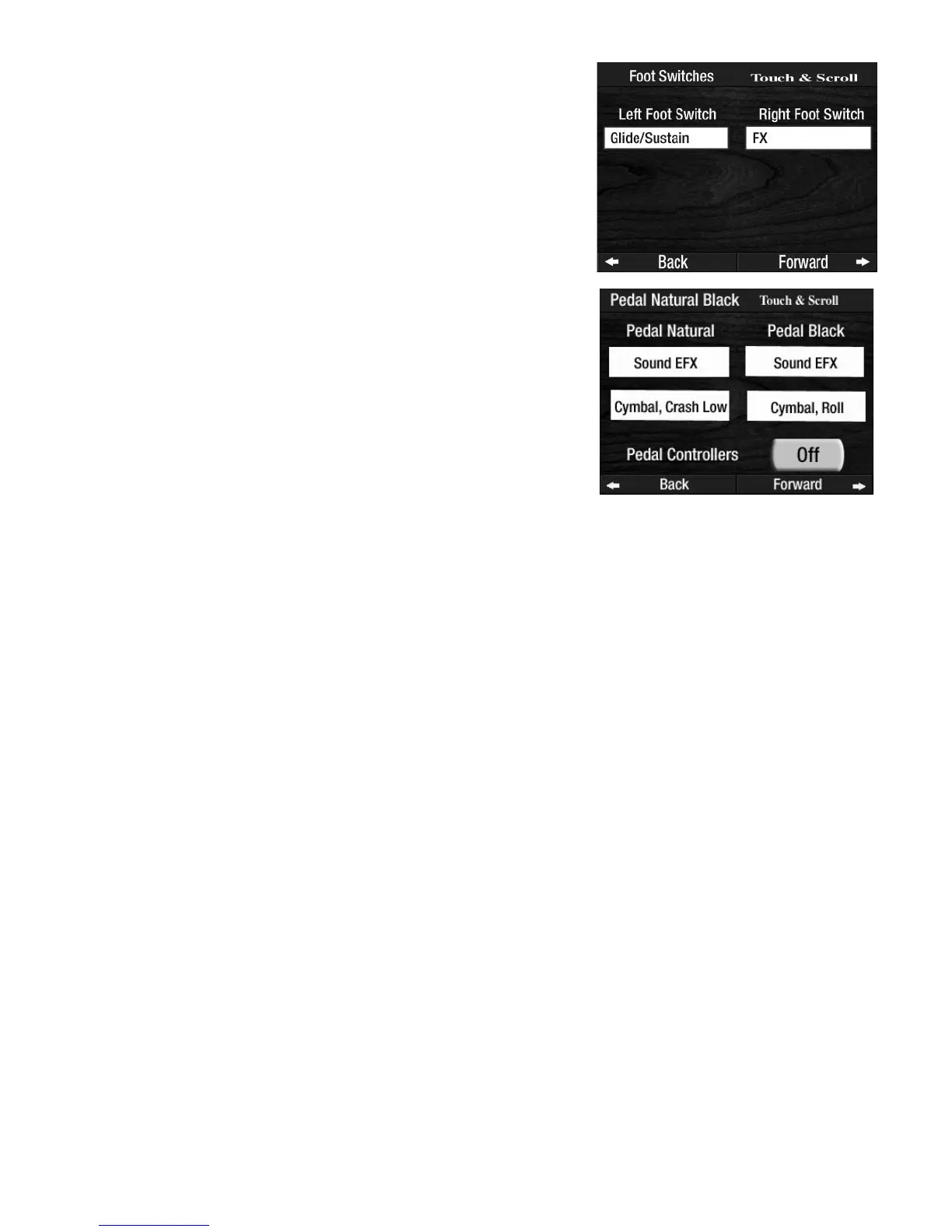
On the TOUCH BAR display and the FOOT SWITCHES display, pressing either SCROLL button and stopping
on a SOUND EFFECTS choice will cause an additional window to appear on the screen which will allow you
to perform additional scrolling to locate a desired Sound Effect.
On the
PEDAL NATURAL/BLACK display, additional windows will appear on the screen allowing you to scroll
for additional sound effects. You must then press the screen box labeled
OFF changing it to ON to activate
the Controller.
Press the lighted
FEATURE(CLEAR) button to return to the POWER-UP screen.
How To Use It:
This feature gives you many opportunities to change from where functions are controlled.
For example, if you wish to observe the N.C. (No Chord) symbol while playing a song, you could assign
N.C. (NO CHORD) to the RIGHT TOUCH BAR. This would enable you to achieve N.C. by simply touching the
Right Touch Bar.
You could place the N.C. function on a
NATURAL Bass Pedal. This would enable you to achieve N.C. by
pressing a Natural Bass Pedal with your foot.
When
MCS is activated (EASY button or Rhythm Style) you can assign the CHORD - MINOR function to the
NATURAL Bass Pedal. Instead of playing a C and a C
b
on the Lower Keyboard to form a C Minor chord, you
can play the single C on the Lower Keyboard and play a Natural Bass Pedal to form the C Minor chord.
These changes can be saved into a
BANK PRESET. Pressing the RESET button or turning the organ off will
return the changes to the factory setting.
Press the words PEDAL NATURAL/BLACK on FEATURE PAGE 9.
The
PEDAL NATURAL/BLACK display splits the Pedal board. Press
either choices on the screen and then use the
SCROLL buttons to
assign one of the functions to either the Natural or Black Pedals.
Press the lighted
FEATURE(CLEAR) button to return to the POWER-
UP screen. The changes made will be
implemented.
Press the words FOOT SWITCHES on FEATURE PAGE 9. The LEFT
FOOT SWITCH and RIGHT FOOT SWITCH Controllers are displayed.
Press the box under either heading on the screen and then use the
SCROLL buttons to assign one of the functions to either Foot Switch.


 To Next Page
 Loading...




