20
Prestige Owner’s Guide
What It Does:
Any of the brown-colored BANK PRESET buttons ( A - B - C - D - E ) can be changed from the factory regis-
trations to those of your own creation.
How It Works:
A TIP FROM LOWREY: Read through this procedure before doing it. Customizing a Bank Preset involves the
lettered
BANK PRESET buttons, the numbered GENERAL PRESET buttons, and the red-colored MEMORIZE
button.
4. When you are using any of the
RHYTHM STYLES and/or the TRANSPOSE feature as part of your
registration, you must tell the organ to include them.
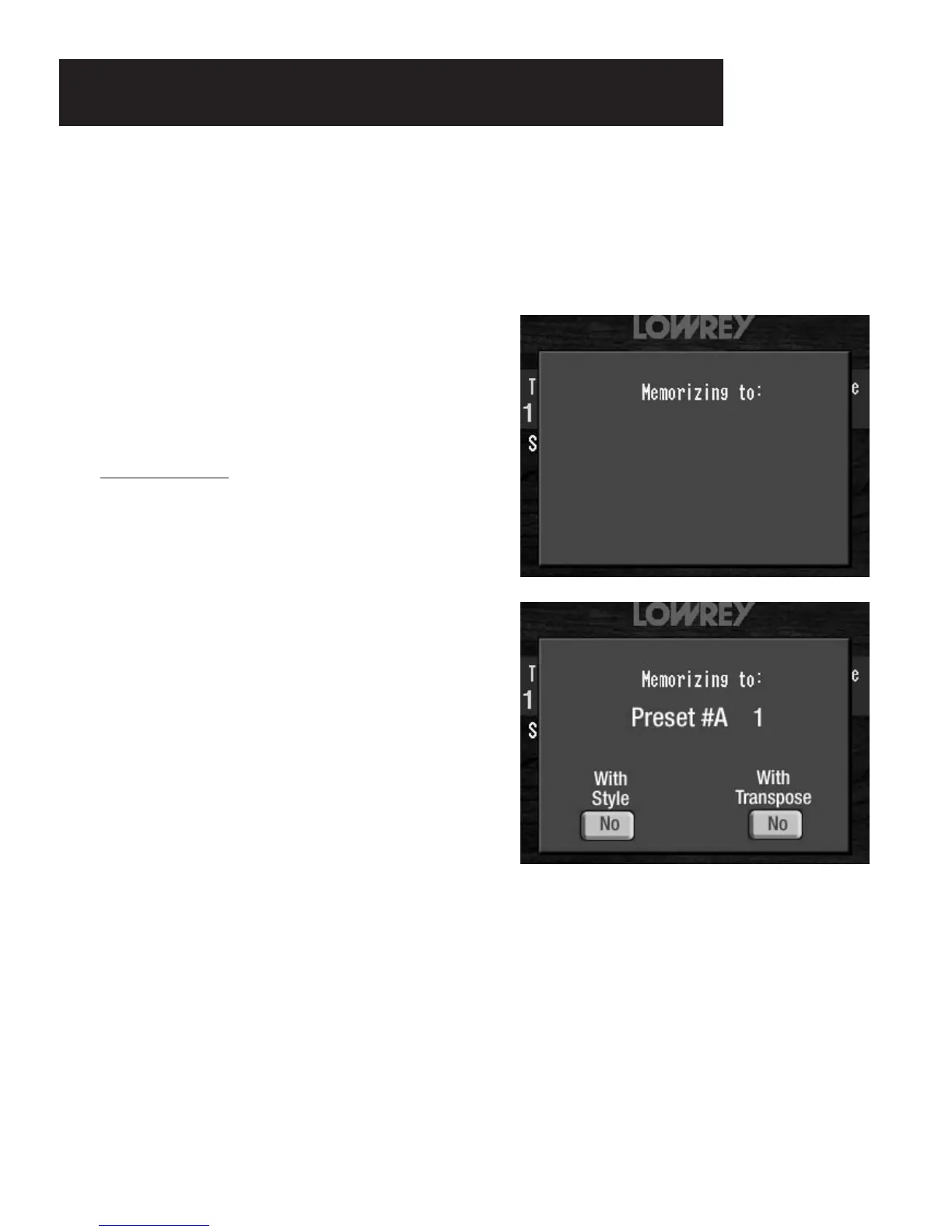
At the bottom left of the
COLOR TOUCH SCREEN,you will see the words WITH STYLE with the picture of a
button below it containing the word NO. To include the Rhythm Style when you save your registration
press the picture of the button. The word NO will change to YES.
At the bottom right of the
COLOR TOUCH SCREEN, you will see the words WITH TRANSPOSE with the pic-
ture of a button below it containing the word NO. To include the Transpose feature when you save your reg-
istration press the picture of the button. The word
NO will change to YES. If you change your mind, touch
either screen button again and the word
NO will again appear.
3. Decide where you want to save your registration
(BANK PRESET Letter and GENERAL PRESET
Number). Press that Letter button and then press that
Number button.
The screen will display the Letter
and Number you have selected. For example, if you
pressed the Bank Preset button
A and the General
Preset button 1 the COLOR TOUCH SCREEN will
readas illustrated to the right.
Pressing Bank Preset button
A or (B, C, D, E) and no
other numbered preset button saves your preset into
that Bank letter (Bank Preset 0).
TRY THIS: Try the following steps to see how to customize
a
BANK PRESET button.
1. Press the buttons and tabs for the registration you wish
to create and save.
2. Press and release
the red-colored MEMORIZE button.
Watch the COLOR TOUCH SCREEN.
The screen will read:
Customizing A Bank Preset








 To Next Page