114
Prestige Owner’s Guide
How To Use It:
Use the MASTER TUNE feature to match the organ’s tuning when playing along with other instruments or
ensembles that cannot easily tune to the organ (pianos or orchestras). Use the Tune settings to create a cho-
rusing effect between two or more sounds.
You never need to use this feature. The Prestige will always sound good without any need for adjustments.
Press the lighted
FEATURE(CLEAR) button to return to the POWER-UP screen.
3. Sustain Lengths - SHORTCUT=FEATURE + ANY GREEN SUSTAIN TAB
What It Does:
Sustain causes a sound to slowly fade away after the keys are released. Without sustain, the sound of the
keys stop immediately upon being released. This feature allows you to individually change the sustain
lengths in certain sections of the organ.
UPPER FLUTES - the green Upper Flute Sustain tab.
UPPER STRINGS/VOCAL (U Stg Vocal) - the green String/Vocal Sustain tab in the UPPER section.
LOWER FLUTES - the green Lower Flute Sustain tab.
LOWER STRINGS/VOCAL (L Stg Vocal) - the green String/Vocal Sustain tab in the LOWER section.
BASS TABS - the orange Bass Sustain tab in the BASS section.
AUTO BASS - the orange buttons in the RHYTHM PLUS ORCHESTRATION section. This is only affect-
ed when a Rhythm Style is on and you are actually playing the Bass Pedals.
Note: The orange
PEDAL GENIUS tab in the BASS section can also be changed, as shown on pages 72 and
85.
How It Works:
SUSTAIN is factory preset for each section of tabs and buttons. The
sustain length is adjustable numerically from 1 (least) to 100
(Maximum). Pressing the SUSTAIN LENGTHS choice changes the
display to allow you to select which of the tabs or buttons you wish
to change. It will also indicate the factory setting in each section.
Press the desired
SUSTAIN choice on the screen. It will become
highlighted. Press either SCROLL button to move to the desired
selection.
How It Works:
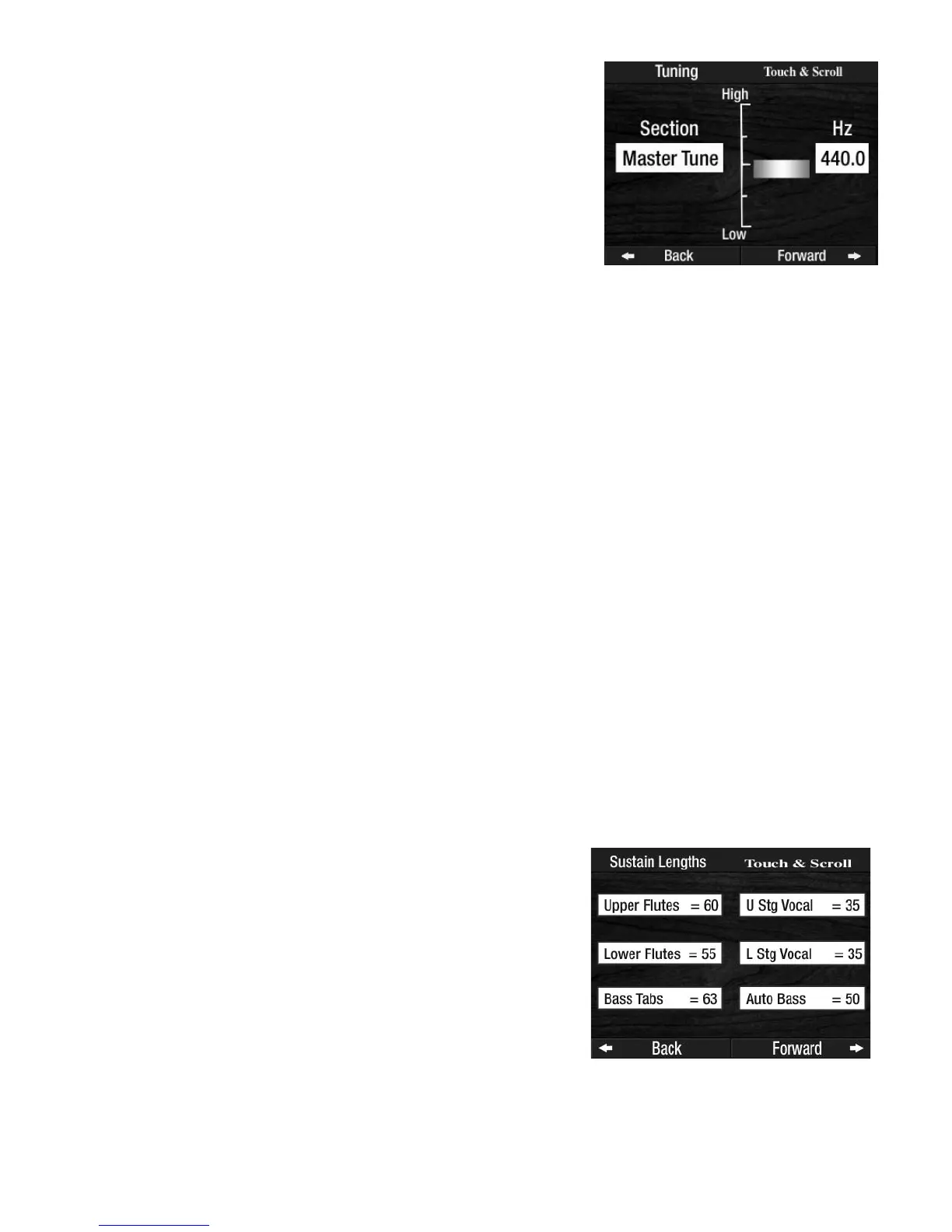
TUNING is factory preset for each section of the organ and never needs
to be changed. Pressing the Tuning screen button displays the tuning
choices. The factory preset is displayed.
Press the box labeled
MASTER TUNE. It will become highlighted.
Press either SCROLL button to move to the desired selection.
In addition to the numerical indicator, there is also a vertical graph
which illustrates the tuning level.



 To Next Page