28
Prestige Owner’s Guide
FORMATTING A MEMORY STICK
Formatting is a process the organ performs so that a memory stick and the organ will speak the same lan-
guage. A new memory stick, other than the one labeled ‘Lowrey Prestige’ that was supplied with the organ,
must be formatted one time before it can be used. Once formatted, the memory stick can be used repeated-
ly for Music Recor
dings and saving Bank Presets in your Prestige organ.
RECORDING & PLAYBACK
When you make a recording, you are storing two basic types of information on the memory stick: the notes
(keys) being played and the buttons and tabs being turned on and off during the recording.
RECORDING A SONG ON THE MEMORY STICK
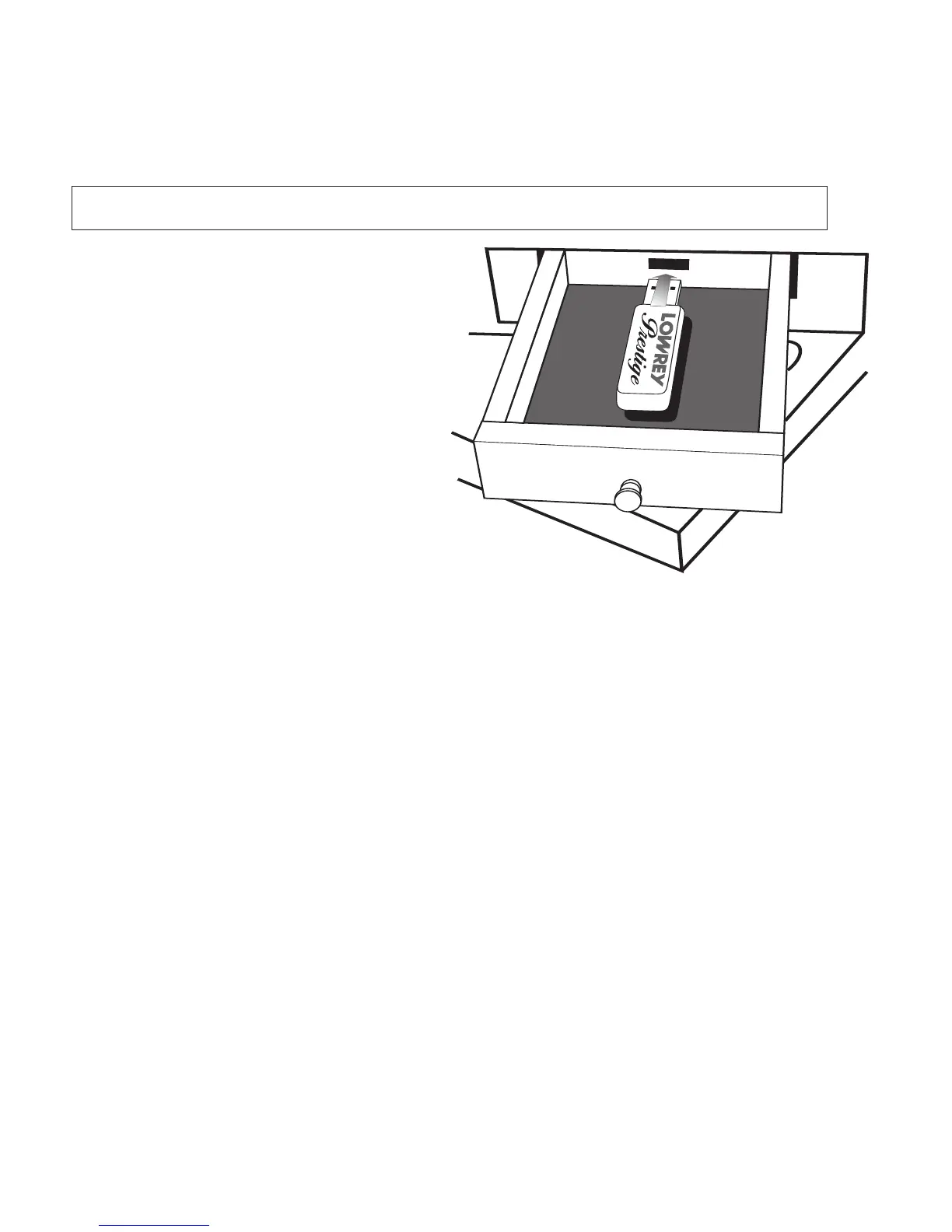
1. Insert the MEMORY STICK into the USB DATA PORT.
a. Open the USB PORT DRAWER.
b. Swing open the protective metal covering on the Lowrey-supplied memory stick, exposing the
receptacle end of the memory stick.
c. Insert the memory stick, label side facing up, into the
USB DATA PORT.
d. Wait a few seconds for the memory stick to fully connect to the Prestige organ.
e. Close the
USB DATA PORT DRAWER.
2. Set the Prestige up with the sounds and features you wish to play. Use the Presets or make your own.
3. Press the RECORD button. The button will light up yellow and then flash red.
The
REGISTRATION, BASS, LOWER, and UPPER buttons will flash red, as well. A metronome
will begin keeping the beat.
4. Begin playing your song. Recording begins when you play the first note or press any button or tab.
5. Press the
STOP button when you are finished playing.
6. Press the PLAY/PAUSE button to listen to your recording.
After you have made the recording and pressed the
STOP button, you may set the MUSIC RECORDER up to
make another recording by simply pressing the
RESET button. Start with step #2 above and record your next
song. The organ will automatically select the next empty spot on the memory stick so you won’t
accidentally erase songs previously recorded.
The USB DATA PORT and the MEMORY STICK
function much the way a floppy disk, found on
other Lowrey organs, does. The major differ-
ences are the memory stick is faster, smaller, and
holds much more data
In order to use the
MUSIC RECORDER or any of
the MEMORIZE BANK PRESET features the
MEMORY STICK must be inserted in the USB
DATA PORT
.
1. Fully open the small storage drawer to the left
of the lower keyboard.
2. Insert the memory stick, as pictured to the
right, fully into the
USB DATA PORT.
3. Close the drawer.
WARNING: The formatting process will erase any information that may be stored on a memory
stick. Care should be taken to avoid erasing things you wish to keep.








 To Next Page