35
Memory Stick
OTHER CONNECTIONS
MIDI, AUX IN and AUX OUT connections are located on a panel on the back side of the organ, as is the
video out jack..
MIDI IN, OUT, THRU: You never need to use these connections to fully enjoy playing the Lowrey Prestige.
These are the connections used for connecting other MIDI equipped devices to your organ. Any MIDI
equipped device’s manual will describe connection and operation. The controls described in
FEATURE PAGE
10 - MIDI
on page 139, will only be needed when making such a connection.
AUX OUT, RIGHT-LEFT: These two 1/4” jacks are stereo line level outputs. They are there so you can record
the organ directly into a tape deck, or connect the organ to an external amplification system. If only the
LEFT jack is used, a monaural, (not stereo), signal of the complete organ sound is sent out.
AUX IN, RIGHT-LEFT: These two 1/4” jacks are stereo line level inputs. They are there to let you utilize the
premium sound system on the Prestige to listen to other audio sources: tape decks, CD players, MP3 Players,
iPods, etc.
The
AUX IN selection on FEATURE PAGE 8 controls whether the sound coming in is controlled by the Volume
Pedal (THROUGH) or controlled by the device connected to the AUX IN Jack(s) (BYPASS). Use the Left input
for monaural signals.
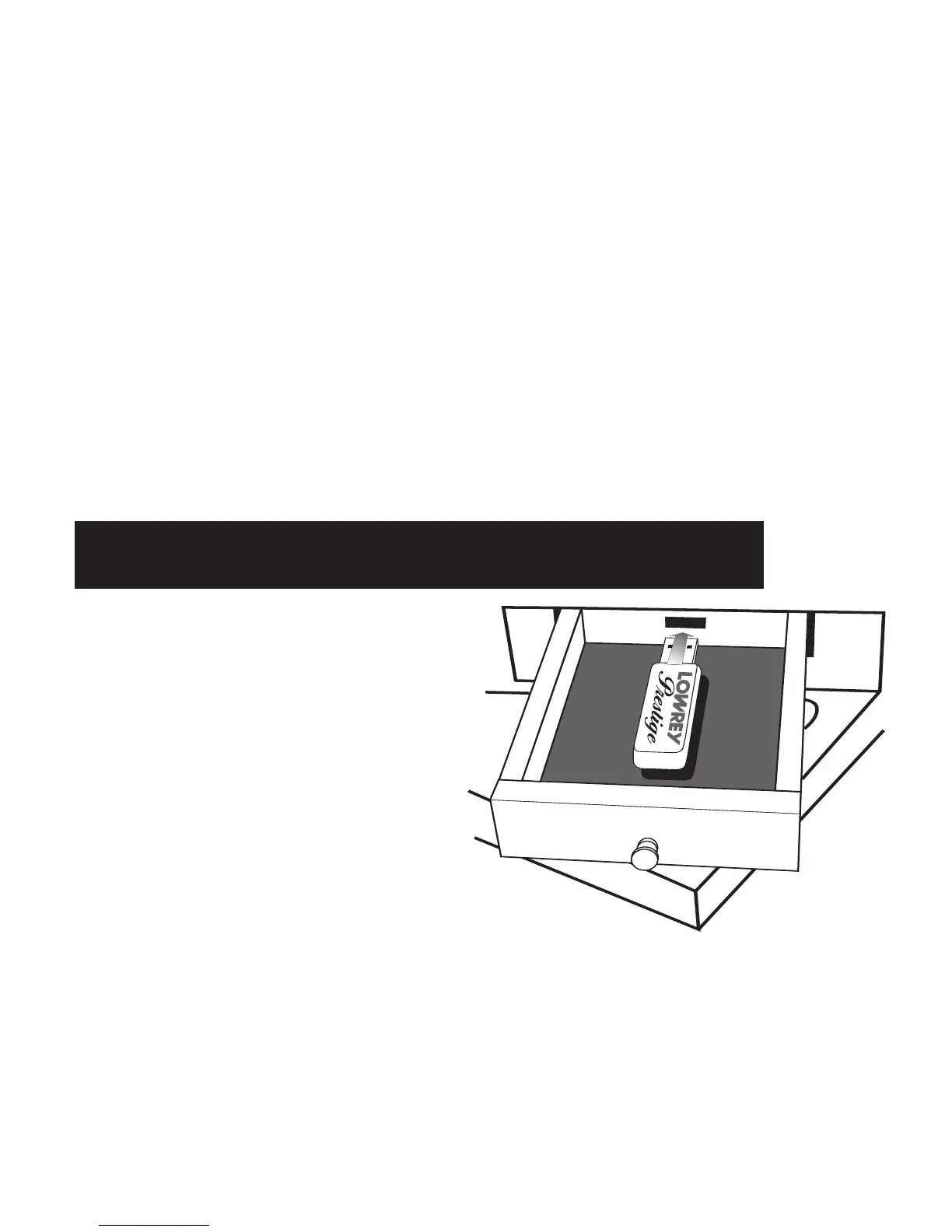
The USB DATA PORT and the MEMORY STICK
function much like the floppy disk found on other
Lowrey organs. The major differences are the
memory stick is faster, smaller, and holds much
more data
In order to use the
MUSIC RECORDER or any of
the BANK PRESET functions. The MEMORY
STICK must be inserted in the USB DATA PORT.
1. Fully open the small storage drawer to the left
of the lower keyboard.
2. Insert the memory stick, as pictured to the
right, fully into the USB Data Port.
2. Close the drawer.
How to Use the Memory Stick








 To Next Page