133
Feature Pages
How To Use It:
The AUX IN jacks let you utilize the premium sound system on the organ for listening to other Audio play-
back devices (tape player, MP3 player, ipod...).
Press the lighted
FEATURE(CLEAR) button to return to the POWER-UP screen.
3. Virtuoso
What It Does:
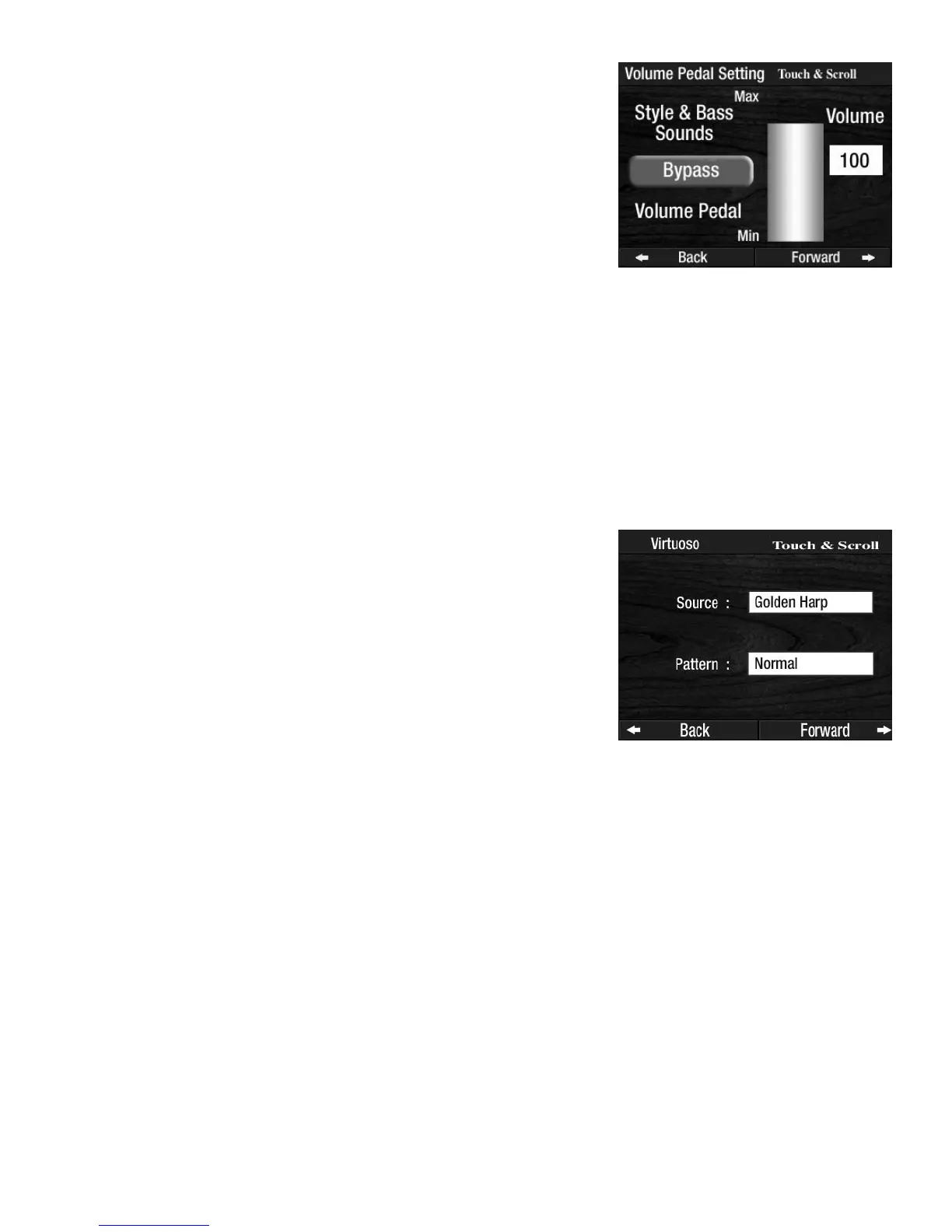
The VIRTUOSO feature page allows you to control from where (Source) the sounds played on the Virtuoso
keyboard are selected, and select the style (Pattern) in which the sounds are played.
The factory set source for sound is
GOLDEN HARP. The sound heard when the playing the virtuoso
keyboard is the same sound heard when the golden harp plays.
The red colored
LOWER RIGHT button, located in the ORCHESTRAL section, must be illuminated in
order for the LOWER RIGHT SOURCE sound to play on the virtuoso keyboard. A red ORCHESTRAL
sound button, or one of the red ORCHESTRAL GENIUS buttons must also be selected.
The red colored
UPPER ON, or blue colored UPPER ON button, located in the ORCHESTRAL and SOLO
sections, must be illuminated in order for the UPPER SOURCE sound to play on the virtuoso keyboard.
A red ORCHESTRAL sound button, a blue SOLO sound button, one of the blue SOLO GENIUS buttons, or
one of the red
ORCHESTRAL GENIUS buttons must also be selected.
When both the red and blue colored
UPPER ON buttons are illuminated, and a red ORCHESTRAL and blue
SOLO sound button are illuminated, both sounds will be the sound heard when you play the virtuoso
keyboard.
To choose from among the two patterns touch the box on the screen to the right of the word
PATTERN.
Press either
SCROLL button to select among the two pattern choices: NORMAL and SKIP. The factory set
pattern is NORMAL.
How It Works:
Press the word VIRTUOSO on the touch screen.
To choose the source for the sound touch the box on the screen to the
right of the word
SOURCE.
Press either
SCROLL button to select among the three sound source
choices: GOLDEN HARP, UPPER, or LOWER RIGHT. The sound heard
when playing the virtuoso keyboard will be the same that is active
for the keyboard (source) selection you make.
How It Works:
Pressing the words AUX IN on the screen displays two choices:
THROUGH- The Aux In volume is controlled with the Volume Pedal.
BYPASS-The Aux In volume is not controlled by the Volume Pedal.
The volume level is set on the screen and may be controlled by the
device connected to the Aux In jacks.








 To Next Page