25
Recording Your Music
At this point, your musical performance is on the CD, but can only be accessed from the Prestige. You may
r
emove the CD and add new songs to it later, by recording directly to the CD or by recording a song from a
memory stick to the CD. See the following section:
PLACING A RECORDING FROM A MEMORY STICK TO A
CD
. When you have recorded as many songs as you wish to be saved to the CD (or until it will hold no
more), you will need to FINALIZE the CD.
FINALIZE YOUR CD
The FINALIZE step is how you permanently ‘Burn’ your songs to the CD so it can then be played on other
CD players. After the
FINALIZE procedure, the CD will only playback. Songs may not be added after it has
been Finalized.
1. Insert the
CD that holds the songs you wish to permanently record.
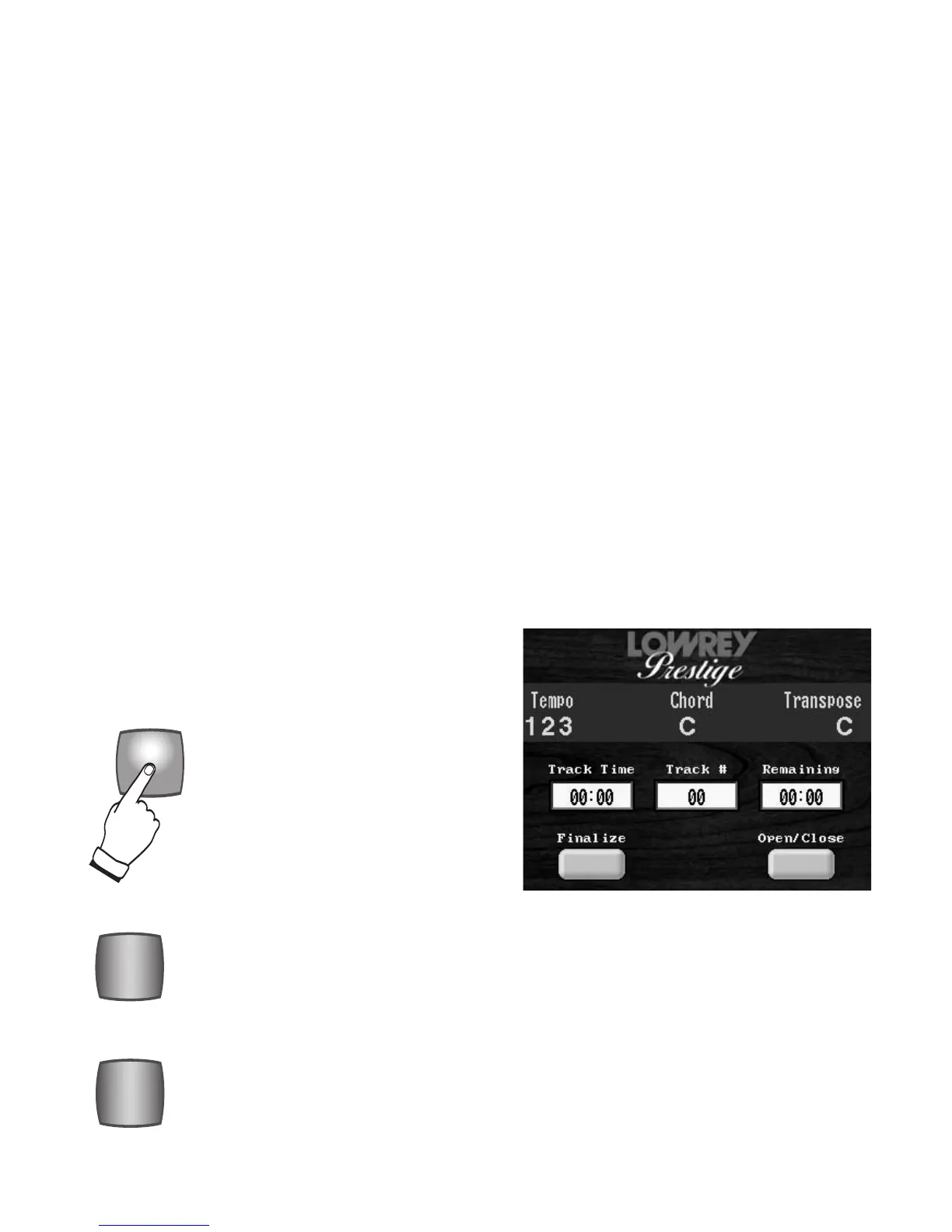
2. Press the
DISPLAY button, located in the CD RECORDER/PLAYER section to the right of the lower
keyboard.
3. Press the
FINALIZE screen button in the COLOR TOUCH SCREEN.
4. The screen will display the message that follows with choices of
OK and CANCEL.
Finalizing the CD allows playback on other CD players.
You can not record again on a Finalized CD.
5. Press
OK to finalize the CD. Press CANCEL to end the procedure and not finalize. While the CD is being
finalized the screen will indicate so with this message...
Finalizing. Do not press any buttons. When this box goes away your disk is finalized.
CD CONTROL BUTTONS
These buttons, located on the right end block of the organ, control the CD RECORDER/PLAYER.
The STOP button ends the recording process or turns off CD playback. When you press the
Stop button to end the recording session the Music Recorder immediately returns to the begin-
ning of the recording. Simply press the PLAY/PAUSE button for instant playback.
Pressing the Stop button during playback ends the song and returns to the beginning of the song
you are playing.
Simply press one button to record your song! Press the RECORD button and it flashes red
(standby). Recording begins when you press the
PLAY/PAUSE button. The red flashing ends
and the Record button becomes solidly illuminated. If you have not yet done so, press the
DISPLAY button in the CD PLAYER/RECORDER section so the word RECORDING will be dis-
played on the
COLOR TOUCH SCREEN in red letters.
DISPLAY, located to the right of the lower
keyboard, turns the COLOR TOUCH
SCREEN for the CD RECORDER/PLAYER
on and off.








 To Next Page