128
Prestige Owner’s Guide
2. Rename Bank Preset
What It Does:
The GENERAL PRESETS, CATEGORY PRESETS, and RHYTHM PRESETS all have factory settings that may
not be changed.
BANK PRESETS have factory settings that can be changed.
The
RENAME BANK PRESET feature allows you to replace any word with your own title.
How To Use It:
The RENAME BANK PRESETS feature enables you to give your Bank Presets meaningful titles. The num-
ber of characters per title is limited.
Your
BANK PRESETS will remain, even if the organ is turned off or the RESET button is pressed. Only a
TOTAL RESET or RESET PRESETS procedure will return the Bank Presets, and your unique titles, to the fac-
tory settings. Loading Bank Presets from a memory stick to the organ will replace any Bank Presets in the
organ.
Press the lighted
FEATURE(CLEAR) button to return to the POWER-UP screen.
3. Next Preset
What It Does:
The NEXT PRESET feature enables you to move from one Preset to another without having to actually press
a Preset button. Presets can be changed by pressing the Left and/or Right Touch Bars or by pressing the Left
and/or Right Foot Switches on the Volume Pedal.
TOUCH BARS - RIGHT
Pressing the screen button labeled OFF, under the heading TOUCH BARS RIGHT, will change it to ON and
cause the presets to change, in order (0 - 1 - 2 - 3 - 4 - 5 - 6 - 7 - 8 - 9 - 10) when the RIGHT TOUCH BAR is
pressed.
Having them
TOUCH BARS LEFT and RIGHT set to On will enable you to move through the presets in both
directions, depending on which Touch Bar is pressed.
How It Works:
Press the words NEXT PRESET on the screen to display the choices
available.
TOUCH BARS - LEFT
Pressing the screen button labeled OFF, under the heading TOUCH
BARS LEFT
, will change it to ON and cause the presets to change, in
reverse order (10 - 9 - 8 - 7 - 6 - 5 - 4 - 3 - 2 - 1 - 0) when the
LEFT
TOUCH BAR is pressed.
How It Works:
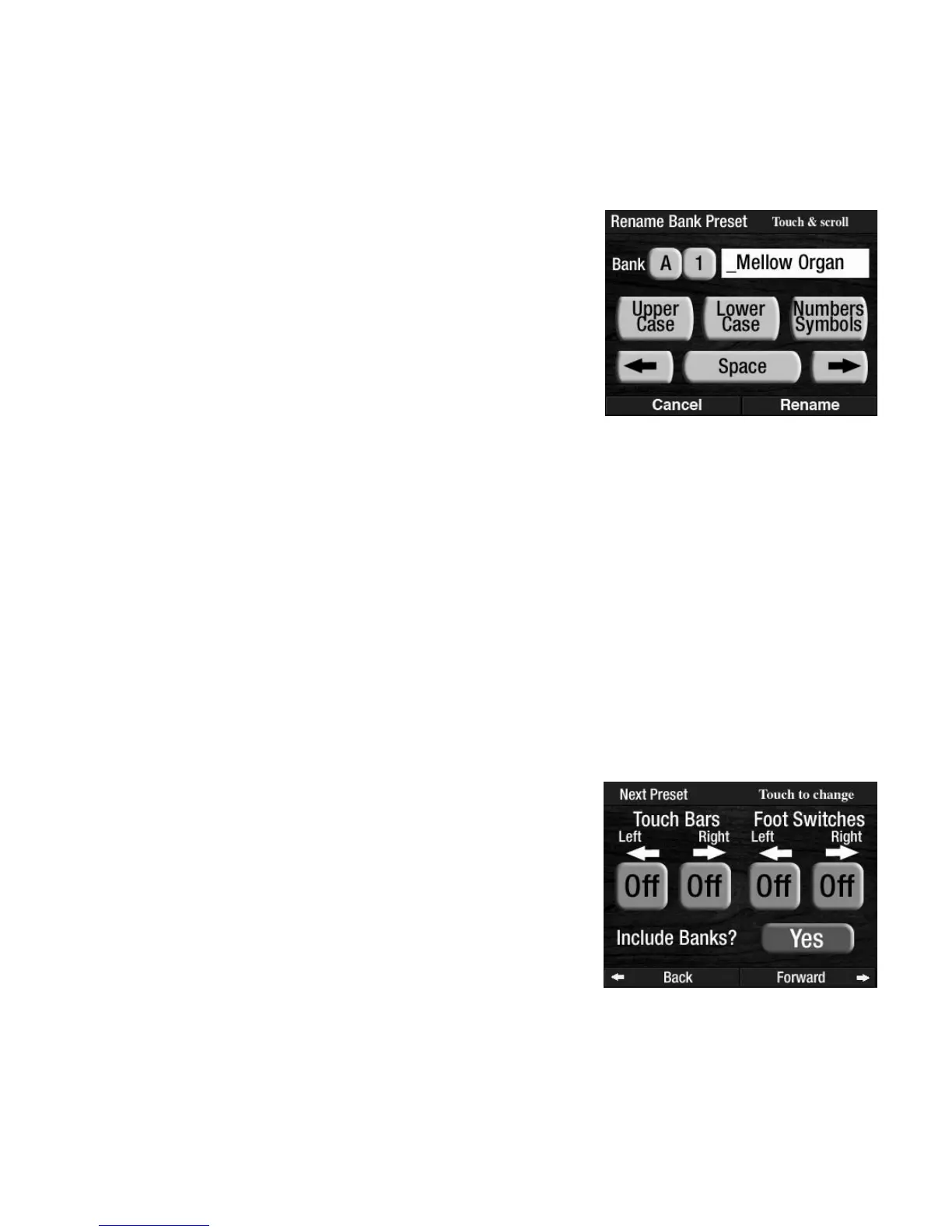
Press the words RENAME BANK PRESETS on the screen to display a
typing tool.
Press the appropriate box on the screen for Upper Case letters or
Lower Case letters and Numbers/Symbols.
Press either
SCROLL button to display the desired character. Press the
SPACE and ARROW boxes on the screen to move the cursor left or
right for the next character. Press a different General Preset button to
lock in the name you just changed.








 To Next Page